
Harvest
Time Tracking
Sign up free

Time Tracking for Trello Users

Trello users can combat productivity leaks, which cause up to 80% inefficiency, with Harvest's robust time tracking tools, enhancing project management capabilities.

Try Harvest Free

What should you charge per hour?

Most freelancers and consultants dramatically undercharge. This calculator accounts for what most people miss: non-billable time, taxes, and overhead.

$
Accounting for vacation, holidays, sick days
60%
Most freelancers can bill 50-70% of their time. The rest goes to admin, marketing, proposals, and learning.
$
Software, insurance, equipment, accounting, taxes beyond income tax, etc.
Your break-even rate $0
Recommended rate (+20% buffer) $0
Billable hours per week 0h
Equivalent daily rate $0

Start tracking your billable hours

Walk through the entire flow below. Start a timer, check your reports, and create a real invoice — all in three clicks.

Go ahead — start tracking!

One click and you're timing. Try it right here: start a timer, add an entry, edit the details. This is exactly how it feels in Harvest.

  • One-click timer from browser, desktop & mobile
  • Works inside Jira, Asana, Trello, GitHub & 50+ tools
  • Duration or start/end — your call
  • Day, week & calendar views to stay on top of it all
  • Friendly reminders so no hour gets left behind
Acme Corp
Website Redesign
Homepage layout revisions
1:24:09
Content Strategy
Blog calendar planning
1:30:00
SEO Audit
Technical audit report
0:45:00
Brand Guidelines
Color system documentation
2:15:00
Logo Concepts
Initial sketches round 1
1:00:00

Effective Time Tracking for Trello Users

For Trello users seeking to enhance their project management capabilities, integrating effective time tracking is crucial. Time tracking tools can boost productivity by 30% and reduce productivity leaks by up to 80%, potentially increasing revenue by 61%. While Trello excels in organizing tasks, it lacks built-in time tracking features. This is where external solutions like Harvest come into play, offering robust time tracking that complements Trello's functionality.

Harvest provides a user-friendly platform to track time accurately, whether manually or with timers. This data can then be compiled into comprehensive timesheets, offering insights into project profitability and resource allocation. While it doesn’t integrate directly into Trello cards, Harvest’s browser extensions allow seamless time tracking alongside Trello, ensuring that every billable hour is captured.
Integrating Time Tracking with Trello

Integrating time tracking tools with Trello enhances project management by providing detailed insights into how time is spent across tasks. Although direct integration is not possible, tools like Harvest provide a practical workaround. Users can utilize Harvest’s browser extensions to track time as they work on Trello, ensuring accuracy and detail without disrupting workflow.

Effective time tracking helps reduce inaccuracies common with manual timesheets, which report an 80% error rate. By using Harvest, Trello users can log hours in real-time, preventing the overestimation and forgotten tasks that memory-based tracking often leads to. This approach not only ensures compliance with labor laws but also supports accurate client billing and project profitability analysis.

Choosing the Right Time Tracking Features

When selecting a time tracking tool for Trello, consider features that align with your project management needs. Essential features include real-time logging, manual timers, and easy-to-generate reports. Harvest offers these capabilities, making it a suitable choice for Trello users aiming to optimize task tracking and billing accuracy.

Automated time tracking systems like Harvest can significantly reduce administrative tasks by 50% and improve work-time efficiency by up to 32%. These tools provide a structured way to track time spent on Trello tasks, aiding in resource allocation and strategic decision-making. Though Harvest requires manual input or timer use, its integration capabilities with other business processes, like invoicing, make it a comprehensive choice for enhancing Trello's project management.

Benefits of Time Tracking for Trello Projects

Incorporating time tracking into Trello projects offers numerous benefits, from increased productivity to improved compliance with legal requirements. Companies using time tracking tools like Harvest report a 30% increase in profitability and a significant reduction in productivity leaks.

Time tracking aids in identifying inefficiencies, optimizing resource allocation, and ensuring accurate client billing. Even though Harvest doesn’t integrate directly with Trello, it compensates with features that support detailed project tracking and reporting. This allows Trello users to manage project timelines effectively and enhance overall project planning and execution.

Time Tracking with Harvest for Trello

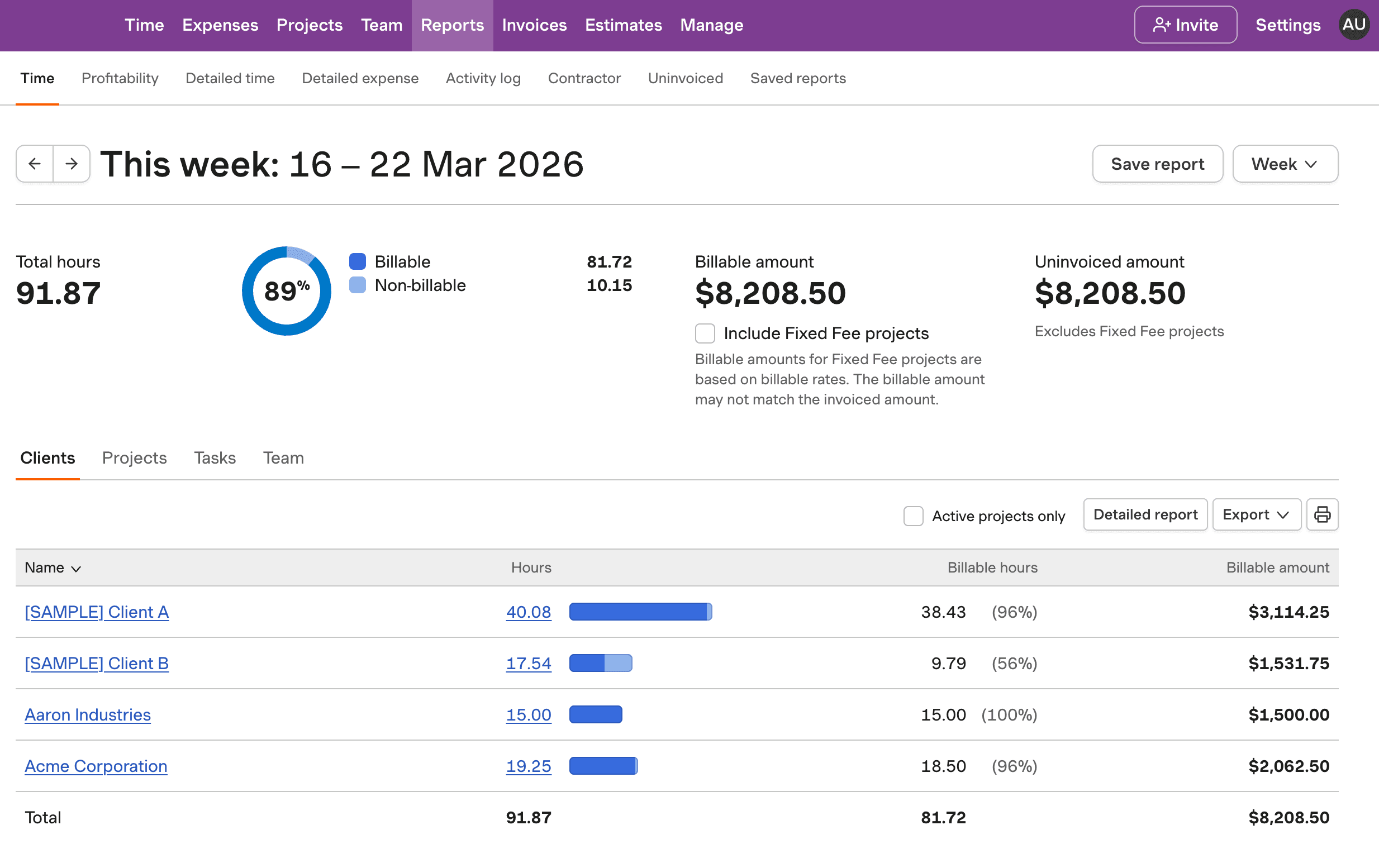
See how Harvest enhances Trello with precise time tracking. Track billable hours and manage projects efficiently.

Screenshot of Harvest time tracking tool for Trello users.

Time Tracking for Trello Users FAQs

  • While Trello doesn't have built-in time tracking, you can use external tools like Harvest to track time effectively. Harvest provides browser extensions that allow you to log time as you work, ensuring each task is accurately tracked.

  • There is no direct integration between Trello and Harvest. However, Harvest offers browser extensions that can be used alongside Trello to facilitate time tracking.

  • Time tracking boosts productivity by up to 30%, aids in accurate billing, and helps manage project timelines effectively. Tools like Harvest offer comprehensive tracking solutions that complement Trello's project management.

  • Look for features like real-time logging, easy report generation, and integration with other business processes. Harvest provides these capabilities, making it a reliable choice for Trello users.

  • Yes, Harvest can track billable hours through manual entry or timers while you work on Trello tasks. This data can then be used for accurate invoicing and project analysis.

  • Real-time tracking prevents inaccuracies common with manual entries, reducing errors by up to 80%. It ensures compliance and provides insights into productivity and resource allocation.

  • Challenges include perceived micromanagement, administrative burden, and inaccurate data. Solutions involve using tools like Harvest, which streamline tracking and ensure accurate data collection.