 iPhone
 Android




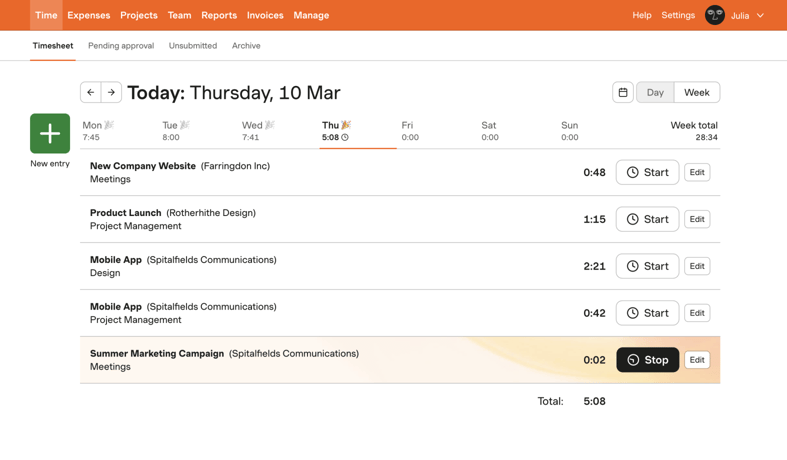

Track time from browser, desktop, and mobile
Make it as easy as possible for your team to capture their time with dedicated apps across devices.

Integrated with your workflow
Harvest integrates with the tools your team knows and loves — capture time the way your team already works.

Custom reminders for consistent time tracking
Create automated reminders to help your team track time regularly and accurately.

Keep data accurate with approvals
Use Timesheet Approvals to ensure the accuracy of your team’s tracked time before you invoice clients or make important decisions based on reporting.

Create a secure login experience
Streamline and secure your team’s login experience with SAML-based SSO like Microsoft and Okta.

Track time flexibly
Use live timers or add entries directly to your day or week view.

Harvest’s easy, clean time tracking allows us to focus on the tough engineering problems where we bring value to our clients.
Director of Engineering, Cooper Perkins
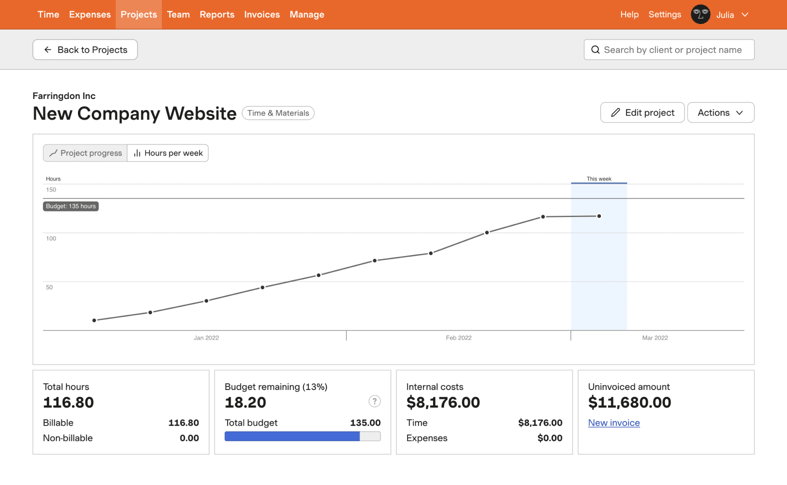

Keep budgets on target
Harvest updates budgets as your team tracks time, so you can keep your projects on track and profitable.

Visualize team capacity
See who’s overworked and who’s under-utilized at a glance with capacity reporting.

Understand costs
Keep track of internal costs and review past project data to inform future project scope and estimates.

Analyze time spent
See which projects and tasks are consuming your team’s time and impacting costs.

Create and share custom reports
Create reports with custom filters that automatically run and send at a cadence that works for you.

Be confident in your time data with activity log
Keep tabs on your team’s activity with the ability to review time entries and changes. Identify irregular or missing entries to ensure accuracy.

We really focus on work-life balance in remote work… Time tracking reveals if somebody is overburdened and that becomes an immediate conversation.
CTO, Zehner
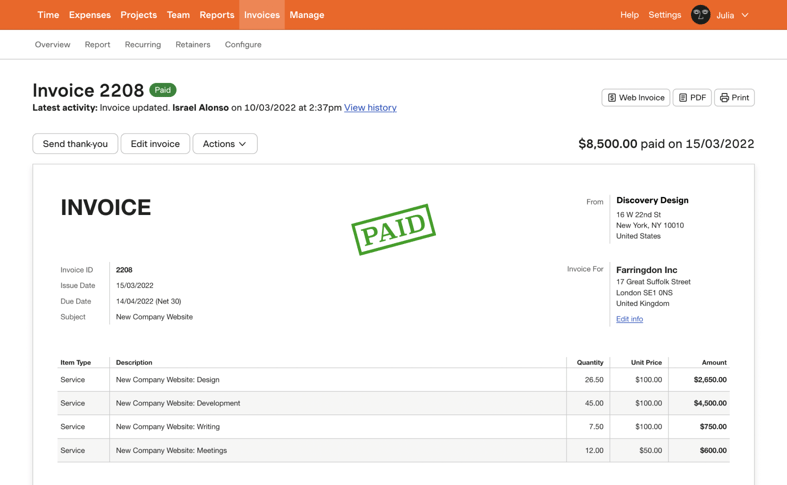

Streamline your invoicing
Easily create and send accurate invoices using your team’s time and expenses already tracked in Harvest.

Get paid fast with online payments
PayPal and Stripe integrations let your clients quickly and conveniently pay invoices online.

Keep your books up to date
Automatically copy your Harvest invoices and payments to QuickBooks Online or Xero for simplified accounting.
