Skip to content

Capitalized Software Development

Separate and cost internal development at every quarter close

Separate internal platform development from client work as hours are logged. Harvest applies dated cost rates to each entry, so development costs calculate and lock before the books close.

  • Dated cost rates on every entry
  • Company lock dates protect closed periods
  • Non-billable projects keep build costs off client invoices
Reports > Profitability filtered to Non-billable projects.

How to track capitalized software development

At every quarter close, finance teams face the same manual task: pulling raw time exports into spreadsheets, looking up payroll figures, and matching hours to projects. In Harvest, internal development sits on dedicated non-billable projects and tracks against dated cost rates. Internal costs calculate as time is recorded, giving you locked totals and detailed entry exports without spreadsheet formulas.

  1. Choose the project type

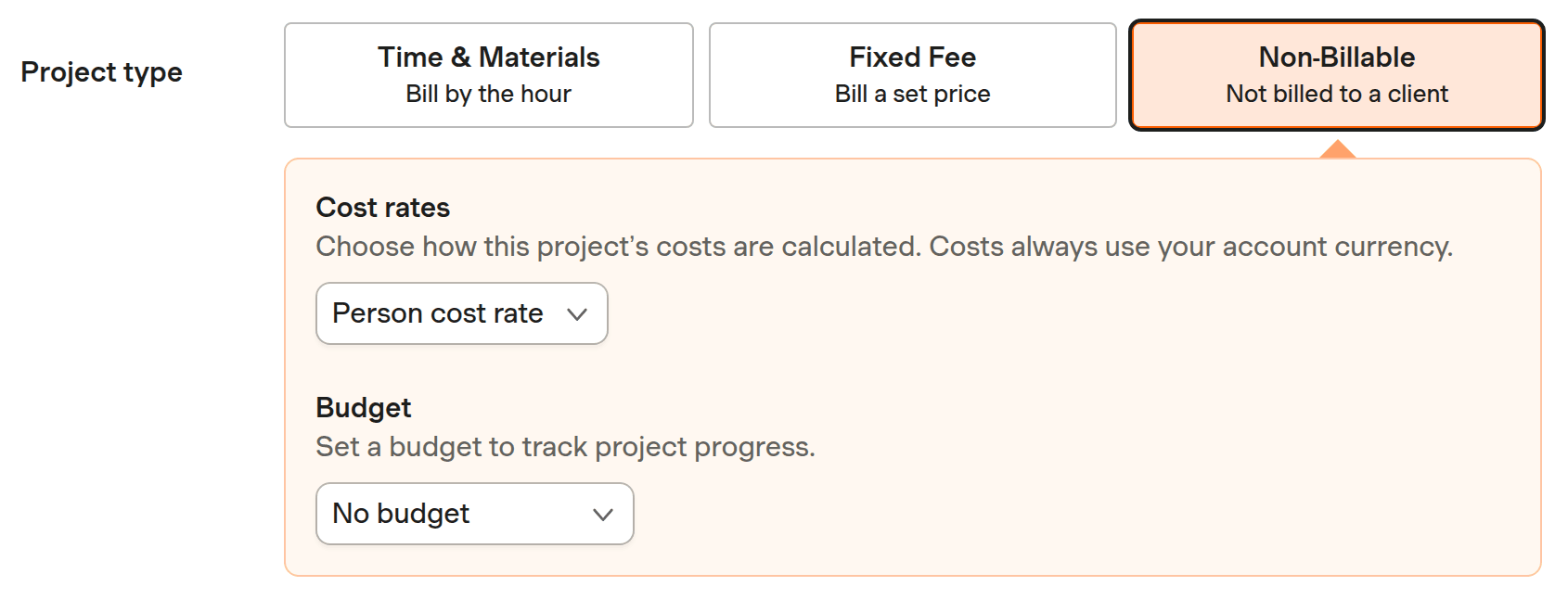
    Set up internal software development as a Non-Billable project so hours cannot be billed to clients, while client projects remain billable.

    The project editor’s Project type fieldset.
  2. Set the cost rates

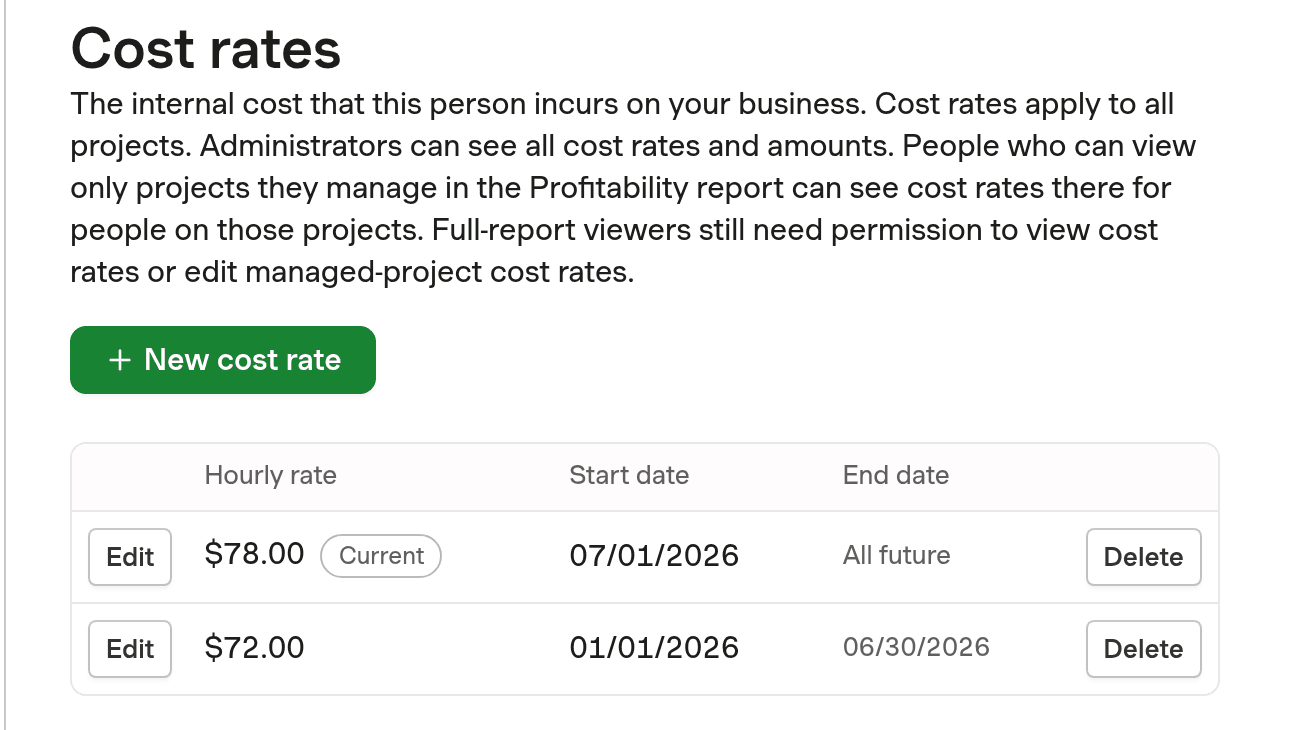
    Assign dated cost rates on each person’s profile. New rates apply from their start date forward, keeping earlier quarters priced at the rate in effect when worked.

    A person’s Rates tab.
  3. Log the hours

    Engineers track time against specific projects and tasks. Harvest writes the cost rate and billable status directly onto each saved entry.

  4. Close the period

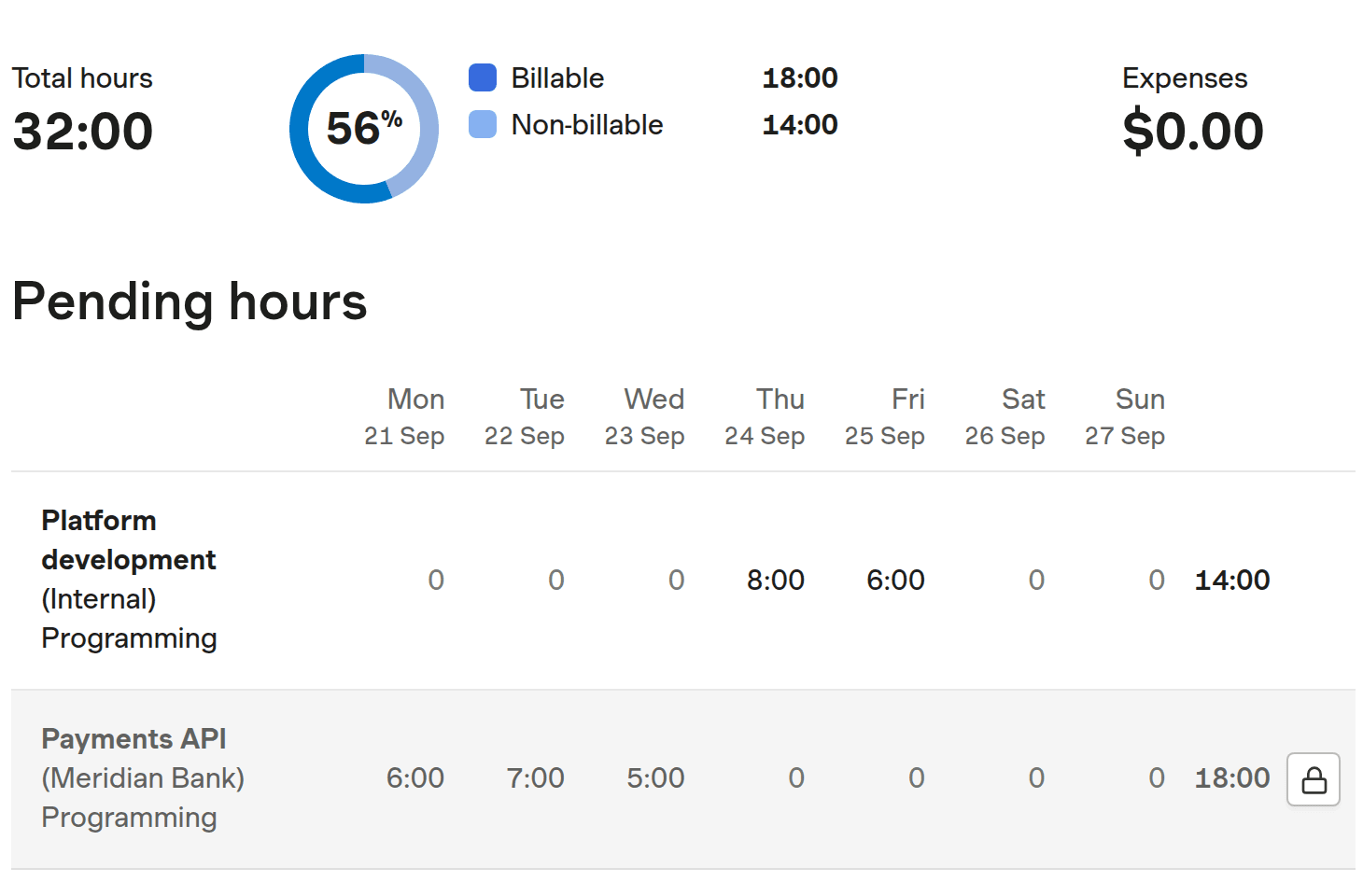
    Timesheets are submitted and approved, and an administrator can set a company lock date to prevent adding, editing, or deleting entries on or before it.

    The Approve page for one person’s week.
  5. Read the split

    Open Reports > Profitability and filter by Non-Billable projects to review total internal development costs for the period.

    Reports > Profitability filtered to Non-billable projects.
  6. Export the records

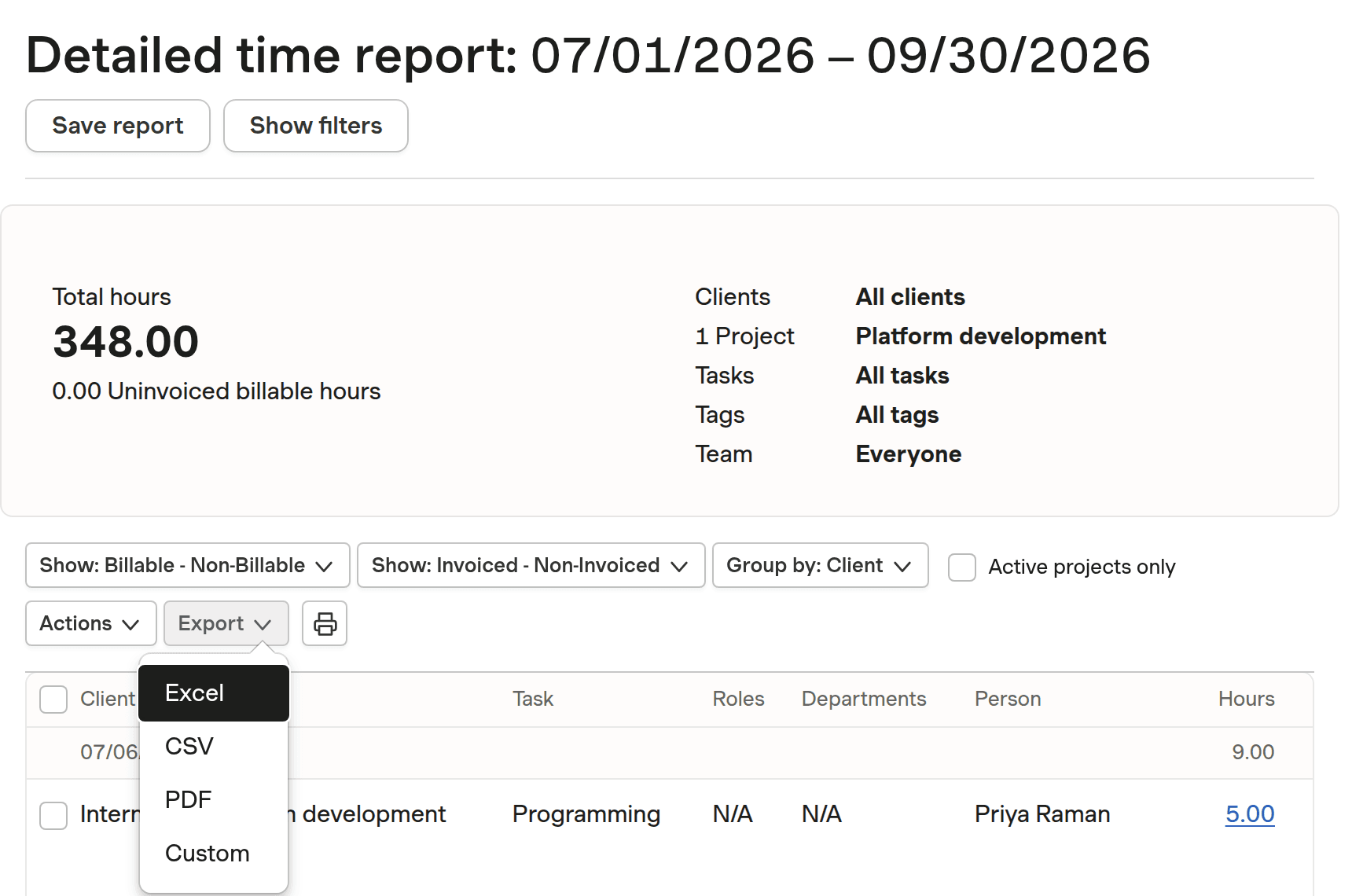
    Filter the Detailed time report by project to export entries to Excel or CSV, or build a custom report showing cost and approval status.

    The Detailed time report with the export menu open.

Where teams rely on capitalized development records

Quarter-end close · compiling the capitalization schedule

Internal development costs are separated before you pull the report

Internal development costs must be separated from client work before the books close.

Platform development sits in dedicated non-billable projects while client work stays billable. When you run the profitability report for the quarter, internal build costs are already isolated from client revenue without sorting raw CSV exports.
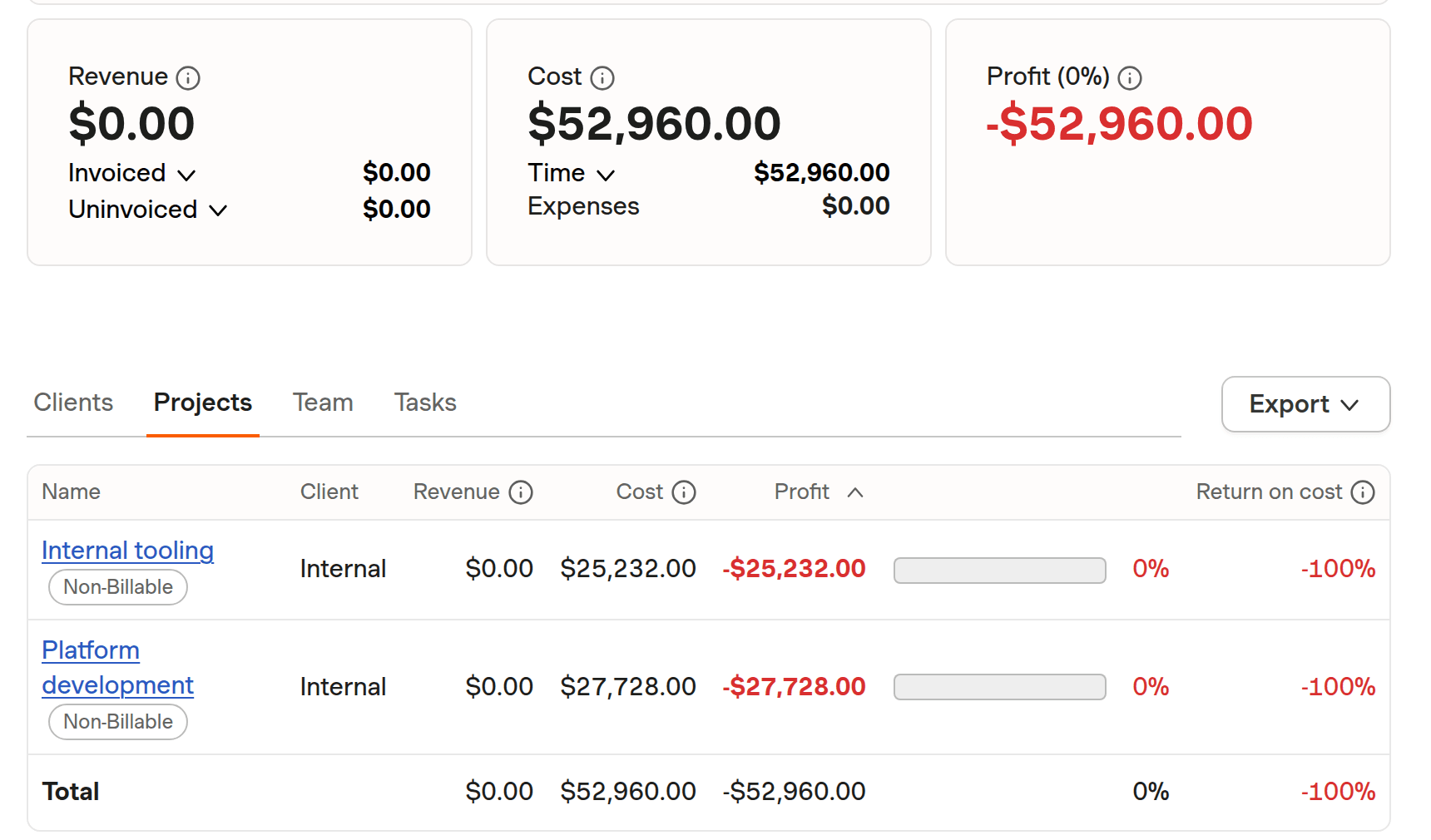
Internal development costs isolated from client work

Reports > Profitability filtered to Non-billable projects.

Mid-year compensation review · developer salary raises

Past project hours keep their original rate when salaries change

Mid-year salary adjustments must not alter the cost of hours completed in earlier quarters.

Adding a new cost rate with an effective date leaves past months untouched. Calculations for prior quarters remain accurate because historical time entries hold the cost rate active when the work was done.

Historical cost figures protected against mid-year compensation adjustments

A person’s Rates tab.

Year-end financial audit · sampling the development log

Export detailed time entries behind your development costs

Auditors need to inspect the underlying time entries behind development costs.

When auditors ask to inspect the underlying engineering entries behind your development costs, export detailed records filtered by project and task. A company lock date prevents additions, edits, or deletions on or before the close date unless an administrator unlocks them.

A detailed export of time entries filtered by project and task

The Detailed time report with the export menu open.

Controls for financial reporting

  • Approved records stay locked

    Timesheet approvals lock individual entries, and an administrator can set a company lock date to prevent adding, editing, or deleting entries on or before the close date.

  • Historical rates stay protected

    Cost rates carry effective dates, so a salary increase in July never alters the cost of hours recorded during previous quarters.

  • Confidential cost rates stay private

    Cost rates are available on Pro plans, while the Profitability report requires Premium. Internal cost figures remain visible only to teammates with cost rate permissions.

Capitalized Software Development

Stop rebuilding capitalization spreadsheets by hand

Track internal development costs against dated rates, lock approved periods, and export detailed time records at every quarter close.