Skip to content

Client Rate Cards

Every invoice goes out at the rate you actually agreed

Set agreed rates directly on each client’s project, so tracked hours carry the right price automatically. Stop auditing draft bills line by line against contract spreadsheets.

  • Custom rate overrides per project and person
  • Dated rates that protect past billing automatically
  • Invoices copy the rate stored on each tracked hour
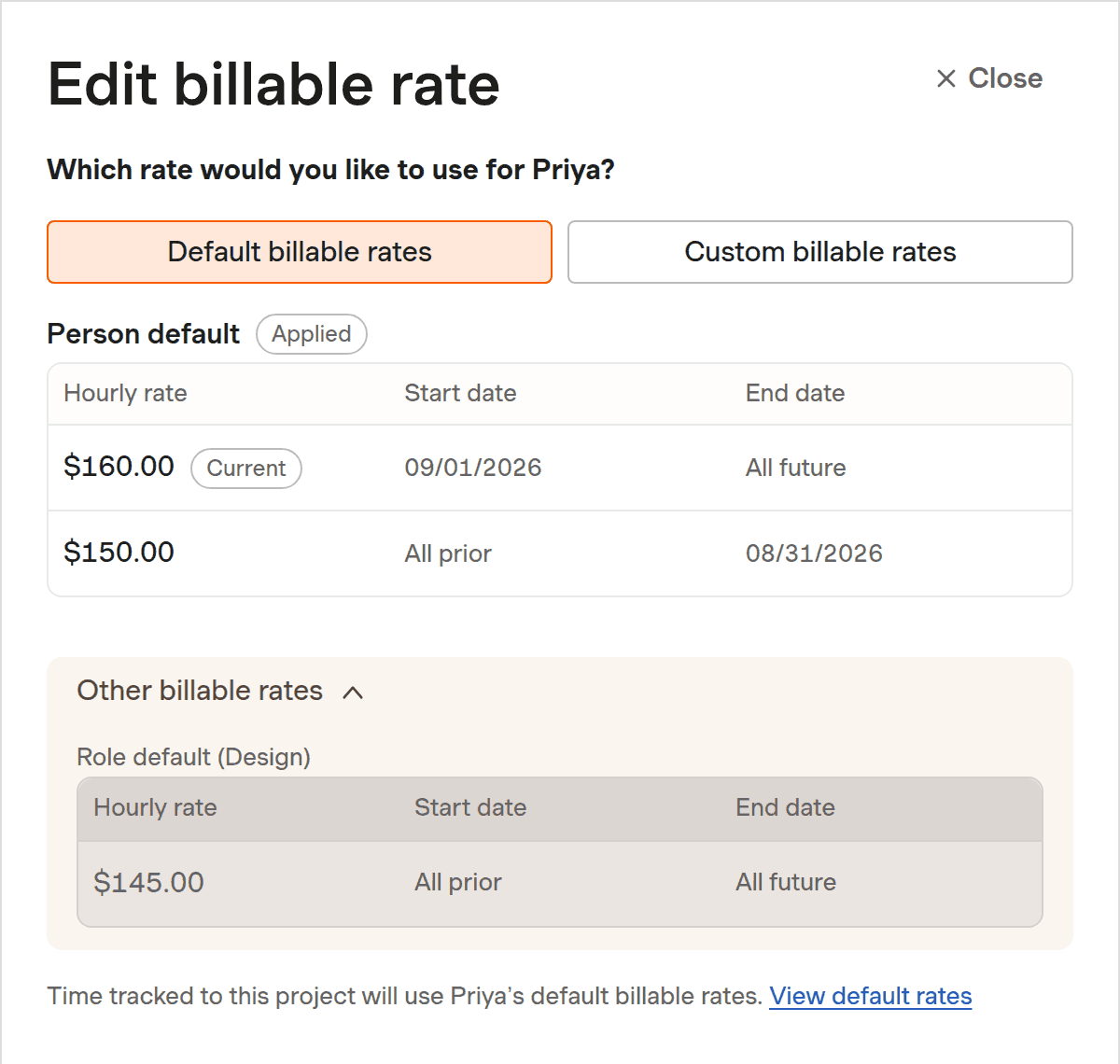
The rate drawer for Priya showing Default billable rates selected, her dated Person default marked Applied, and the Design role default

Accurate client billing without a contract spreadsheet

Auditing draft invoices against contract spreadsheets leaves room for error before billing. When team members move across different accounts, a single unverified line item can bill a client at standard price instead of their negotiated rate.

On projects billed by person rate, Harvest resolves each person’s tracked time against their project override, default rate, or role rate. For projects billed by project rate or task rate instead, that chosen rate prices the work and person overrides stay inert. Because every hour captures the rate in force on that day, your invoices generate with the correct rates already applied.

Retainers, discounted accounts, and staffing changes

The morning invoices go out

Tracked hours match contract terms without manual line audits

Instead of checking every draft invoice line against a master rate card, each time entry already carries the rate that applied on the day it was tracked. Invoices pull those numbers straight into billing lines.
Invoices match client agreements without manual verification

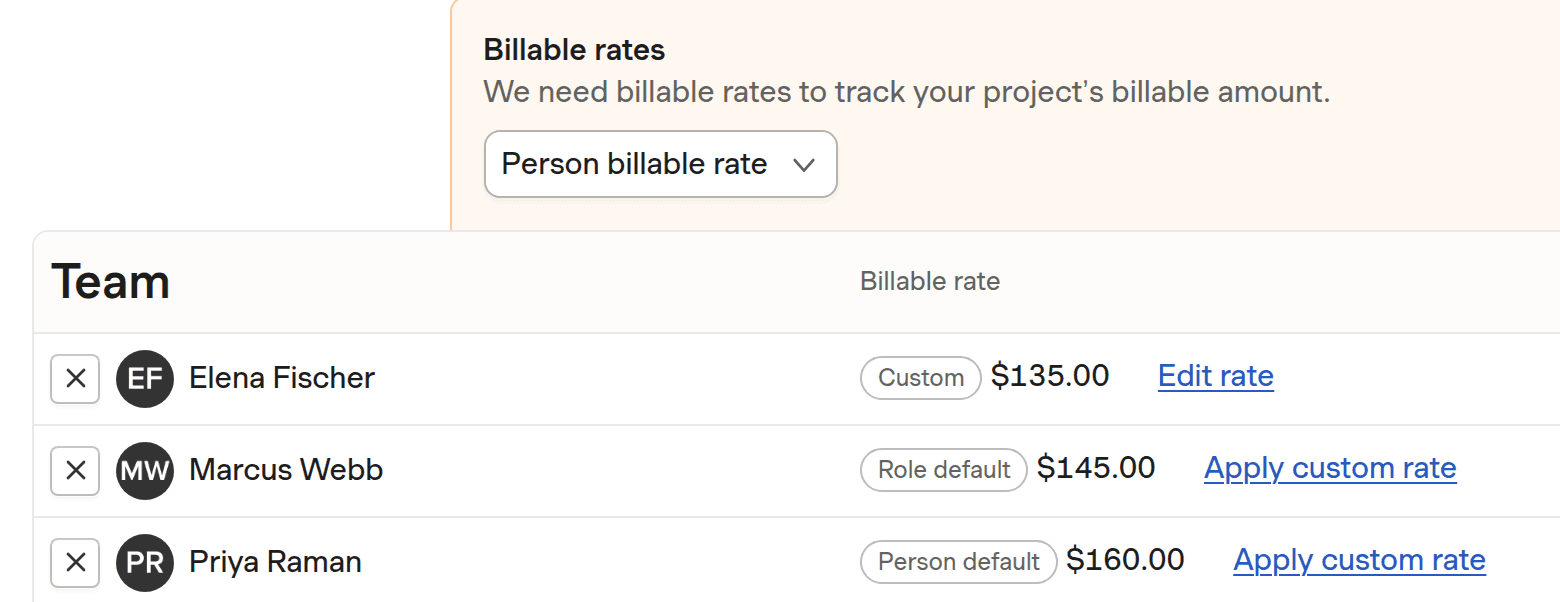
The Billable rates section set to Person billable rate, and the Team table with Elena Fischer on a custom project rate, Marcus Webb on Design role default, and Priya Raman on Person default

Mid-contract renegotiation · new rates

Updated rates take effect on an agreed date without touching past hours

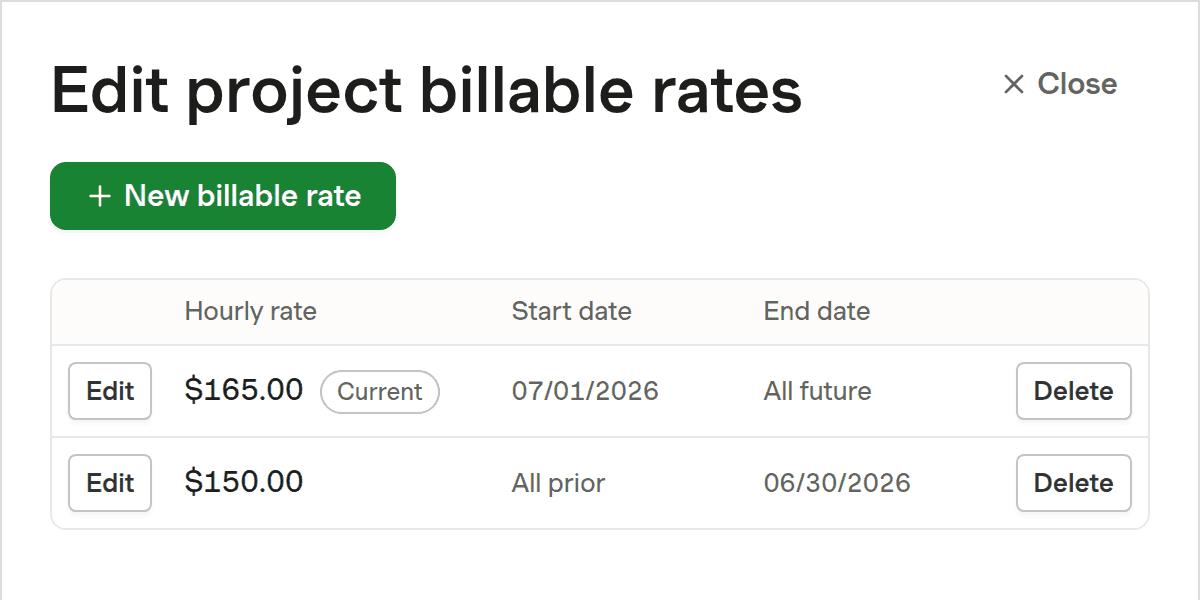
When a retainer updates mid-year, schedule the new rate starting on the agreed day. Work tracked before that date keeps the previous rate, leaving prior billing records intact.

Dated rate histories protect prior billing accuracy

The Edit project billable rates drawer with two dated rates: $150.00 until 30 June 2026 and $165.00 starting 1 July marked Current

Staffing a project · senior team on discounted accounts

Custom project rates honor agreed terms when assignments shift

When a senior team member steps in on a discounted account billed by person rate, assign a custom rate directly to their project row. Their agency-wide default rate stays untouched, and that project bills their time at the agreed number.

Project overrides apply without altering team profiles

The rate drawer for Priya showing Default billable rates selected, her dated Person default marked Applied, and the Design role default

How client rates work in Harvest

  1. Open the project

    Open the project to see which billing method applies and check the rates assigned to your team, with custom client rates and standard defaults visible together.

    The Billable rates section set to Person billable rate, and the Team table with Elena Fischer on a custom project rate, Marcus Webb on Design role default, and Priya Raman on Person default
  2. Open the rate drawer

    Open the rate drawer for any team member to set a custom rate for this client or keep their standard default, without altering their profile across other projects.

    The rate drawer for Priya showing Default billable rates selected, her dated Person default marked Applied, and the Design role default
  3. Track time as usual

    Track time as usual. Each entry records the rate that applied on that date, and invoices copy those stored rates directly into your billing lines.

Clear protections for past and future billing

  • Later start dates protect recorded hours

    Setting a new rate with a later start date leaves recorded hours priced at their original rate, so earlier time entries remain untouched.

  • Issued invoices never change

    Invoices you have already issued keep the price they were billed at. Updating project rates never rewrites your existing invoices.

  • One billing method per project

    Projects bill one way at a time: by person, project, or task rate. Person overrides apply on projects billed by person rate, while project-rate and task-rate projects apply that rate to all hours.

Client Rate Cards

Take the audit out of your next billing cycle

Start a free trial to set client-specific rates on your projects, protect past hours with dated schedules, and generate invoices that match your contracts from the first draft.