Skip to content

Cost-Plus Billing

Bill contract actuals backed by every tracked hour and rate

Track internal costs alongside client billing rates, and pull unbilled time and expenses straight into detailed invoices. Person and project rates are dated to keep historical rates intact, so audits resolve without reconciling spreadsheets.

  • Track cost and billable rates side by side
  • Review itemised hours and expenses before sending
  • Audit-ready time records with no spreadsheet reconciliation
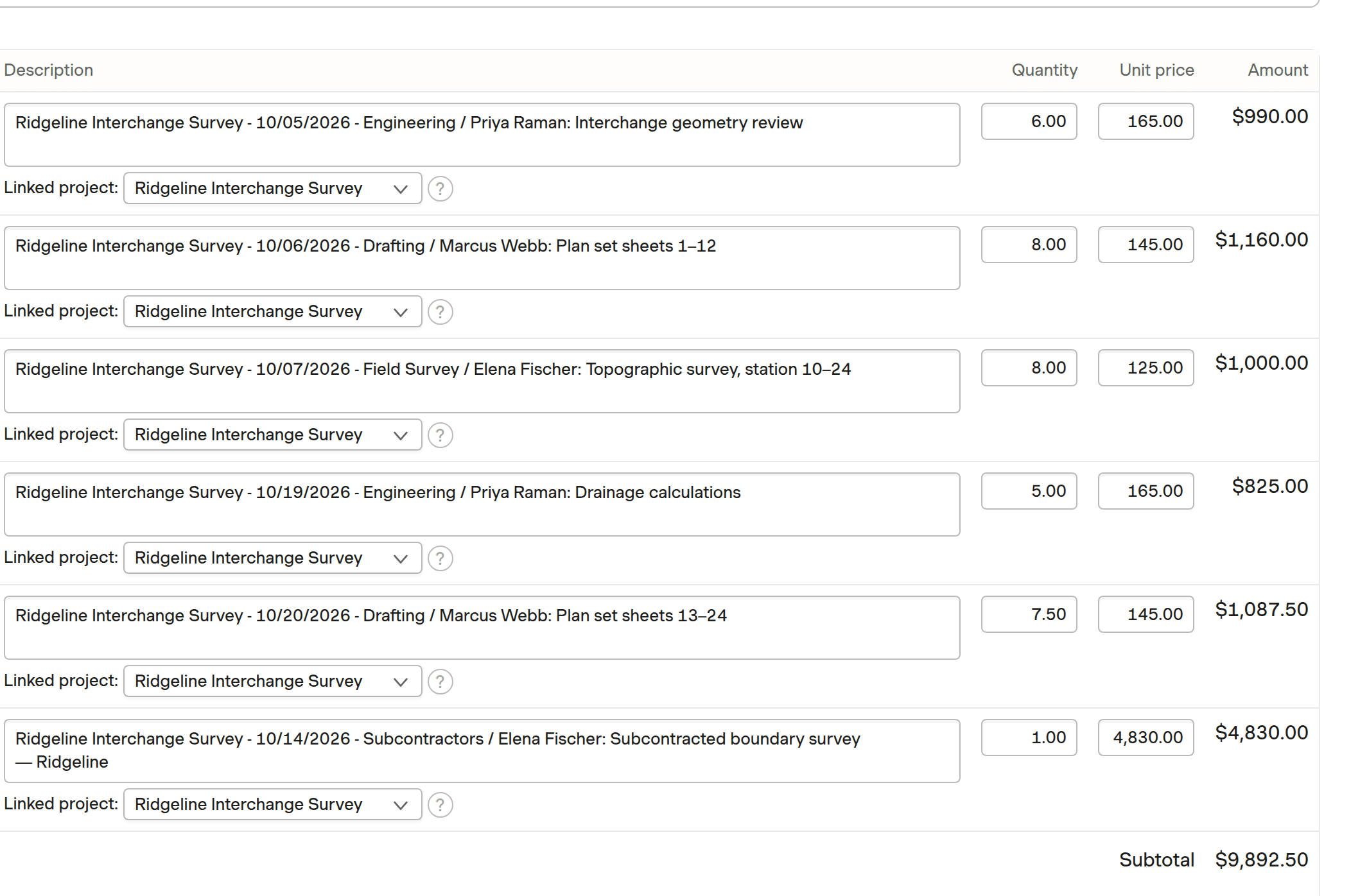
A new invoice for Meridian Transit Authority with the Detailed time summary imported.

How it works

Cost-plus contracts require you to bill actual labor and pass-through expenses alongside agreed fees. Harvest supports this by keeping two dated rates for every team member: what an hour costs the business and what you bill the client. When you generate an invoice, unbilled hours and project expenses import directly into a detailed draft. You can adjust pass-through handling fees line by line before sending, while dated person and project rates preserve the rates active on the day the work happened.

  1. Set what an hour costs

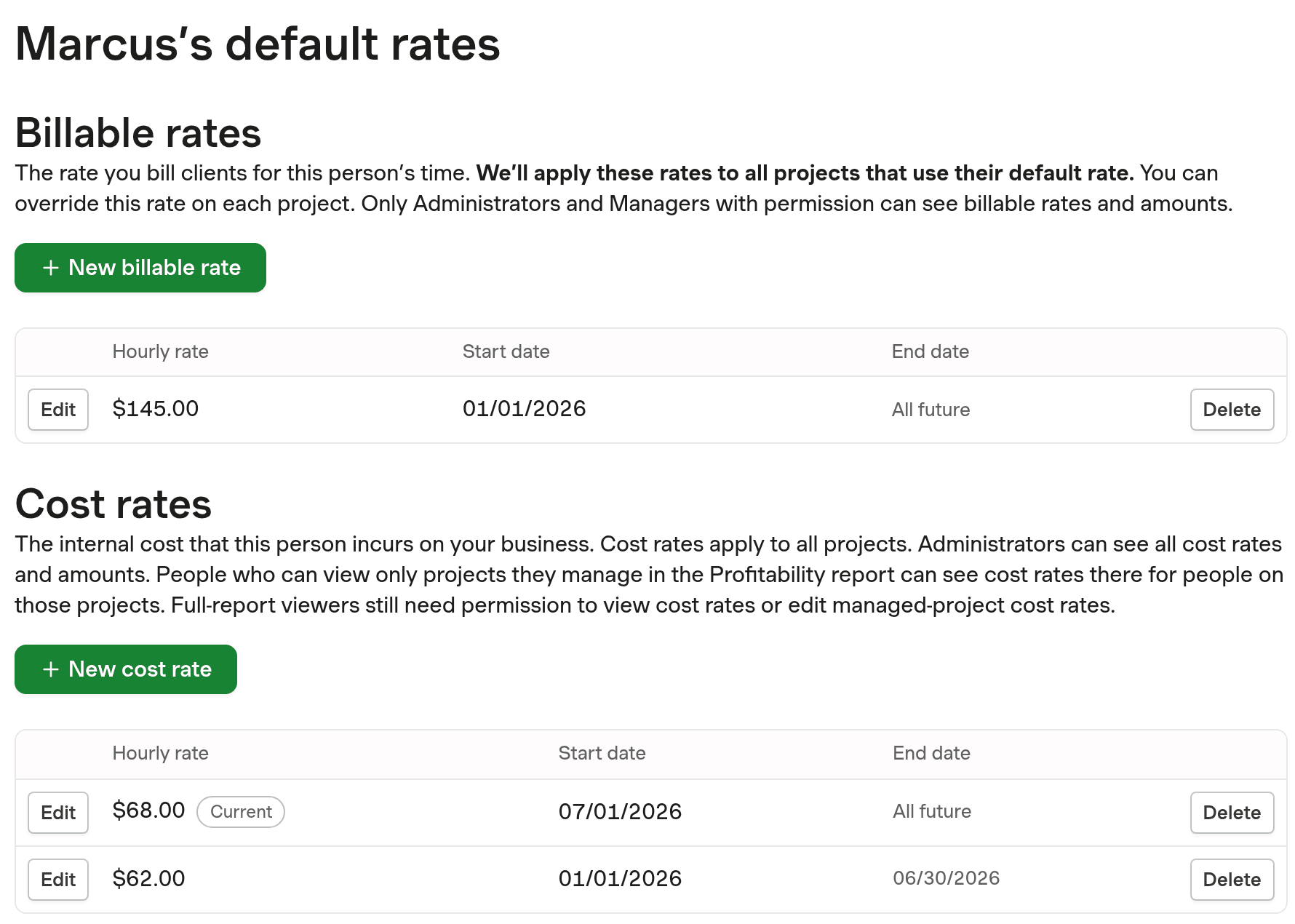
    Add a dated cost rate on each person’s Rates tab to record internal hourly pay, or set a flat cost rate across the project.

    Marcus Webb’s Rates tab, with the Billable rates table above the Cost rates table.
  2. Set what the client pays

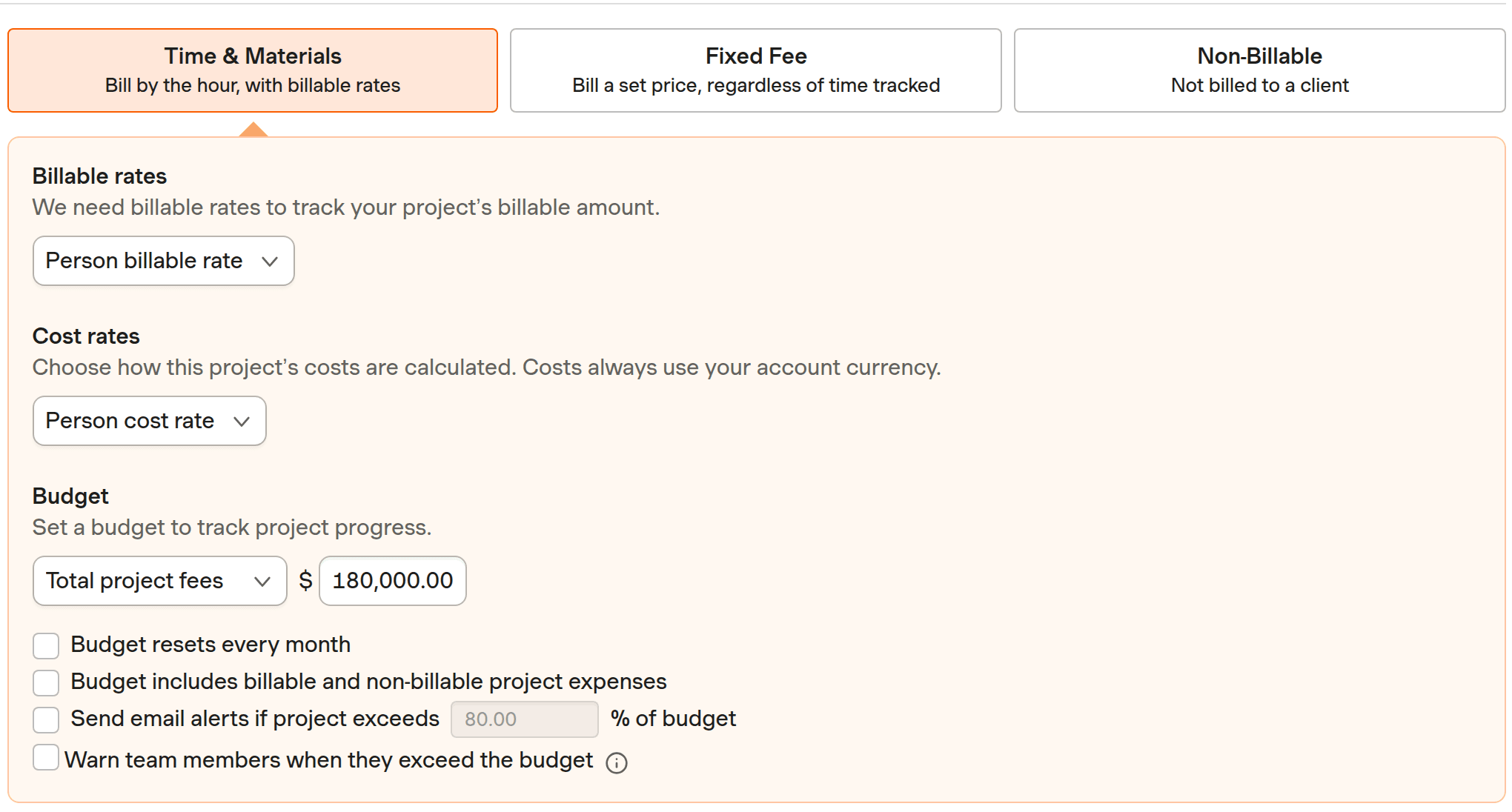
    Enter the contract billable rate by person, project or task. The gap between your cost and billable rates establishes your contract fee.

    The Project type card on the project’s edit page, with Billable rates and Cost rates both set to the person basis.
  3. Track the work

    Team members track time and project expenses as they work. Each entry records the exact cost and billable rates active that day.

  4. Read the margin

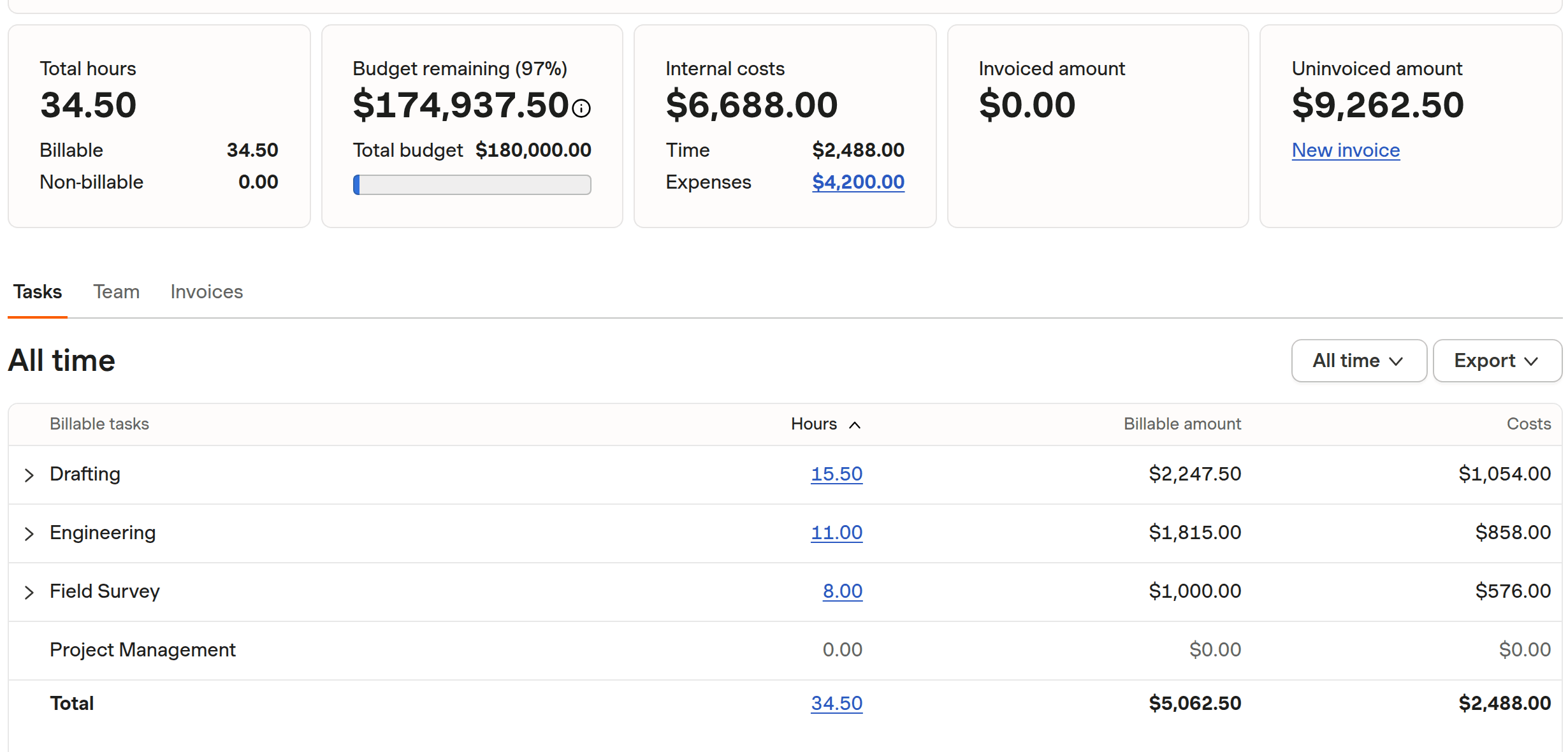
    Review the project page to see total billable amounts beside internal costs, with payroll data visible only to permitted managers.

    The project page summary cards above the Tasks tab’s billable-tasks table.
  5. Bill it

    Create a new invoice to import unbilled hours and expenses, choose a detailed summary, adjust pass-through lines, and send.

    A new invoice for Meridian Transit Authority with the Detailed time summary imported.
  6. Check the contract

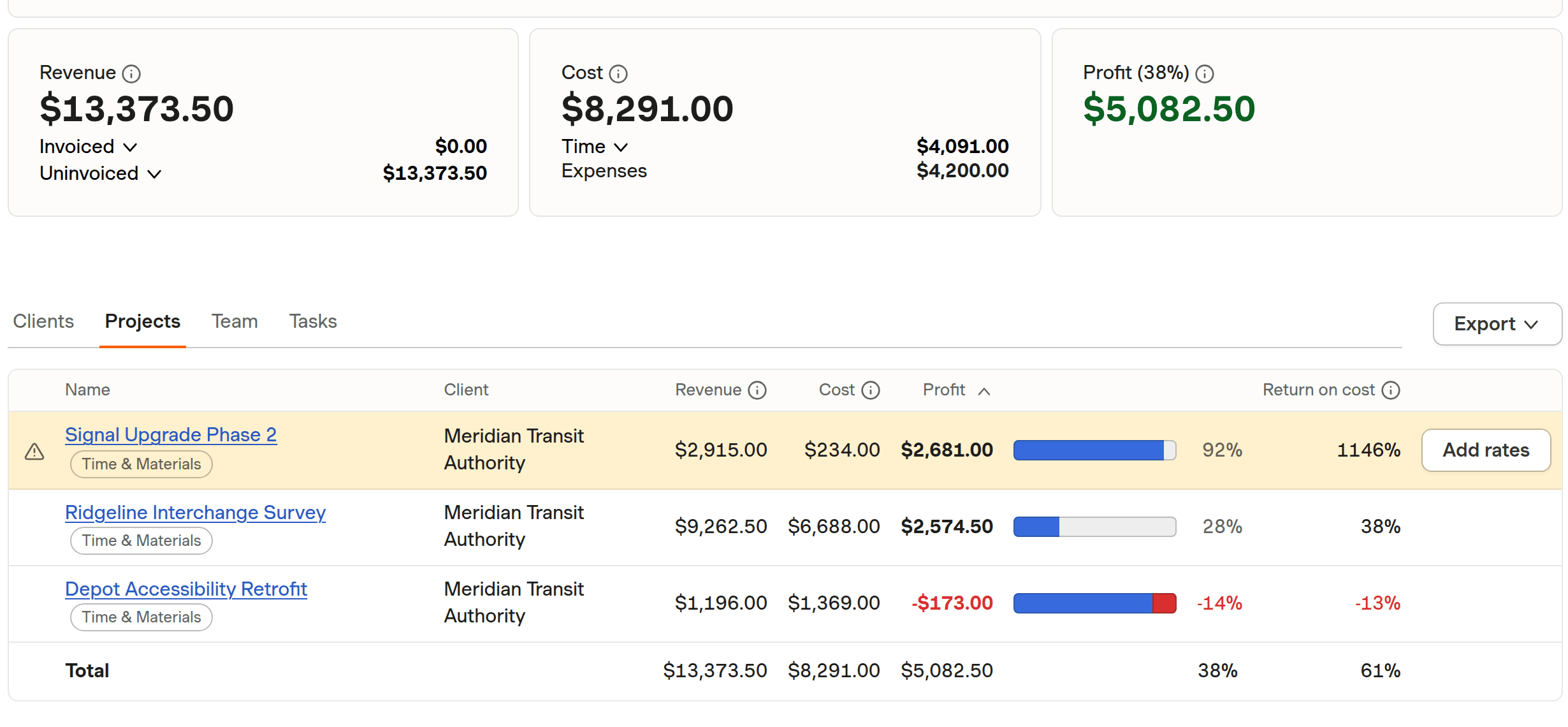
    Open the Profitability report to track revenue, internal costs, profit and return on cost across the life of the agreement.

    The Profitability report’s Projects tab for this quarter.

Real-world contract scenarios

Illustrative example: a subcontracted survey comes back at $4,200 and the contract allows a 15% handling fee

The agreed handling fee added right on the draft invoice

Pass-through expenses need contract markup applied before client review.

When uninvoiced expenses pull into a new invoice at cost, edit the unit price directly on the line item before sending. The client receives the contracted fee clearly billed while the tracked expense cost remains intact.
Agreed expense fee billed without spreadsheet recalculation

A new invoice for Meridian Transit Authority with the Detailed time summary imported.

A rate change lands mid-contract

Dated person and project rates preserve historical billing

Mid-cycle compensation updates must not rewrite historical billing.

When compensation or project rates change, dated rate tables apply the new rate from the day you choose. Hours logged under person or project rates before the effective date retain their original figures.

Historical hours under dated rates stay protected while future tracking reflects the change

Marcus Webb’s Rates tab, with the Billable rates table above the Cost rates table.

A government auditor asks for the backup on last quarter’s invoice

Line-by-line rate backup ready for contract audits

Auditors need defensible line-by-line rate history behind billed invoices.

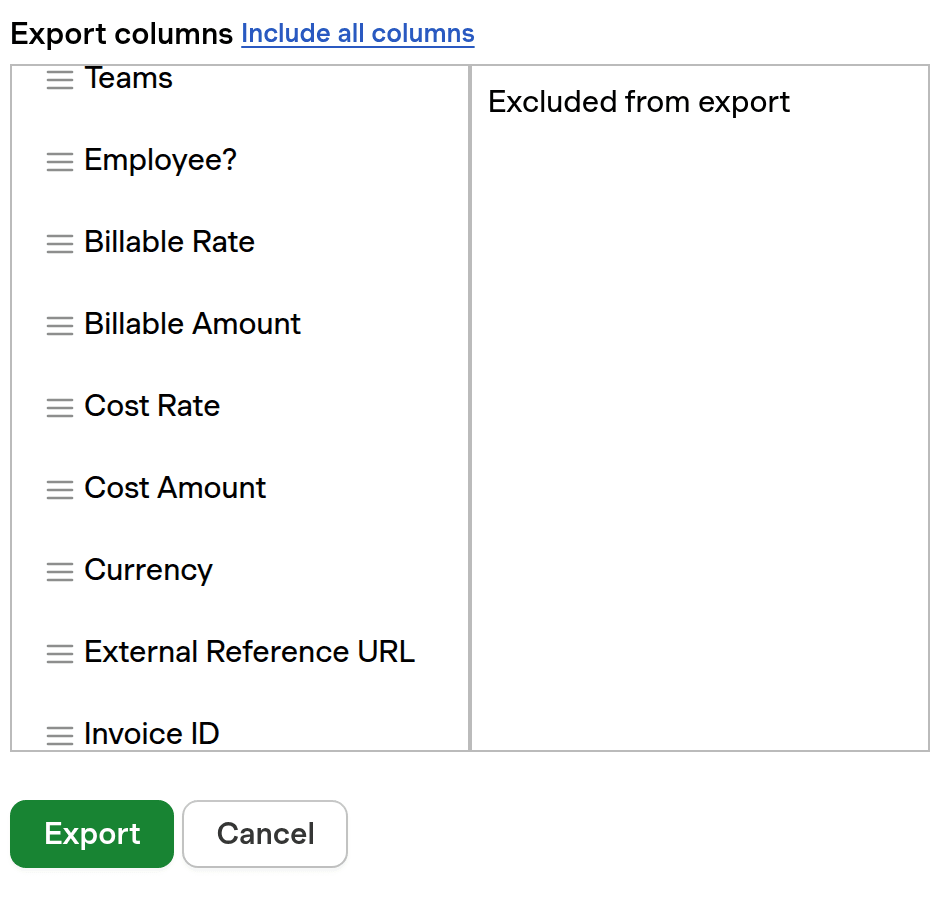
The detailed time export includes the cost rate and billable rate recorded on each entry. Generating the export delivers a complete breakdown of every hour, rate, and total without manual reformatting.

Line-item audit trail with cost and billing rates side by side

The Custom export dialog on the Detailed time report, with its export columns listed.

Clear guardrails for billing and rates

  • Payroll costs stay private

    Cost rates are readable only by people holding the cost-rate read permission, by default Administrators, Accounting and Executive Managers. Project managers see billable amounts but not internal costs.

  • Expenses bill at cost until marked up

    Tracked expenses bill at cost by default. For contracts allowing handling fees, you adjust the unit price directly on the invoice line item before saving.

  • Past billings stay protected

    Person and project rates are dated and keep the rate each entry was tracked at. Editing a task’s billable rate on the project form re-prices every hour of that task.

Cost-Plus Billing

Stop reconciling contract rates in spreadsheets

Start your free trial to track dated cost rates, bill actual expenses with markup, and generate auditable invoices.