Skip to content

Rate Permissions

Bring contractors into your projects without exposing client rates

Role permissions keep billable rates, internal costs, and project fees off contractor screens. External team members track their time directly in your projects without ever seeing what clients pay or what others earn.

  • Permissions decide rate visibility, not the contractor tag
  • Rate columns blanked across reports and exports
  • Share hour budgets without exposing project fees
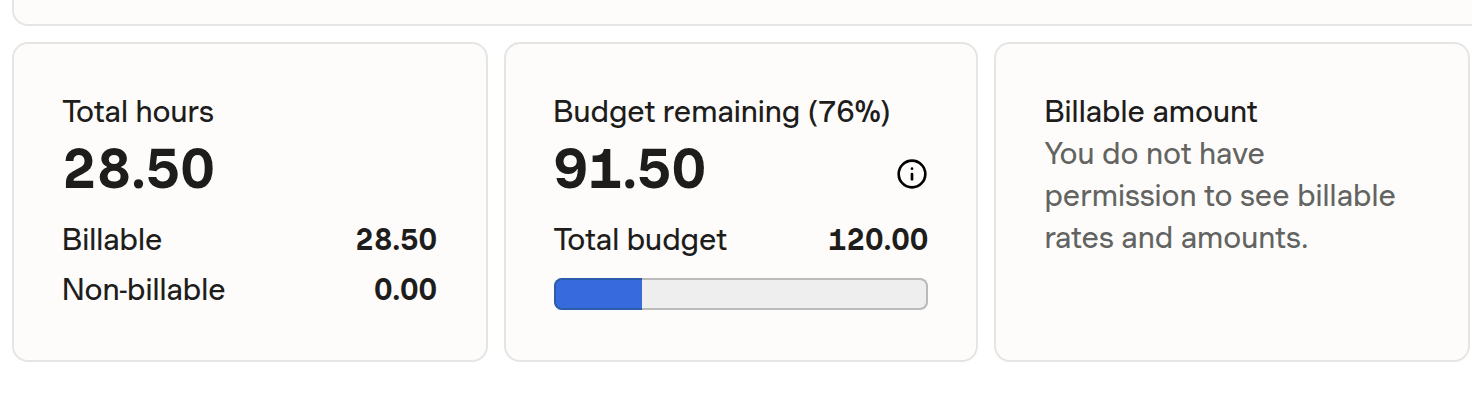
A project’s summary for a viewer without a rate claim.

How to set up contractor rate privacy

Every time you invite a freelance specialist to a client project, you should not have to create a test user just to check what they can see. In Harvest, rate visibility is decided by permission claims rather than a person label. When you assign a contractor the Member role, billable rates, cost rates, and project fee totals remain completely hidden across their screens, while they track hours to their assigned tasks as normal.

  1. Choose the person’s role

    On the person’s Permissions page, assign the Member profile. Members track their own time and expenses, but hold zero permission to view billable or cost rates.

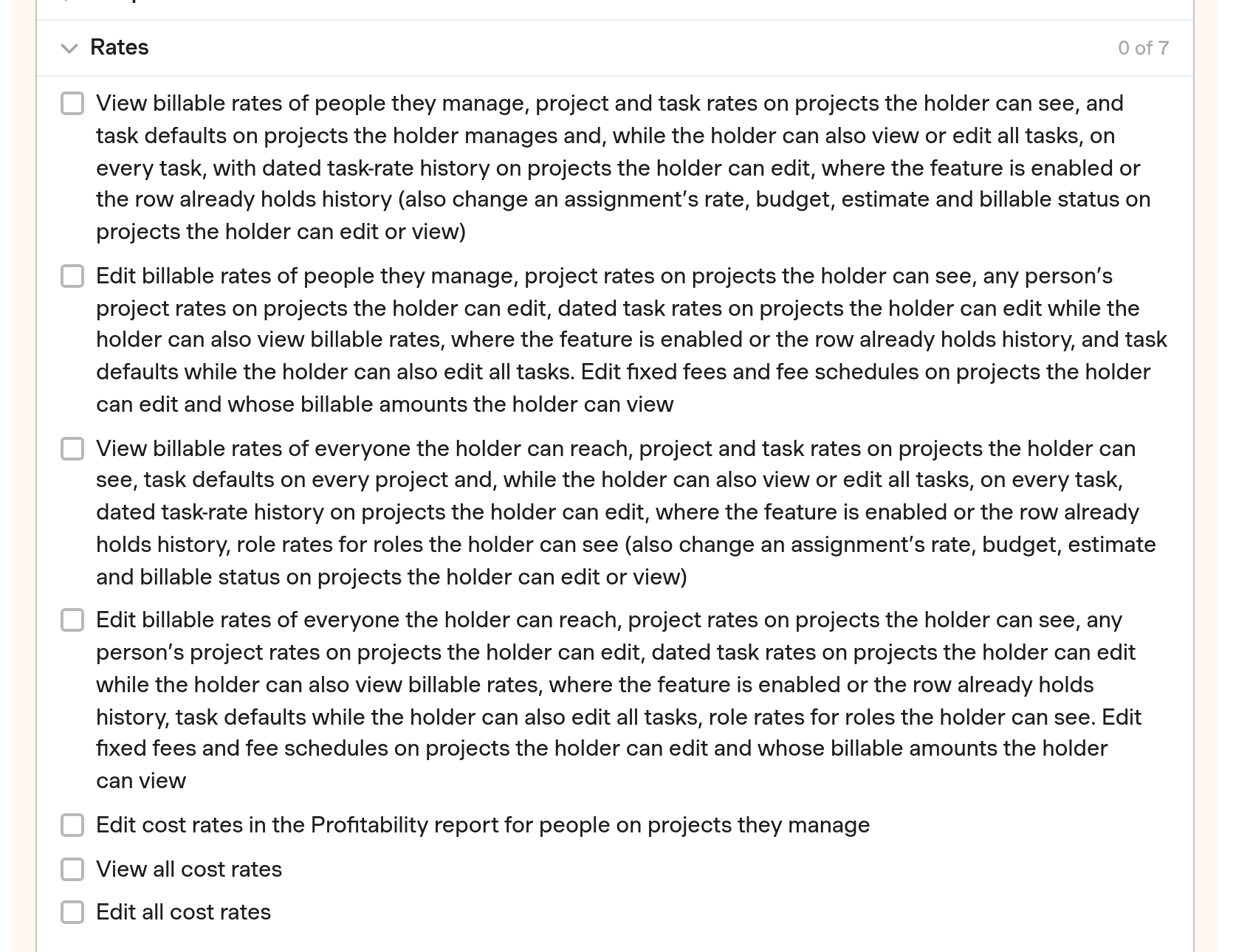
    The Rates category on a contractor’s Permissions page.
  2. Confirm rate claims remain unticked

    Review the Rates category on their permissions screen. Because rate visibility requires explicit claims, keeping these boxes cleared ensures all rates stay withheld.

    The Rates category on a contractor’s Permissions page.
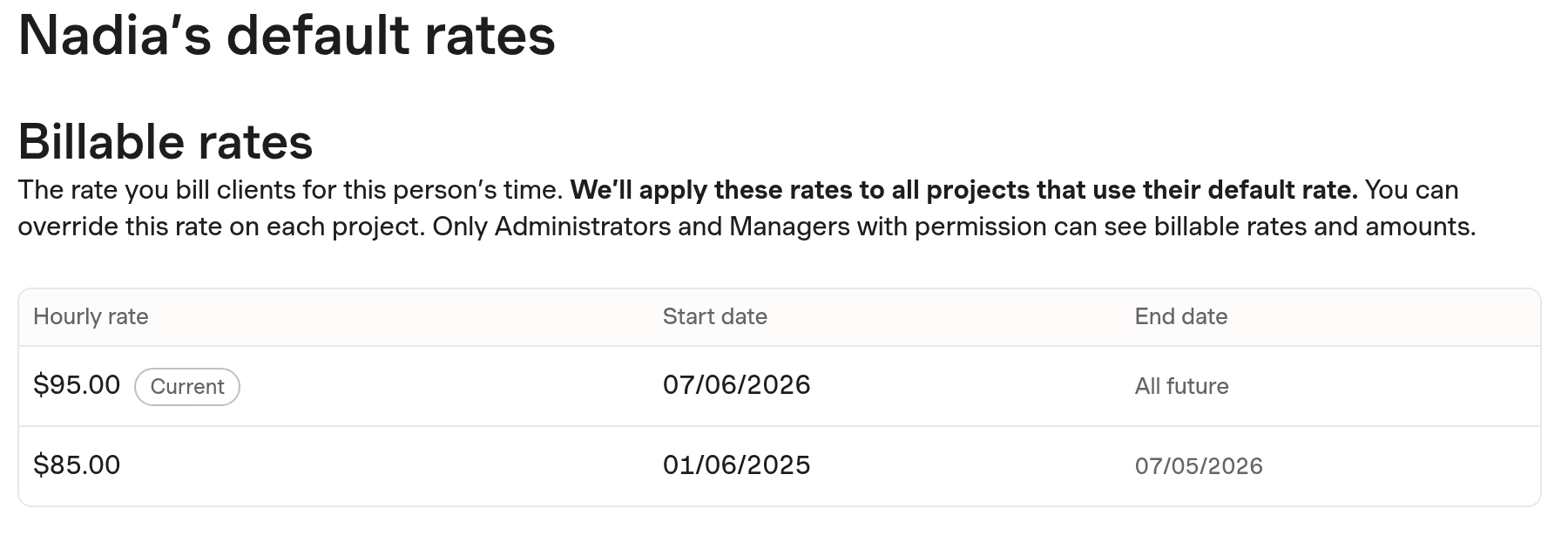
  3. Set internal rates on their profile

    Add their billable rate and cost rate with effective start dates on their profile’s Rates tab. A person’s Rates tab is shown only to a viewer holding a billable rate or cost rate claim.

    The Rates tab on a person’s profile.
  4. Share project hours without revealing fees

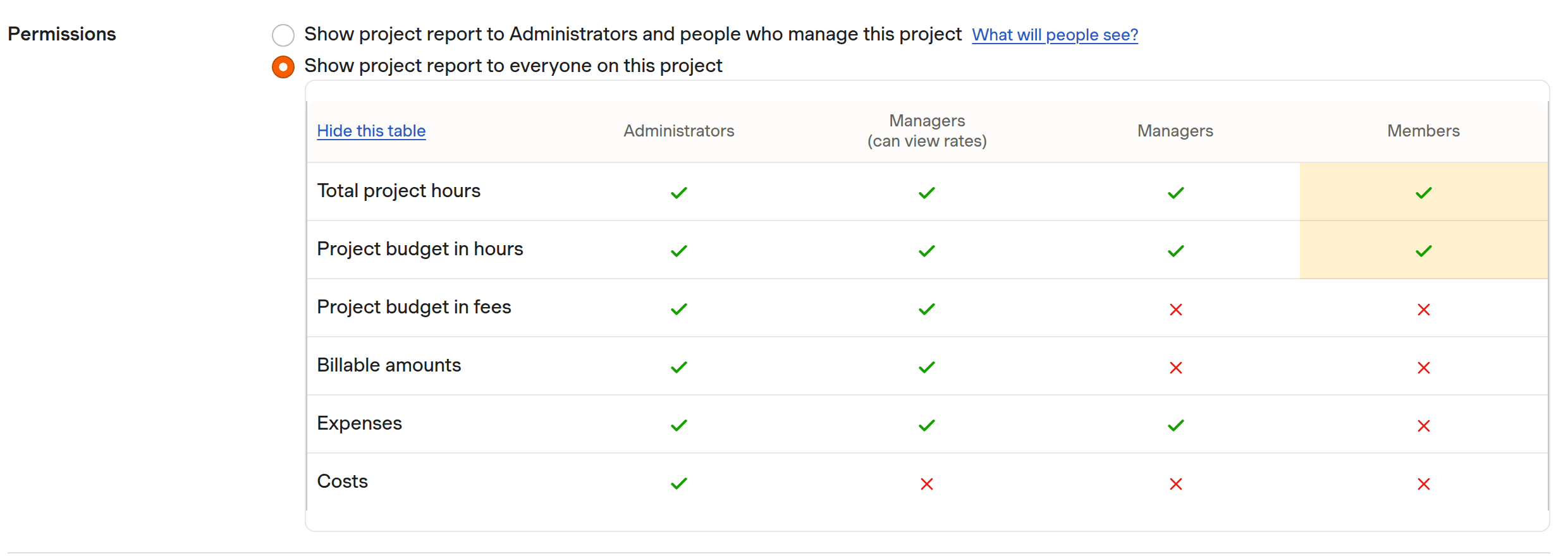
    Choose whether to share project reports with everyone assigned. The report gives team members hour burns and time budgets, while crossing out fees, billable amounts, and costs.

    The “What will people see?” table on a project’s Permissions section.
  5. Viewers sign in with rates blocked

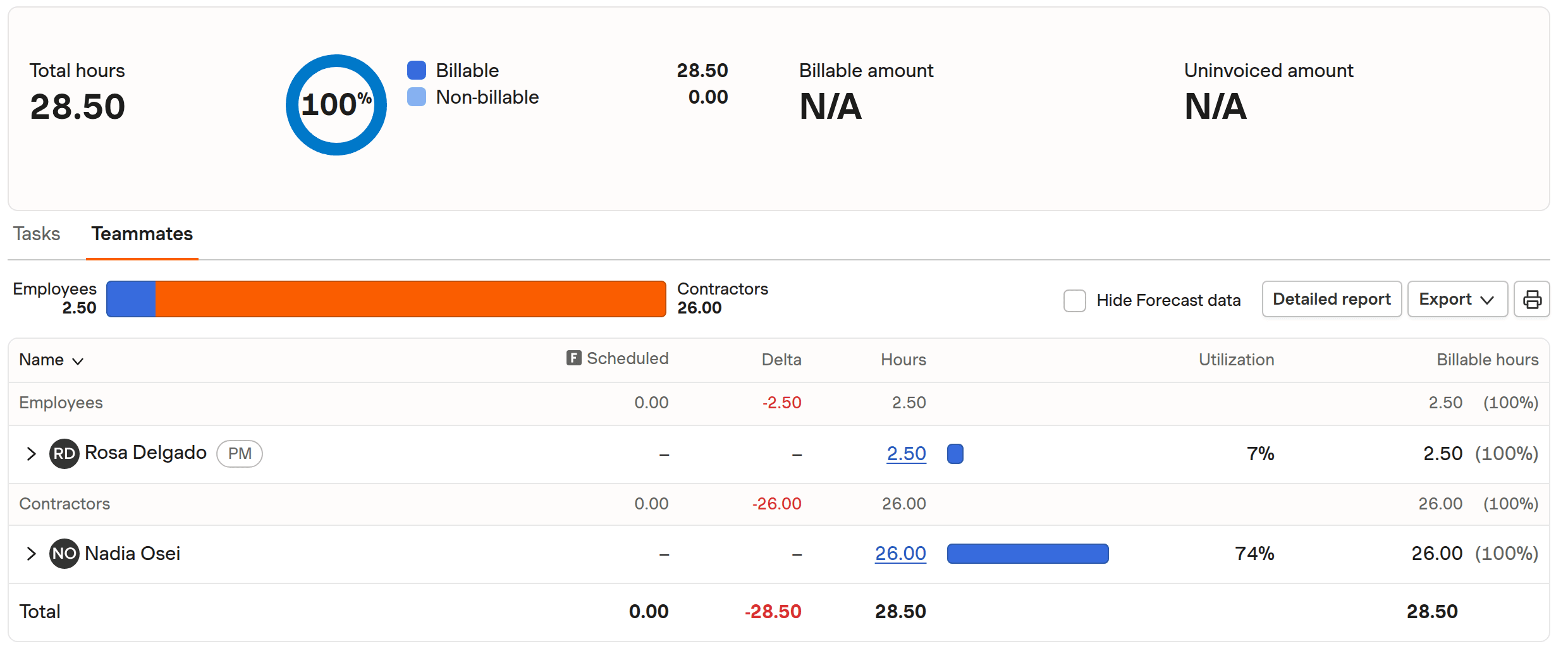
    For a viewer without a rate claim, project summaries show a permission notice in place of the billable amount, time reports show billable amounts as N/A, and API responses return null rates.

    A project’s summary for a viewer without a rate claim.

Where rate privacy protects your business

Monday morning · contractor onboarding

Invitations go out without a dummy-account test run

External specialists need immediate project access without exposing agency billing margins.

When you add a contractor as a Member, rate permissions are withheld from the start. They see their assigned projects and tasks, but their profile has no Rates tab and every rate claim remains unticked.
Zero billable or cost rates visible on their profile

The Rates category on a contractor’s Permissions page.

Mid-week check-in · project budget tracking

Hours stay transparent while fee totals stay locked

Teams must track hours against the budget without exposing total contract revenue.

Sharing the project report lets contractors monitor total hours against the time budget without exposing financial totals. Fees, billable amounts, and costs are automatically excluded from their project view.

Hours and burn tracked without revealing project revenue

The “What will people see?” table on a project’s Permissions section.

Friday afternoon · report sharing and exports

Time reports leave your desk with rate columns blanked

Managers need to distribute timesheet summaries without scrubbing sensitive columns by hand.

When contractors view time reports or exports, billable amounts show as N/A and rate columns are withheld. Even if a saved report is shared across the team, permission checks block rate details before anything downloads.

Exports and reports share clean time logs without dollar amounts

The Time report for a viewer without a rate claim.

Confidence across every screen

  • Personal rates stay hidden on contractor profiles

    A person without the rate claim cannot view their own billable rate. Their profile has no Rates tab, and API requests return null for both billable and cost rates. Only holders of the all-billable-rates write claim see their own rate on their profile.

  • Cost rates require the all-cost-rates claim

    Cost rates are visible only to holders of the all-cost-rates claim. Even a Manager granted billable rate access never sees cost rates.

  • Project reports share hours, never fees

    Enabling shared project reporting displays total hours and time budgets. Fees, billable amounts, and costs are excluded automatically.

Rate Permissions

Bring external talent into client projects with total confidence

Start a free trial today to track contractor hours accurately while keeping billing rates, costs, and project margins completely private.