Skip to content

IT Chargeback

Every department’s IT costs ready without spreadsheet rework

Group your engineers into departments, apply dated internal cost rates to every logged hour, and pull clean allocation totals straight from your timesheet records. Your quarterly chargeback is ready on day one without combining exports and salary spreadsheets.

  • Effective dates preserve past rates on closed quarters
  • Cost-rate permissions control who sees cost columns
  • Exports to CSV, Excel, PDF and Google Drive
The custom report builder with Department as a field and Hours and Cost as metrics.

How to allocate shared IT costs to departments

When quarter-end arrives, calculating shared IT allocations usually means pulling timesheet exports into Excel and multiplying hours by cost rates in a separate workbook. In Harvest, every time entry stores the cost rate in force on the date work was logged. Grouping a custom report by Department with the Cost metric gives finance clean, auditable totals grouped by primary department without manual reconciliation.

  1. Put people in departments

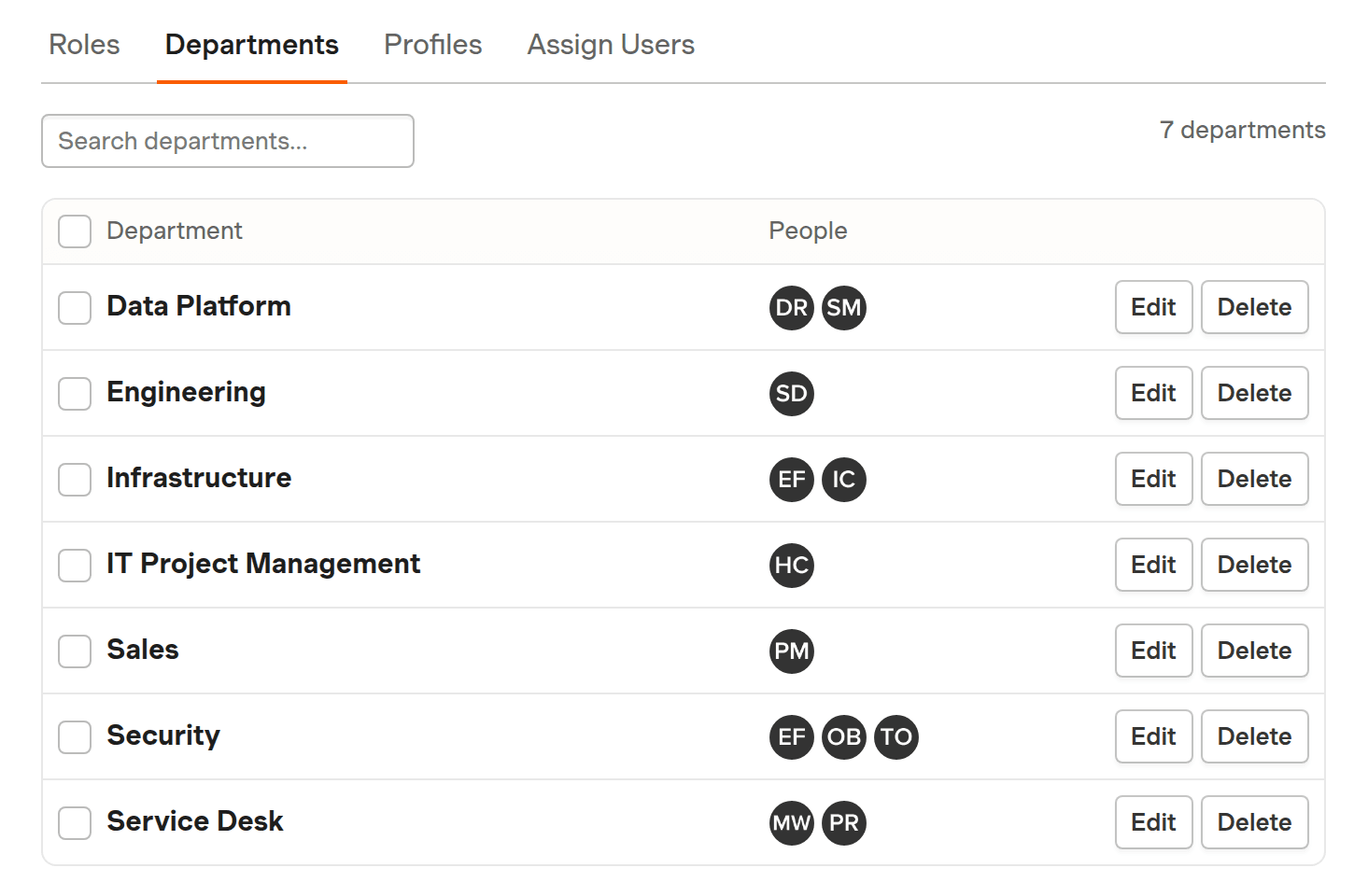
    Create departments under Team > Assignments > Departments and assign team members, with people belonging to one or more departments.

    The Departments page under Team > Assignments.
  2. Set a cost rate for each person

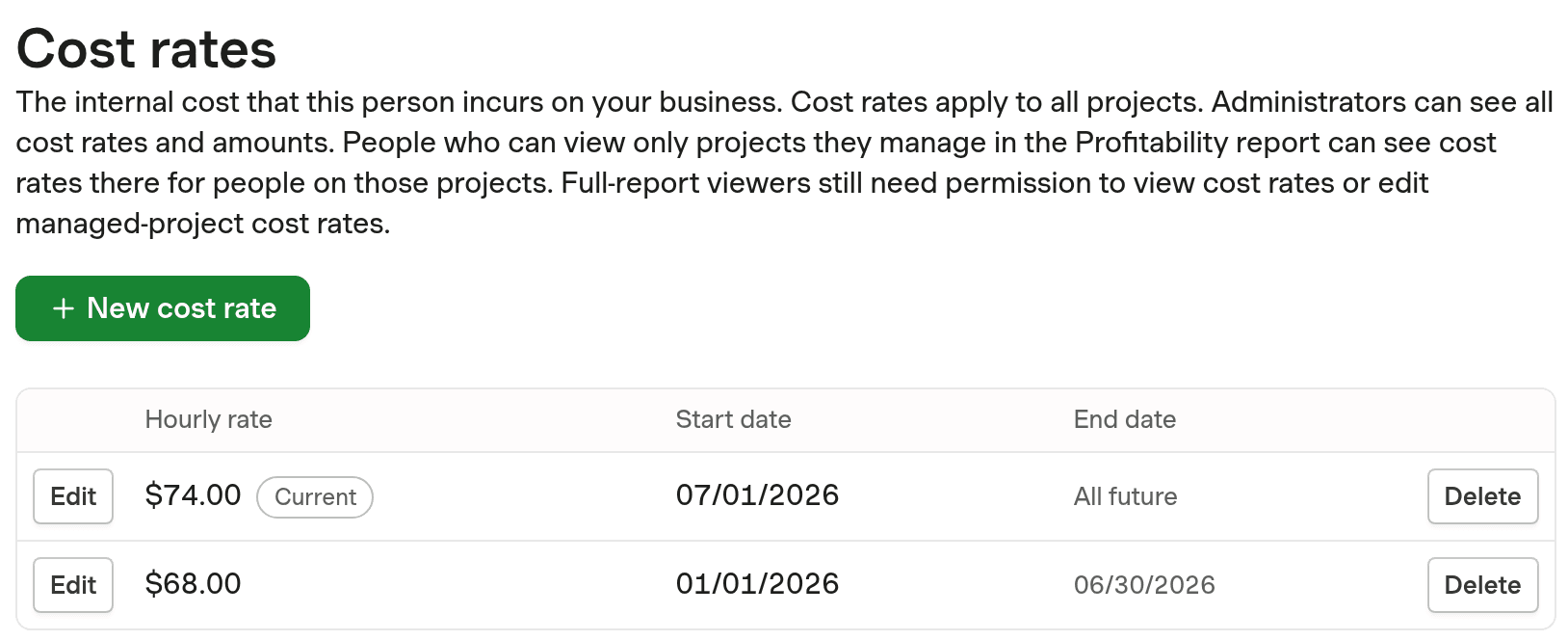
    Add an internal hourly cost rate with an effective date on each person’s Rates tab, so updates apply only to future time entries.

    A person’s Rates tab.
  3. Log time as usual

    Teammates track hours against their assigned projects and tasks, while Harvest stamps each entry with the cost rate in force on that date.

  4. Build the department cost report

    Open Reports > New report > Custom report, add Department as a field, and add Hours and Cost as metrics to view hours and cost grouped by primary department.

    The custom report builder with Department as a field and Hours and Cost as metrics.
  5. Save it, share it, export it

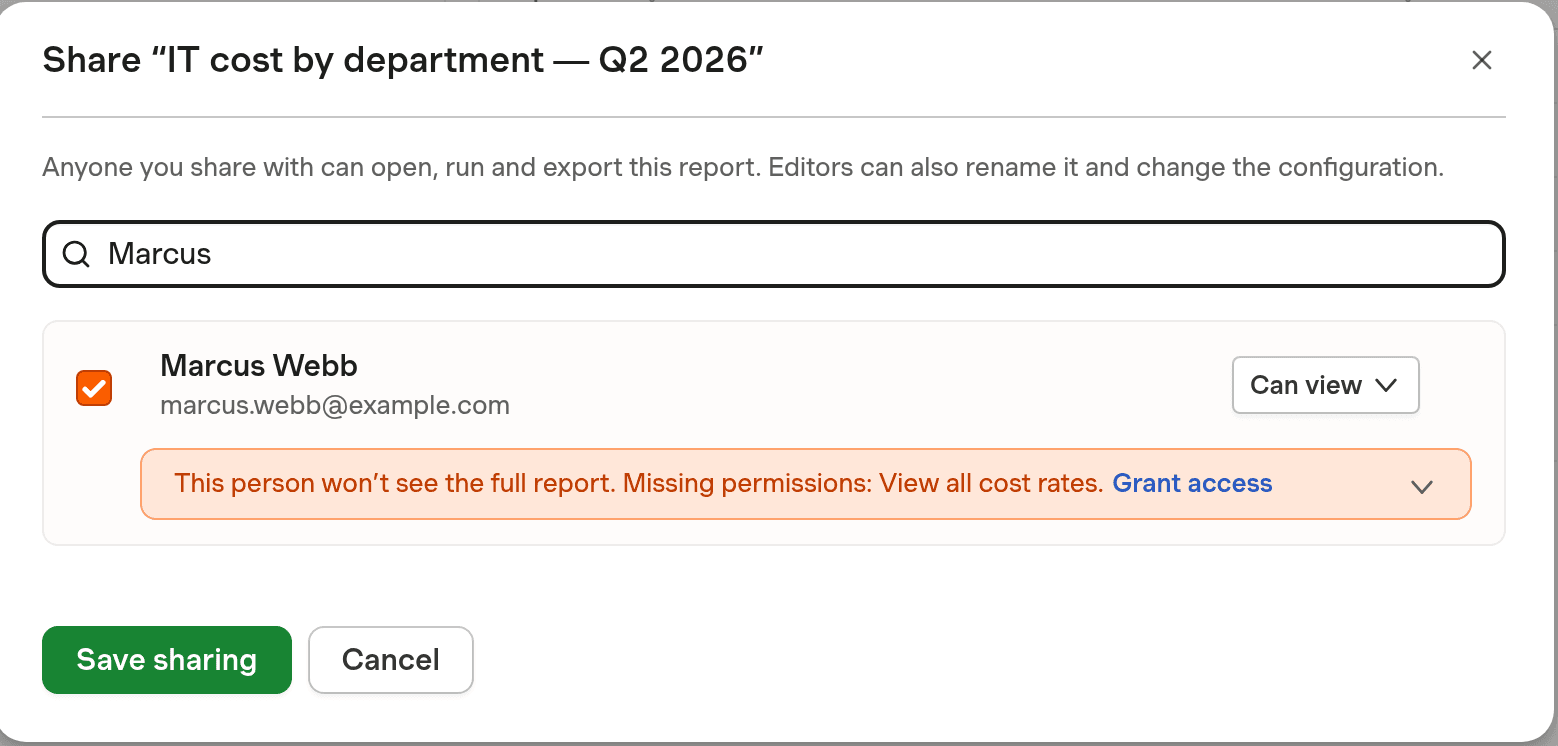
    Save the report to refresh each quarter, share it with viewers or editors, and export to CSV, Excel, PDF or Google Drive. For recipients who lack the cost-rates read permission, cost columns are automatically hidden.

    The share dialog for a saved department cost report.

Recharge runs, audit reviews and mid-year rate changes

The first Monday of the quarter · the recharge run

Quarterly cost distributions appear in one view as hours are logged

Quarterly department cost totals need to be ready without reconciling spreadsheets.

In the custom report builder, grouping by Department and adding Hours and Cost metrics sums hours and costs from time records that already store the effective rate in force, grouped by each person’s primary department.
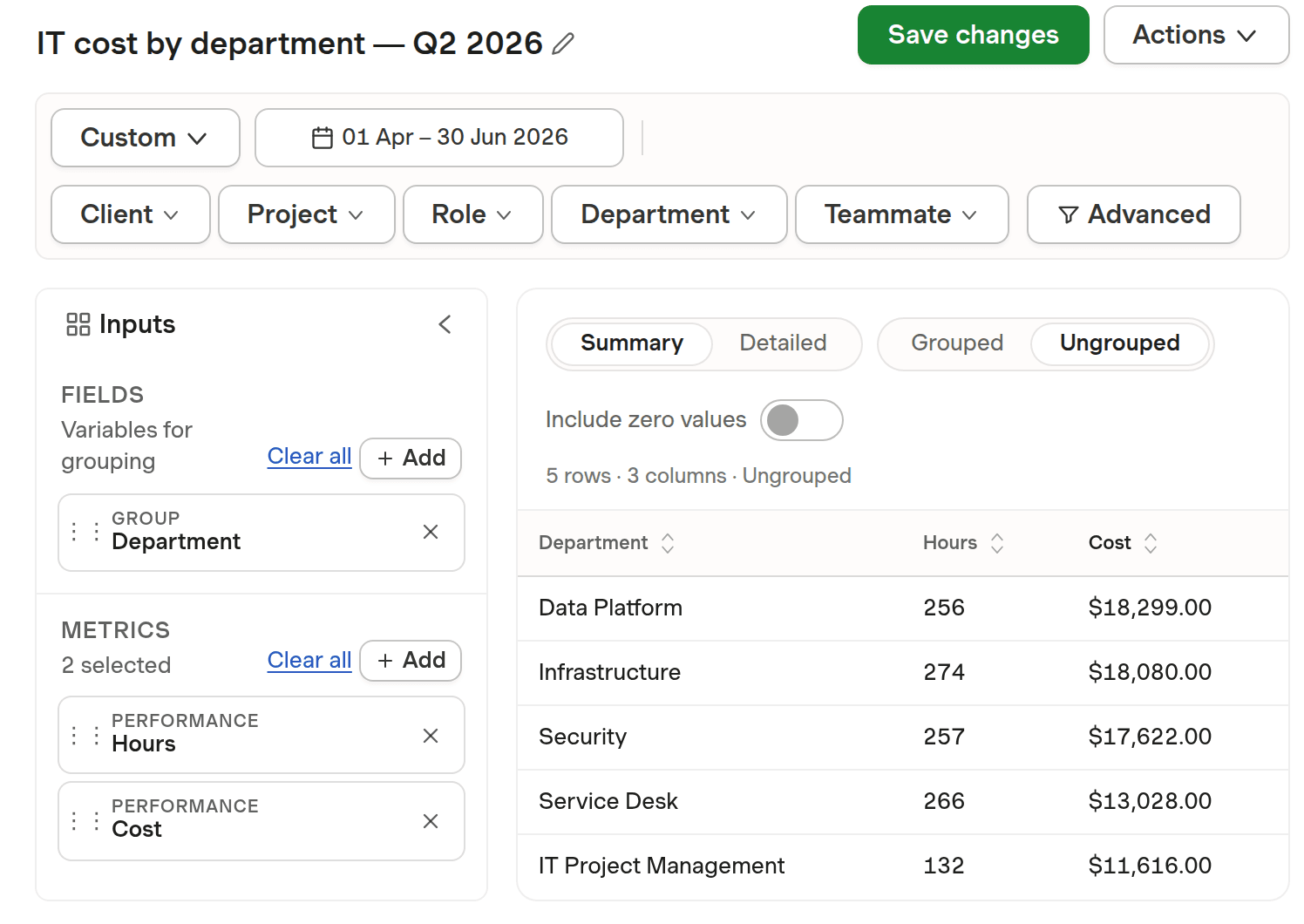
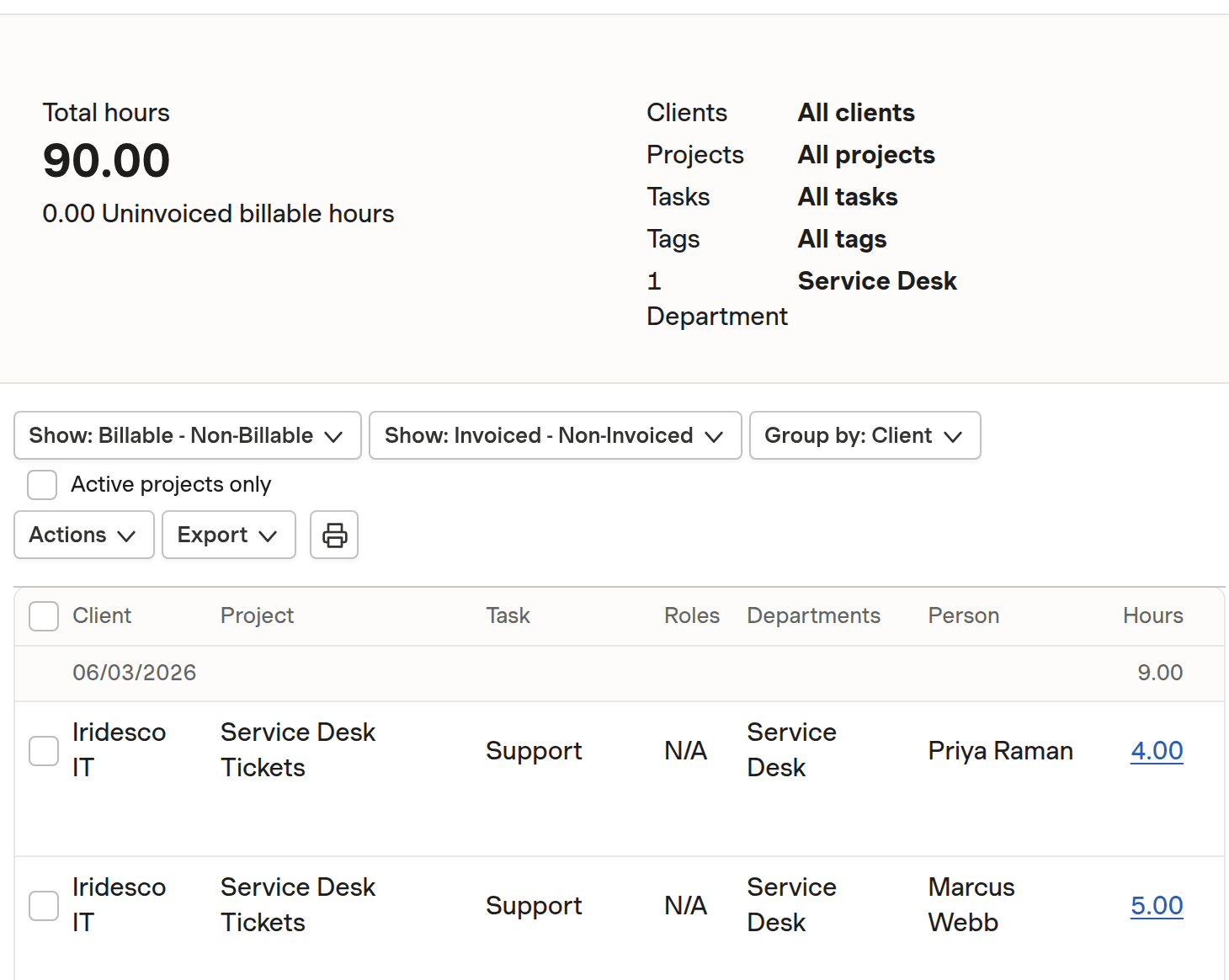
Quarterly department cost totals generated directly from logged time records

The custom report builder with Department as a field and Hours and Cost as metrics.

Month-end close · the department head wants the number, not the report

Cost columns stay hidden for recipients without cost-rate permissions

Department managers need to review allocated hours without viewing cost figures.

Sharing the department report with recipients who lack cost-rate permissions automatically hides cost columns while keeping allocated hours visible.

Recipients without cost-rate permissions review hours with cost columns hidden

The share dialog for a saved department cost report.

An auditor asks who was charged for a contractor’s hours in March

Line-by-line entry exports defend recharge amounts during quarterly audits

Finance requires line-item records to verify journal entries and support audits.

Filtering the detailed time report to any department exports every underlying entry alongside its stored cost rate and cost amount, providing the transaction-level evidence finance needs to post cross-charging journal entries.

Line-by-line audit backup ready for cross-department journal entries

Reports > Detailed time filtered to one department.

Built for finance precision and privacy

  • Cost figures remain protected

    Cost figures require the cost-rates read permission. When you share a report with anyone who lacks that permission, Harvest hides the cost column while keeping hours visible.

  • Dated rates protect past quarters

    Adding a new rate with an effective date keeps earlier quarters locked to historical costs. If you need to correct past charges, editing an existing rate updates entries across that specific date range.

  • Primary department grouping

    Teammates can belong to multiple departments. In custom summary reports, each person groups under their primary department, while detailed time exports list every department assignment.

IT Chargeback

Deliver your next quarterly allocation without spreadsheets

Start a free trial to track team time by department and generate custom allocation reports directly from your time records.