Skip to content

Job Costing

Know every project’s margin before the invoice goes out

Pair tracked hours and expenses with dated cost rates to see revenue, cost, profit and return on cost on every project. When each hour carries its cost automatically, you know your margins without rebuilding project costs in spreadsheets.

  • Dated cost rates by person, project or task
  • Missing rates caught and updated in one pass
  • Profit and return on cost by client, project, team and task
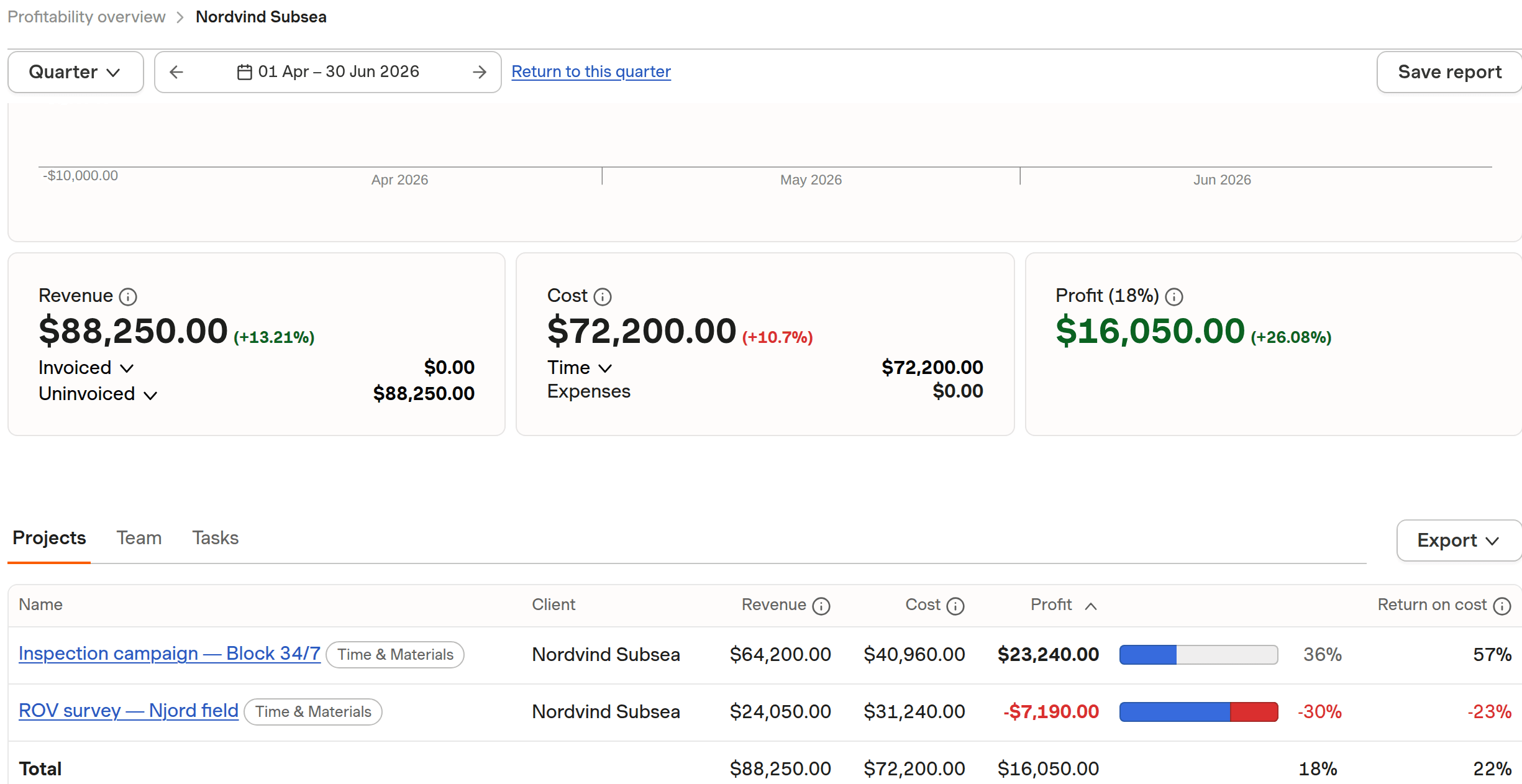
The Projects tab of the Profitability report.

How job costing works in Harvest

When teams track hours against projects, you should not have to export timesheets into spreadsheets to learn whether a job made money. Harvest attaches dated cost rates to every person, project or task, pricing tracked time on the day it was worked so you can see revenue, cost, profit, profit percentage and return on cost before sending an invoice.

  1. Set what an hour costs

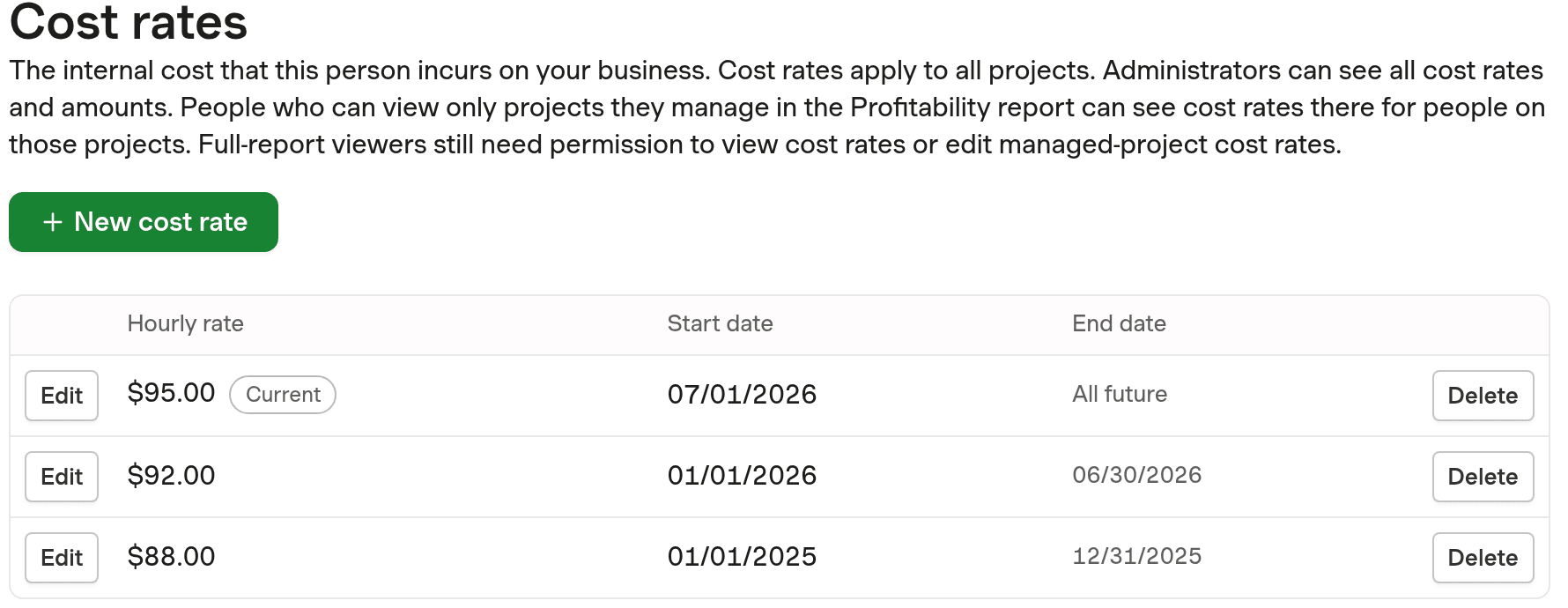
    Assign each person a cost rate with the date it takes effect. When rates change, Harvest keeps historical entries priced by the rate active on the day worked. Role rates can also cover teammates who do not have an individual rate.

    A person's Rates tab.
  2. Choose how each job is costed

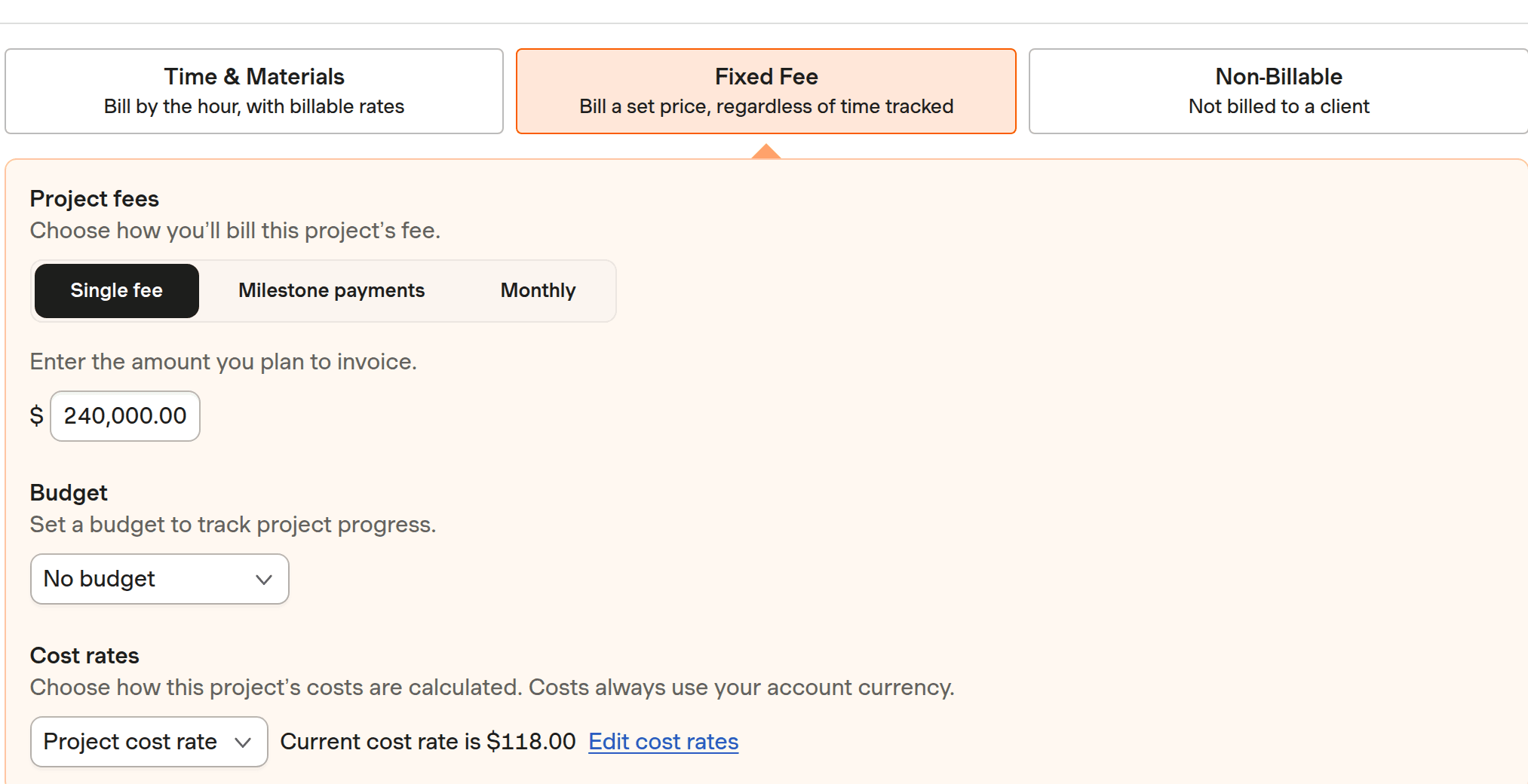
    Calculate costs using individual person rates by default, assign a single rate for the entire project, or set rates by task. You can also override a person’s rate on a specific project without altering their account-wide rate.

    A project's cost rate panel.
  3. Track the work as usual

    Crews track time and log project expenses as they always do. Harvest attaches the effective cost rate to each entry automatically, recording project costs as the work happens without an extra data entry step.

  4. Open Reports > Profitability

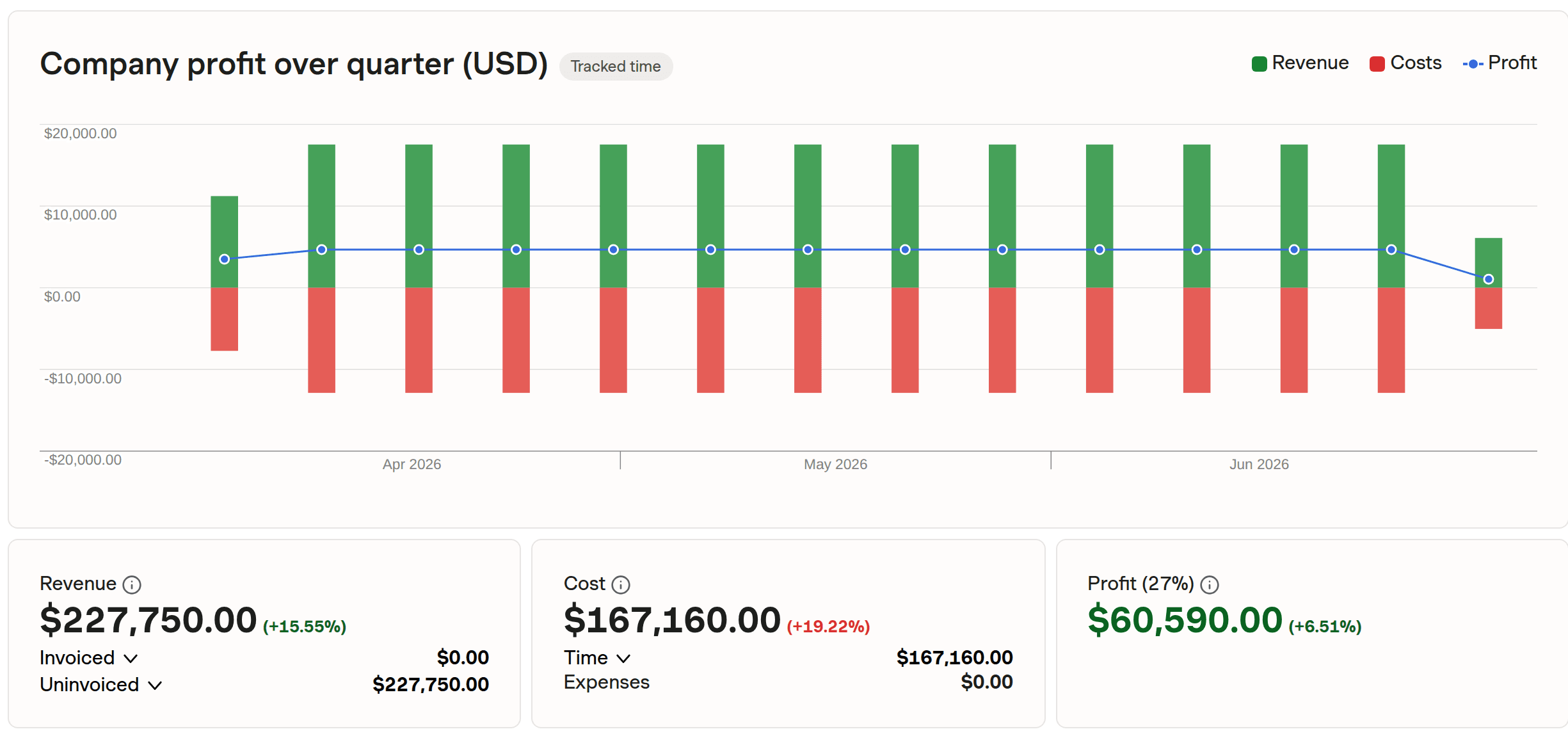
    Select any period to view total revenue, costs, profit, profit percentage and return on cost. A visual timeline tracks performance across the date range and compares your return with the previous period.

    The Profitability report's graph and stat cards.
  5. Break it down

    Four tabs: Clients, Projects, Team and Tasks show revenue, cost, profit and return on cost per row. Selecting a client drills directly into its projects.

    A client drilled into from the Clients tab.
  6. Fill the gaps and share it

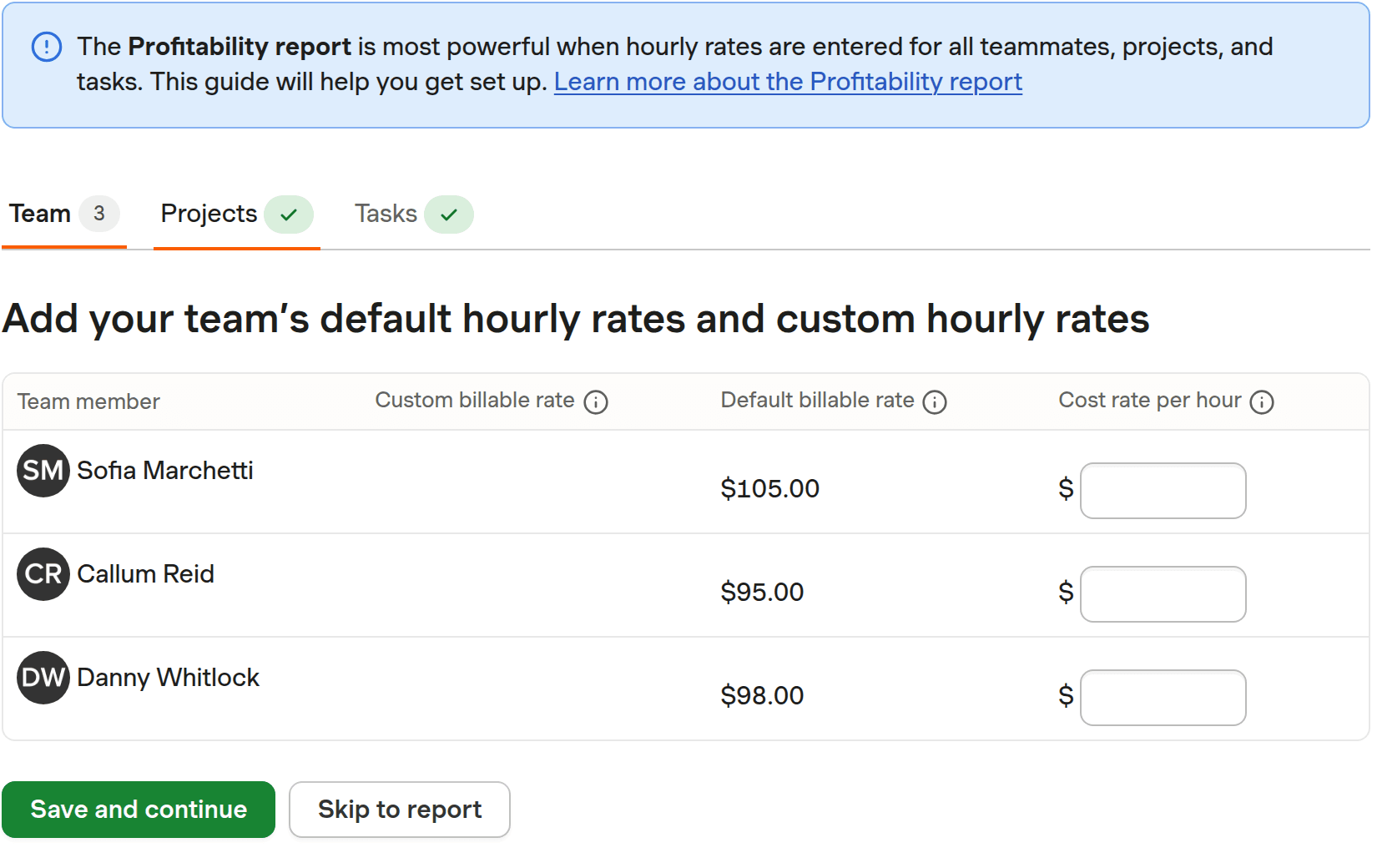
    The missing rates drawer highlights unpriced hours and lets you enter missing rates across the period in one pass. Historical hours reprice immediately, and the finished report exports to CSV, Excel or Google Sheets, or is saved to run again.

    The report's Add missing rates guide, Team step.

How teams track job margins across industries

Subsea demobilisation · vessel campaign wrap-up

Campaign revenue, cost and profit ready on one row

Reconciling contractor day rates and vessel hours in spreadsheets delays billing and obscures campaign losses.

The Projects tab of the Profitability report pairs tracked hours with each crew member’s dated cost rate. Revenue, cost, profit and return on cost appear on one row, so an over-budget inspection run shows up clearly before the invoice goes out.
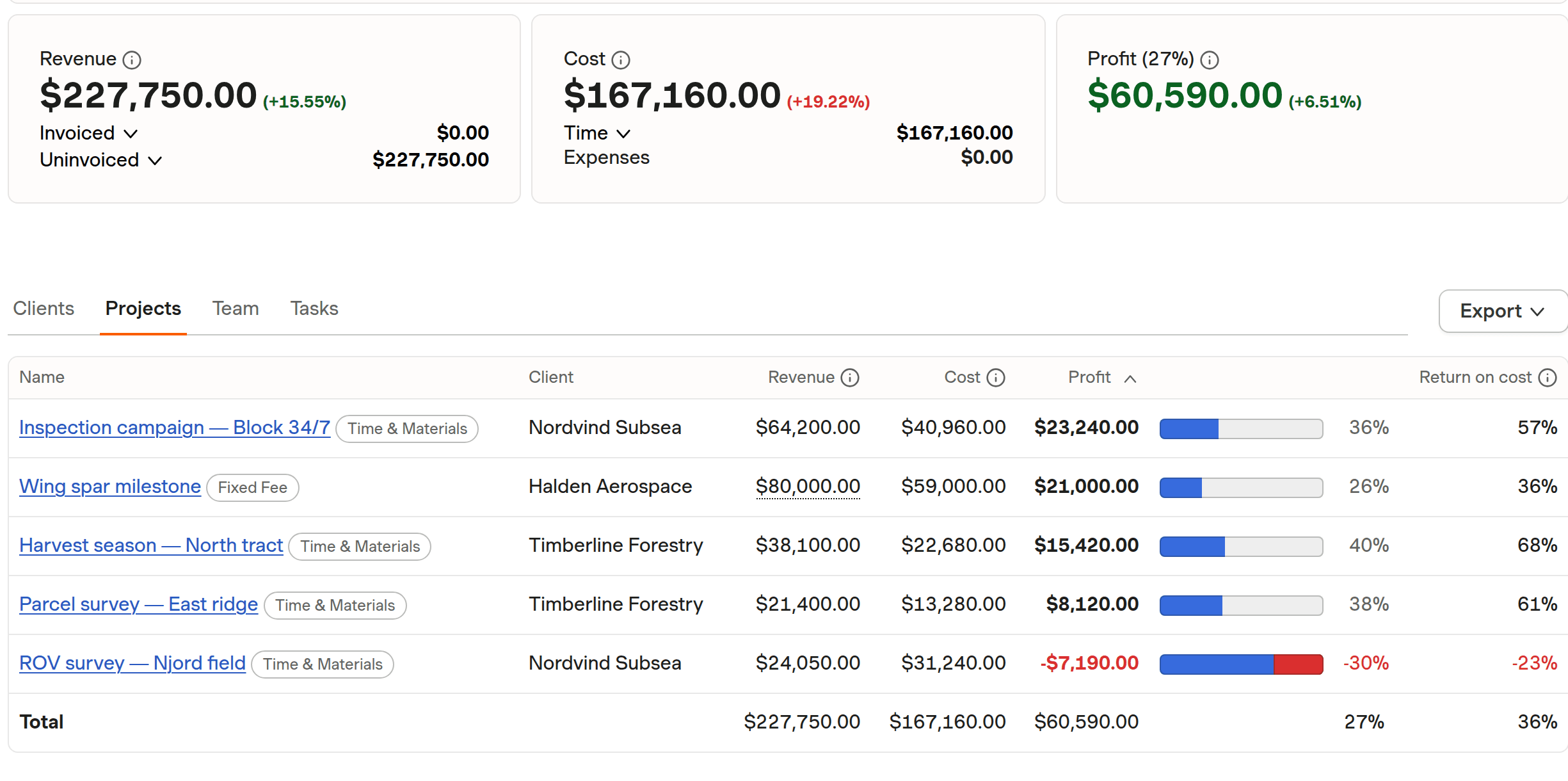
Campaign profit and return on cost visible without spreadsheet reconciliation

The Projects tab of the Profitability report.

Fixed-fee milestone · aerospace engineering package review

Contract-specific cost rates stay locked to the project

Fixed contract fees spread across milestones require exact cost tracking to prevent senior engineering hours eroding delivery margins.

When an aerospace milestone requires blended engineering rates or task pricing, the project cost rate panel applies those rates to that contract alone. Standard account-wide rates remain untouched, and cost rates remain visible only to teammates with cost-rate permissions.

Accurate milestone margins without altering account-wide rates

A project's cost rate panel.

Seasonal closeout · forestry harvest parcel reconciliation

Missing rates are flagged and fixed in a single pass

Roving field crews working across multiple timber tracts can leave seasonal hours unpriced if equipment or operator rates change.

When field crews log time across multiple timber parcels, the missing rates drawer flags unpriced hours immediately. Entering the missing task or person rates in the drawer reprices all historical hours across the season in one pass.

No uncosted field hours skewing seasonal profit

The report's Add missing rates guide, Team step.

Clear controls and decision limits

  • Permission controls protect cost rates

    Cost rates are visible and editable only to Administrators, Accounting and Executive Managers by default. Project managers with the managed profitability permission see figures only for the projects they manage.

  • Costs track in your account currency

    Costs always use your account currency. A project can bill in another currency, but cost and profit are calculated in your account currency.

  • Updating a rate reprices historical time

    Editing a cost rate reprices the time already tracked in the range that rate covers, updating cost and profit for that period. The Profitability report is included on the Premium plan.

Job Costing

See the real cost of every job from day one

Start tracking project revenue, costs and profit in Harvest, and know whether your projects made money before sending the client invoice.