Skip to content

Multiple Legal Entities

Every entity bills under its own legal identity and currency

Give each operating company its own company name, invoice style, and reporting currency, and move between accounts with one sign-in instead of untangling shared books.

  • One company name and invoice logo per account
  • Independent billing currency per client and project
  • Single sign-in across every company account
An invoice as the client receives it.

How it works

A single Harvest account carries one company name, one invoice header with its logo, and one default currency. When sister agencies or regional subsidiaries invoice clients under different company names, giving each trading entity its own account keeps invoices and client records partitioned, while your team switches between them from the profile menu.

  1. Choose your entity structure

    Decide whether sister companies share an account or use dedicated accounts. Entities invoicing under separate legal names or Peppol e-invoicing registrations require their own account.

    An invoice as the client receives it.
  2. Set the account default currency

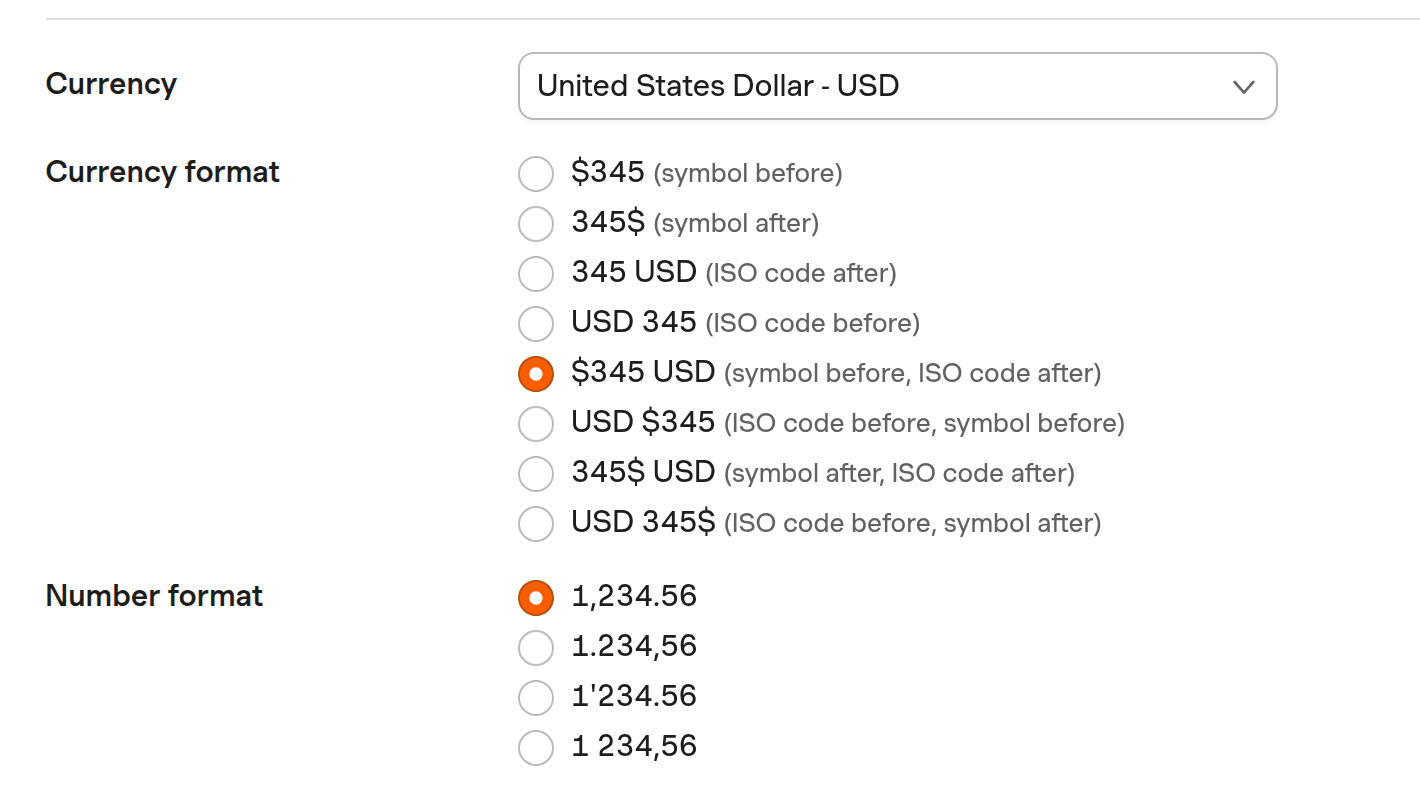
    Choose the default currency, currency format, and number format in preferences. New clients and projects inherit this baseline automatically.

    Settings → Edit preferences, the Currency section.
  3. Assign currency by client or project

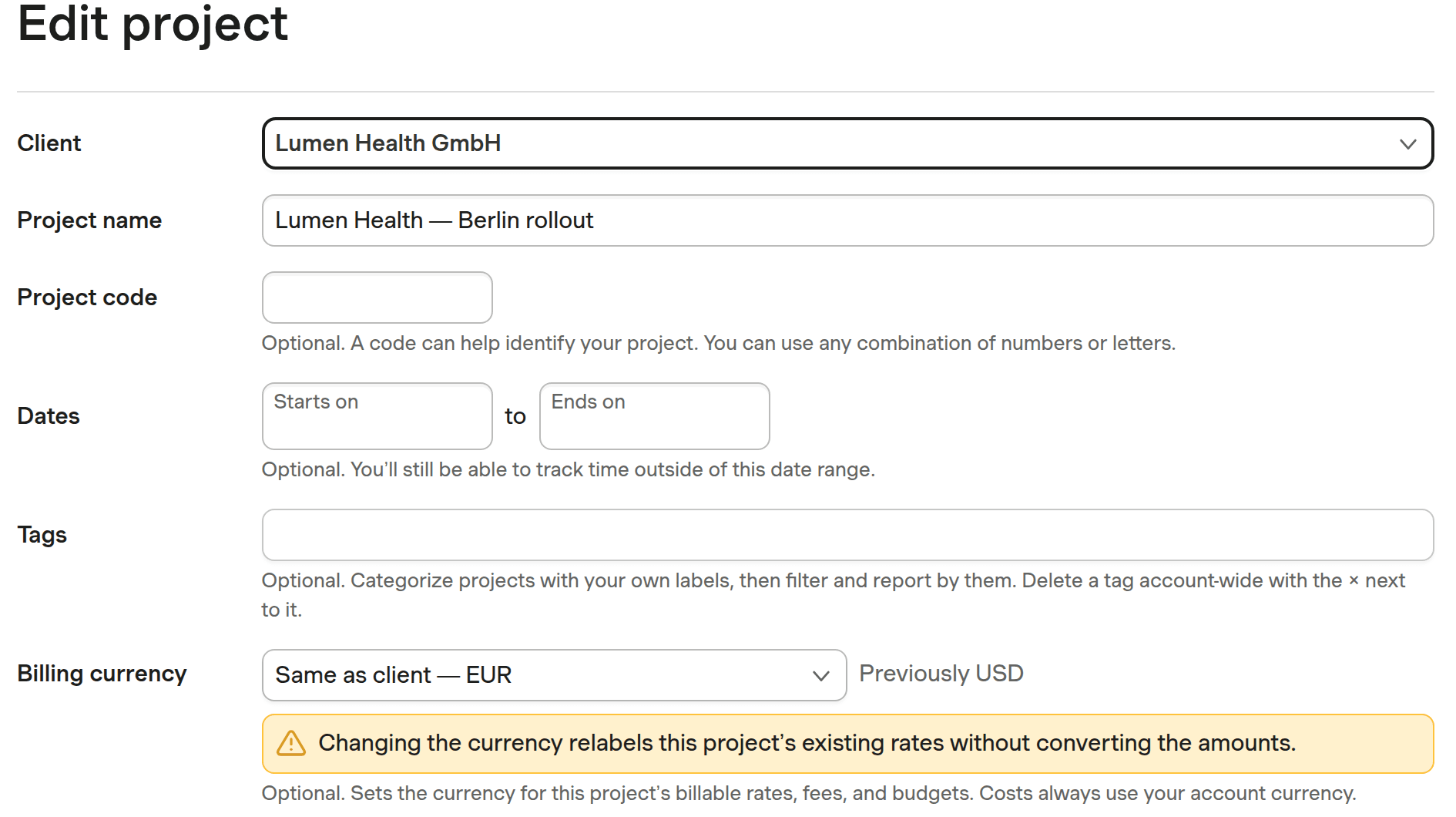
    Set a preferred currency on a client, or assign a billing currency to an individual project. The project currency governs rates and invoicing without modifying the account baseline.

    The project form’s Billing currency field.
  4. Separate teams by department

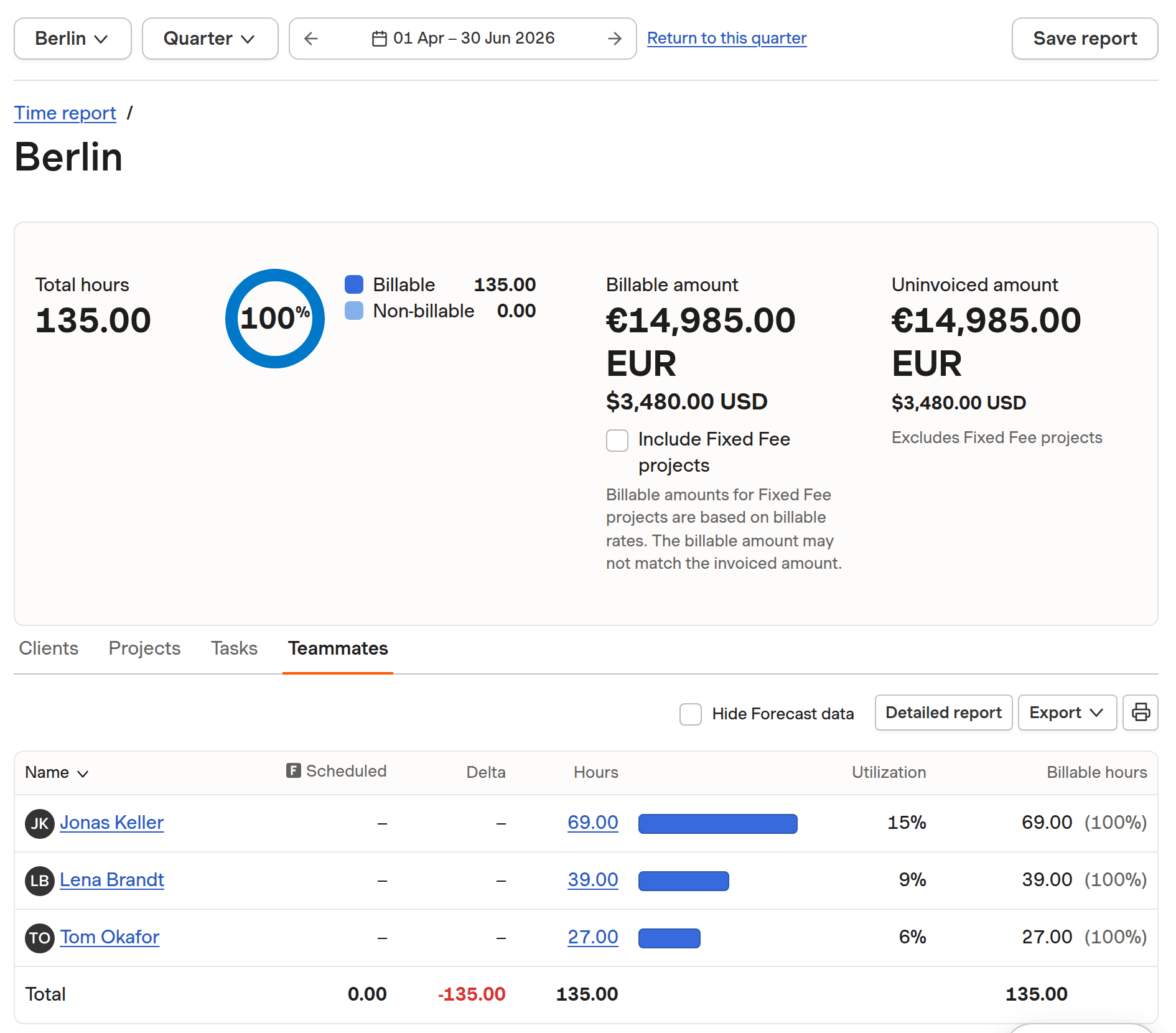
    When trading entities share one account, group staff into departments to filter time reports, billable metrics, and detailed expense summaries by division.

    The Time report with a department filter applied.
  5. Report totals per currency

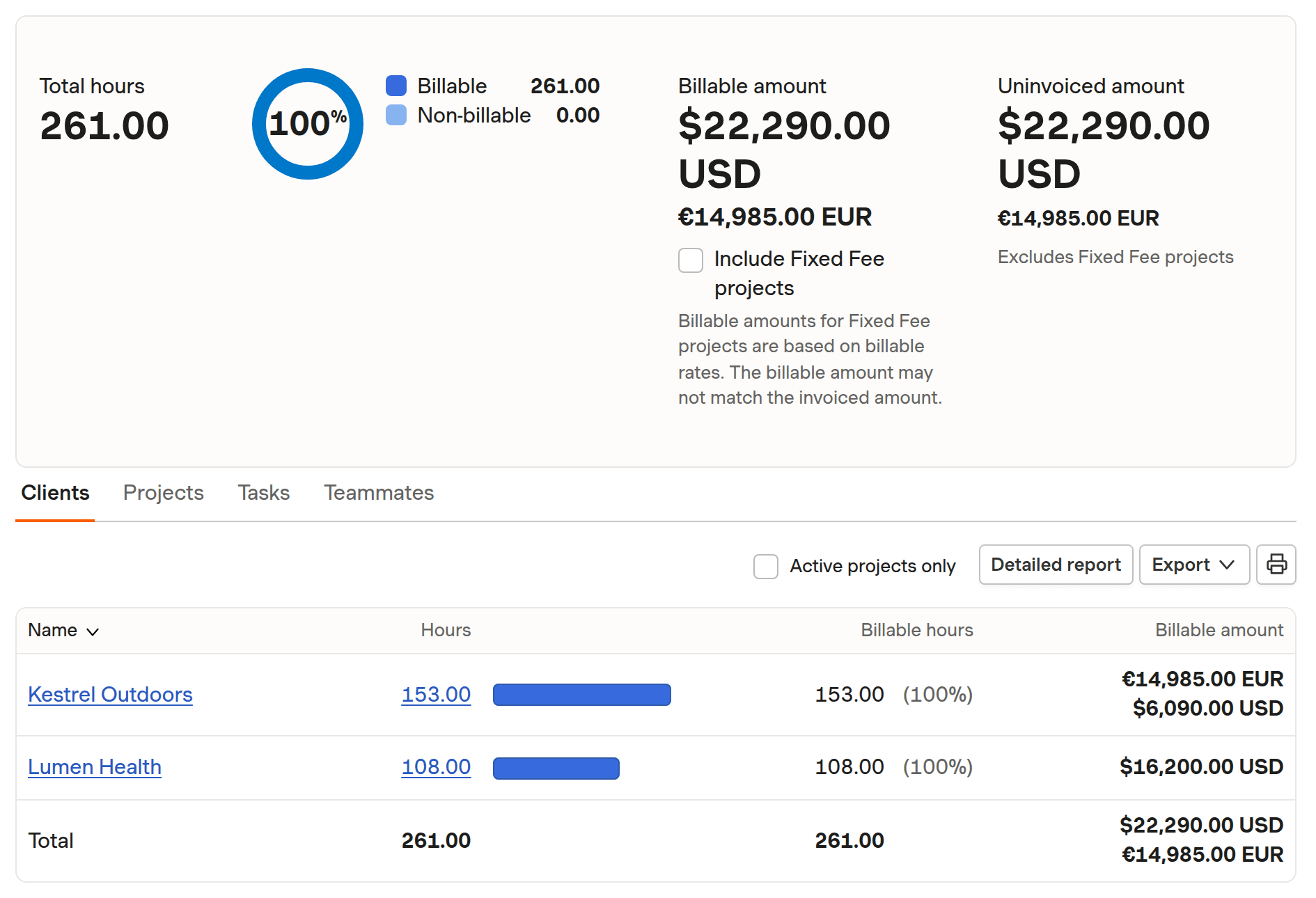
    Review reports that list billable amounts per currency rather than converting and summing them into one figure. Amounts in different currencies stay distinct, ready to export for external consolidation.

    A Time report for one client billed in two currencies.
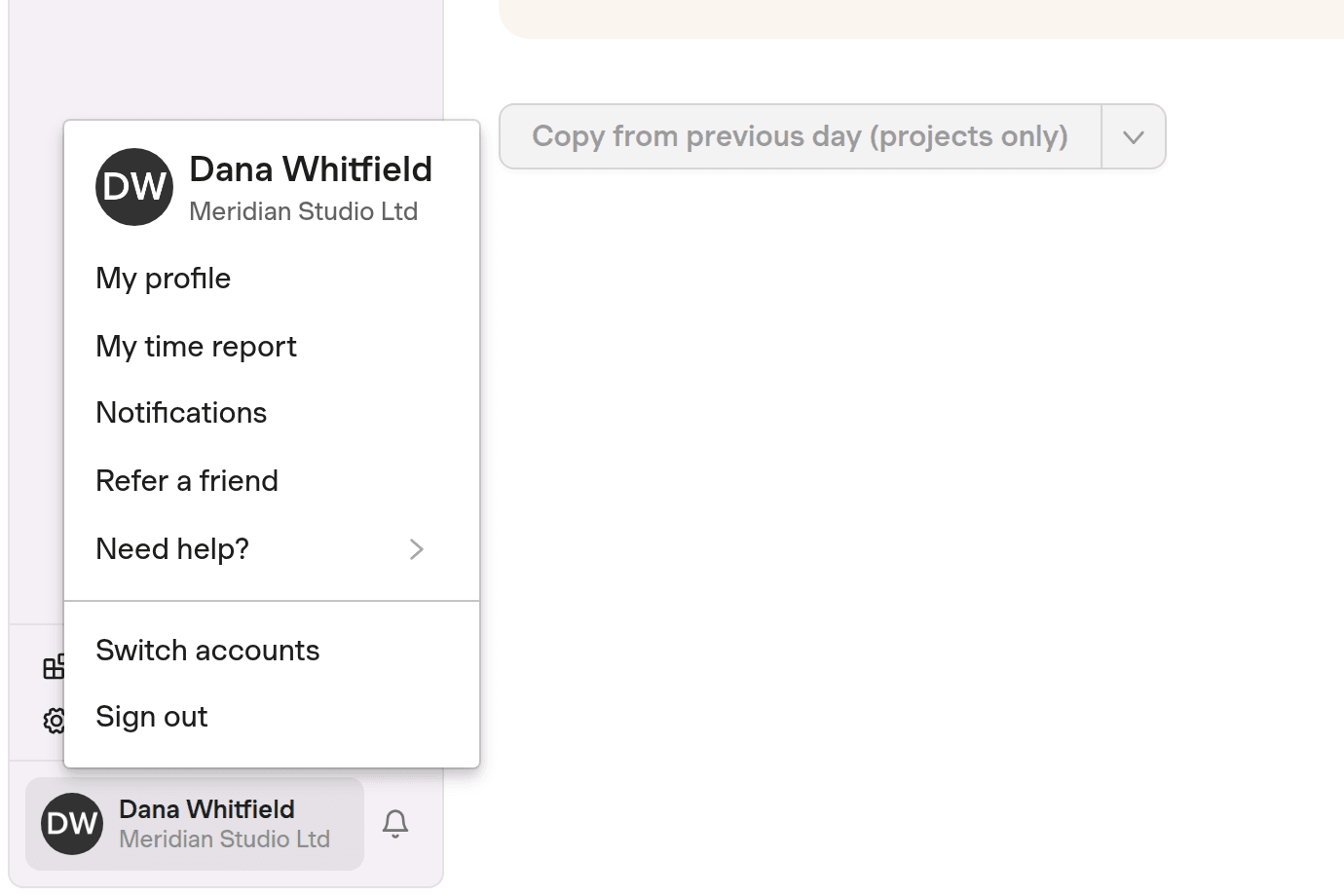
  6. Switch accounts from the profile menu

    Use one email address across every entity account. The profile menu lets you jump between sister companies without signing out.

    The profile menu, open.

Where clean entity boundaries matter

Subsidiary expansion · onboarding a cross-border client

Invoices carry the legal entity, logo, and company name for each account

Each trading company needs its own company name, logo, and registered legal entity on the invoices it sends.

Because an account maintains one company name, one invoice style, and one e-invoicing registration, operating entities in dedicated accounts invoice under their own legal header, keeping client documents distinct across entities.
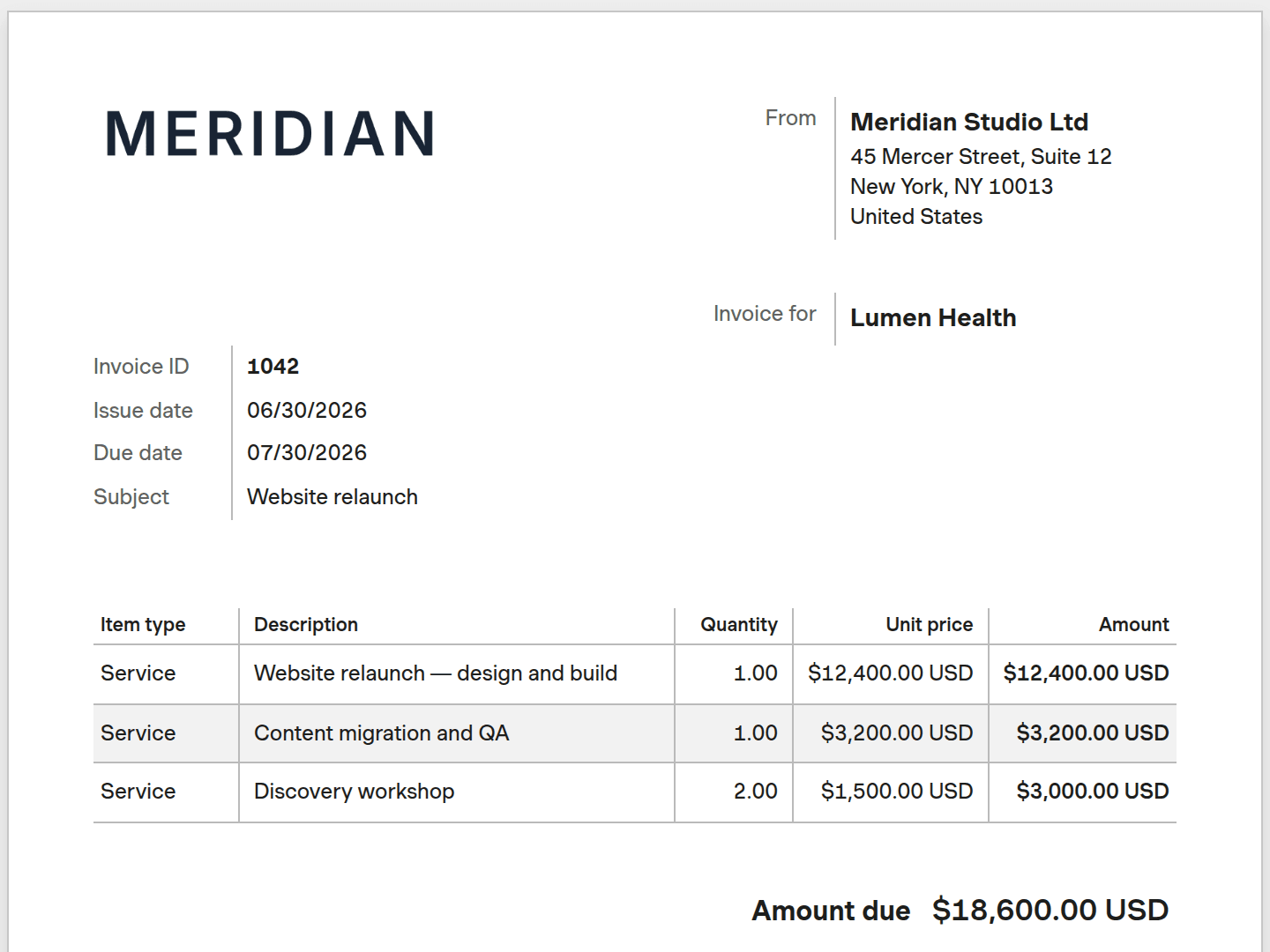
Clean client invoices issued under the correct company name and logo

An invoice as the client receives it.

Weekly operations review · cross-entity resourcing

Shared teammates move between entities without logging in and out

Shared specialists need to log time across agencies without maintaining multiple browser sessions or passwords.

Finance leads and shared delivery staff jump between trading companies through the account switcher in the profile menu using one email address, while client lists, budgets, and cost rates stay strictly separated.

Instant switching across entities with partitioned client records

The profile menu, open.

Quarterly board reporting · group billing reconciliation

Revenues stay true to their currencies without artificial conversion math

Consolidating multi-currency revenue requires verifiable source figures rather than arbitrary internal conversions.

Reports list billable amounts per currency rather than blending exchange rates into an estimated total, giving finance teams verifiable exports to feed directly into group consolidation spreadsheets.

Auditable billable totals per currency ready for export

A Time report for one client billed in two currencies.

Limits and structure rules to know before setup

  • One company name and invoice logo per account

    An account issues invoices under a single company name and style. Entities that must invoice clients under distinct legal names need separate Harvest accounts.

  • No automatic currency conversion

    Harvest never converts billing rates or report figures into another currency. Changing a project currency relabels rates directly, while cost rates remain in the account default.

  • Independent subscriptions and data

    Each account maintains its own subscription, seats, and client data. Reports run within one account, with multi-account consolidation handled by exporting to spreadsheets.

Multiple Legal Entities

Set up your entities with clean legal boundaries

Keep company names and invoice headers distinct, keep currencies unmixed, and navigate every company account with a single sign-in.