Skip to content

Per-Person Invoicing

Each contractor’s invoice is ready without rebuilding the timesheet

Give placed team members their own project under the client, so each person logs hours to an independent balance. When billing day arrives, each worker’s invoice is ready to draft directly from their own unbilled time.

  • Each worker’s invoice ready from their own project
  • Independent uninvoiced balances per person
  • Line grouping available when one invoice is accepted
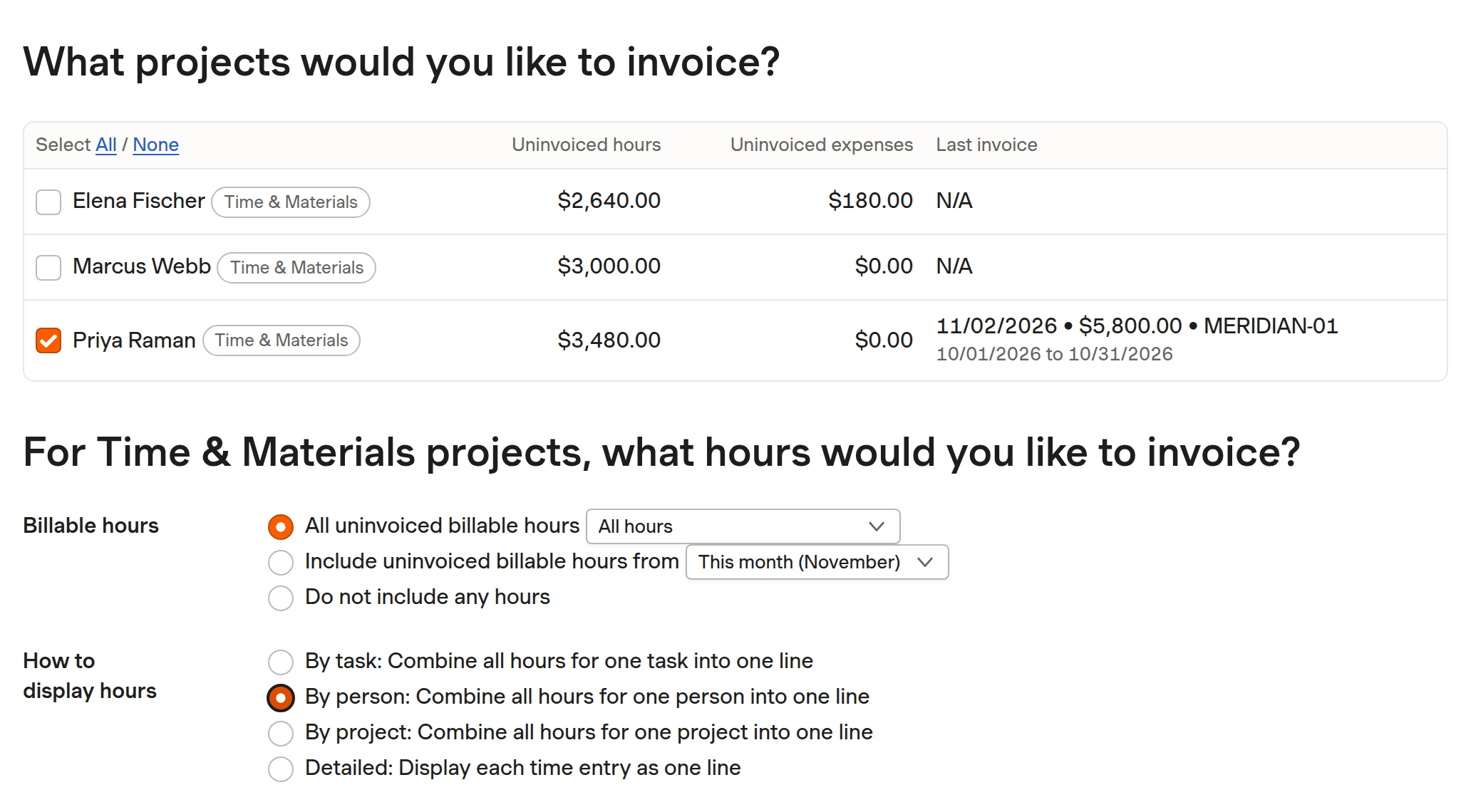
The new invoice page for Meridian Health, with the project table and the hours options.

Stop untangling shared timesheets at billing time

When enterprise clients require a separate invoice for each embedded contractor, managing everyone on a single shared project creates manual work. Teams end up exporting timesheets to spreadsheets, filtering by person, and typing individual invoices by hand. Creating a dedicated project for each person under the client isolates their uninvoiced hours from day one, so you can draft dedicated invoices without spreadsheet sorting.

How teams handle individual contractor billing

First business day of the month · contractor billing run

Each worker’s invoice is ready from their own project

Enterprise clients require separate invoices for each embedded worker.

When enterprise clients require separate invoices for each embedded worker, your operations lead selects the contractor’s dedicated project under the client. Harvest pulls only that person’s unbilled hours, leaving everyone else’s time untouched.
Dedicated invoices generated without exporting raw timesheets or manually deleting lines

The new invoice page for Meridian Health, with the project table and the hours options.

Mid-month check · a client asks for one person’s accrued balance

Check an individual contractor’s uninvoiced balance without running custom reports

A client asks what an individual contractor has run up so far.

When a client requests a spend update for a specific contractor, open that contractor’s dedicated project page. Their uninvoiced amount is calculated automatically without querying reports or doing manual rate math.

Uninvoiced balance visibility for individual team members

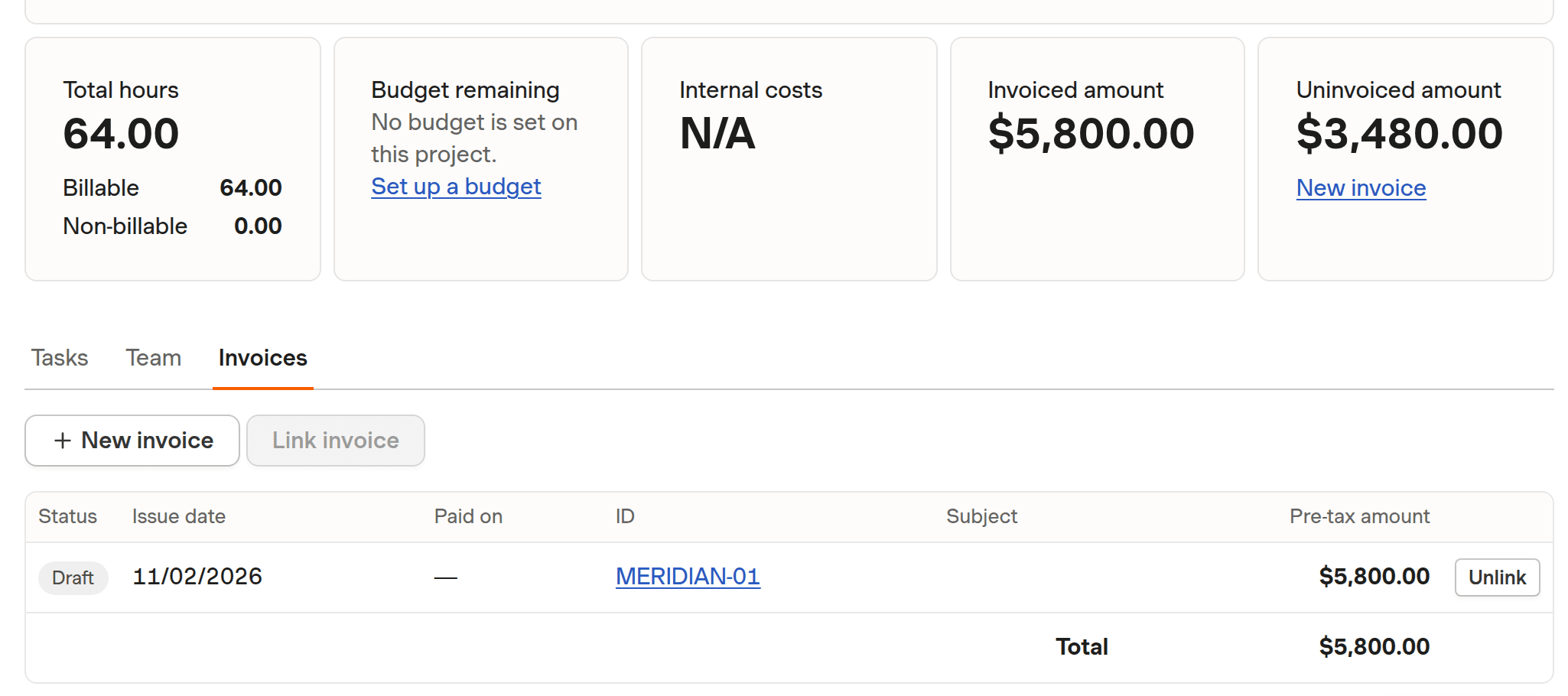
Priya Raman’s project page with the Invoices tab open.

Month-end audit · tracking uninvoiced balances across all embedded staff

Review every worker’s uninvoiced total on a single dashboard

Operations leads need to review all uninvoiced balances across placed staff before closing the cycle.

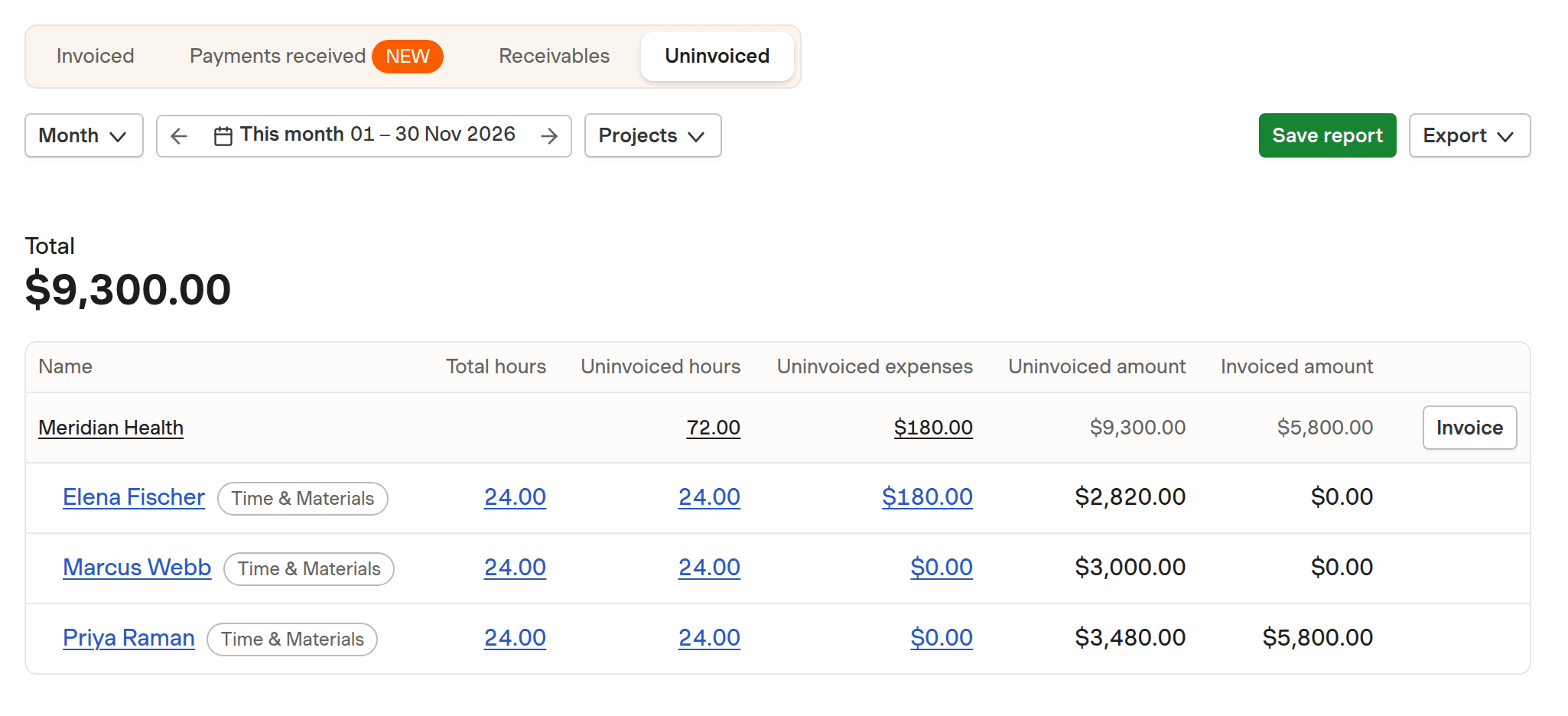
The Uninvoiced report displays uninvoiced hours, expenses and amounts for every person-named project side by side. Your team reviews unbilled balances before closing the billing cycle.

Complete visibility of unbilled time across all placed workers

Reports > Invoicing > Uninvoiced filtered to Meridian Health.

How it works

  1. Create a project for the person

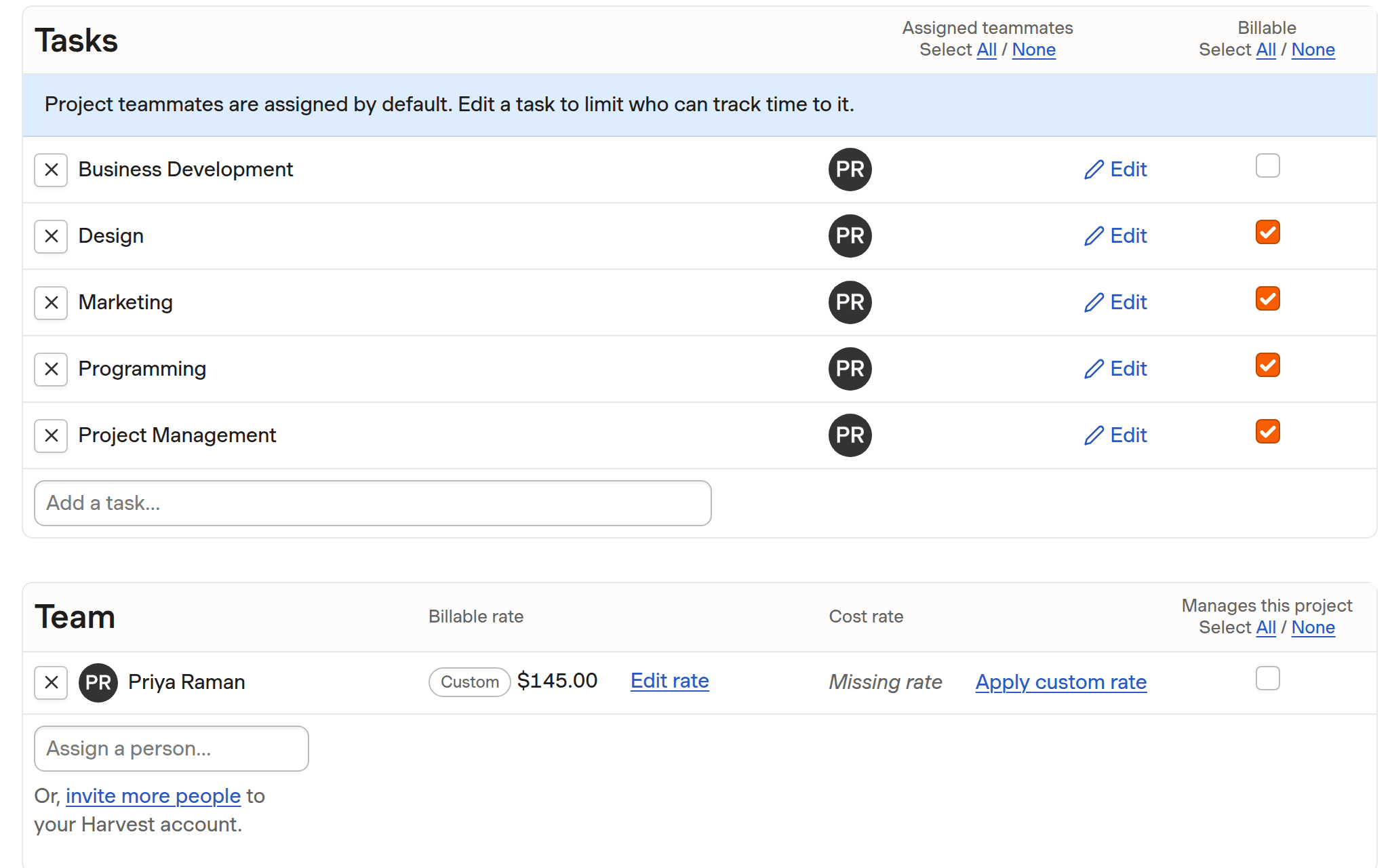
    Under the client, create a project named for the person, set it billable, assign that person, and set the rate the project bills at.

    Priya Raman’s project editor, Tasks and Team sections.
  2. Track time to the person’s project

    The person logs time to billable tasks on their project. Only people assigned to the project can track time to it.

  3. Create the invoice for the client

    When billing day arrives, open a new invoice for the client and select the person’s project. Only that contractor’s unbilled hours and expenses appear, ready to review.

    The new invoice page for Meridian Health, with the project table and the hours options.
  4. Review line items and save

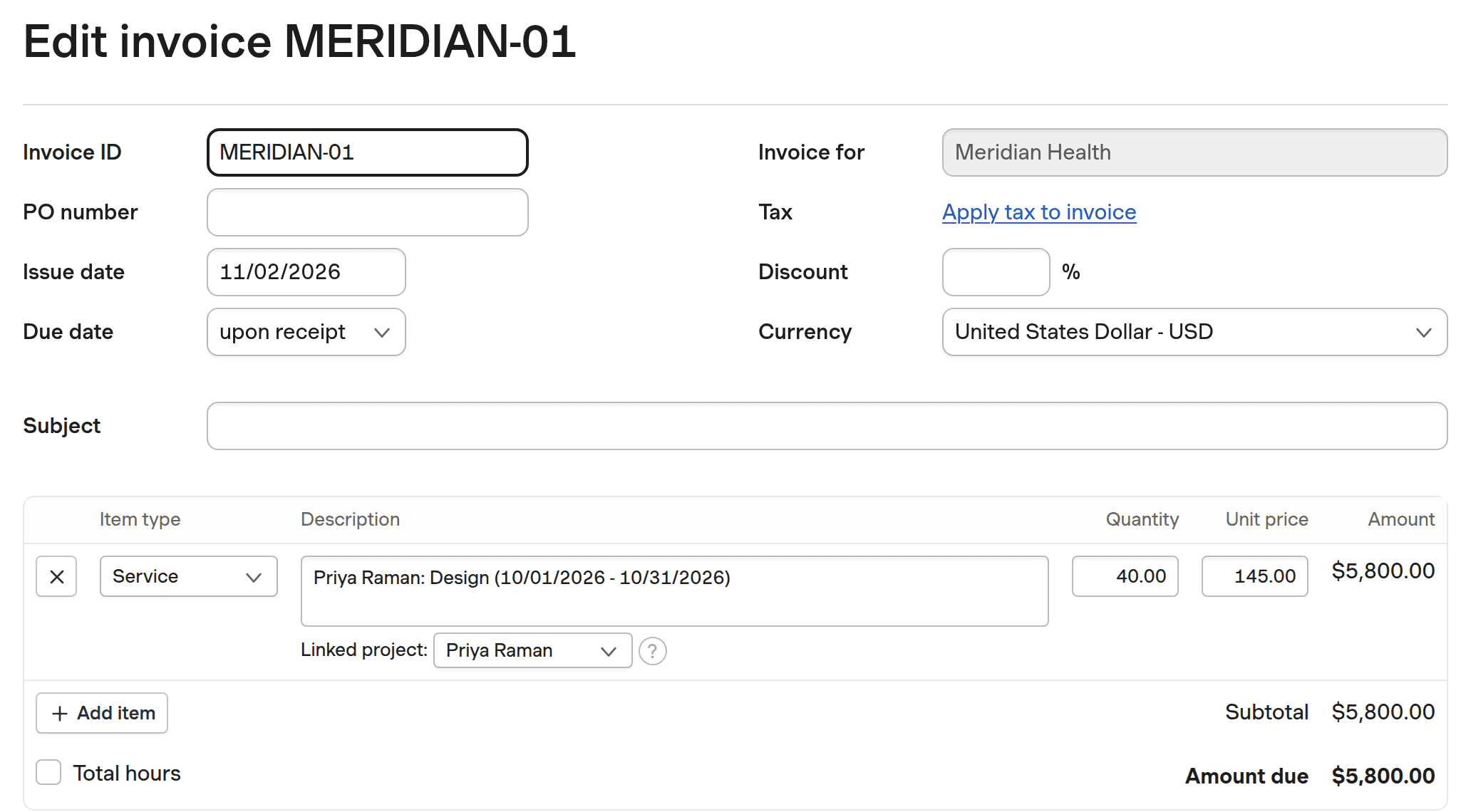
    Harvest builds line items from the project’s uninvoiced hours and expenses. Review the draft, adjust if needed, and save or send.

    The draft invoice MERIDIAN-01 in the invoice editor.
  5. Repeat per person and review balances

    Draft an invoice for each person’s project. The Uninvoiced report and project pages show what remains unbilled.

    Reports > Invoicing > Uninvoiced filtered to Meridian Health.

What happens when a contractor works across multiple clients?

  • Projects stay scoped to one client

    Each project belongs to one client, and an invoice pulls only projects for that client. If a person works for multiple clients, create a dedicated project under each client.

  • No duplicate billing

    Time entries attach to only one invoice at a time. Harvest pulls only unbilled hours, preventing the same hours from appearing on multiple invoices.

  • Group by person on a single invoice

    When client procurement allows a single invoice with itemised worker totals, set the invoice display to By person instead of maintaining separate projects.

Per-Person Invoicing

Run your next contractor billing cycle from unbilled time

Set up dedicated projects on your next contractor placement, or read the guides below to see how linked projects handle billing.