Skip to content

Project Budget Alerts

Catch project overruns before hours are logged

Track spend against hours or fees while your team works. On eligible hour and fee budgets, live warnings alert team members the instant an entry exceeds the budget, catching overruns before unbillable time reaches the invoice.

  • Budget by total hours, fees, individual tasks, or monthly retainers
  • Live timesheet warnings on eligible budgets before an entry is saved
  • Email alerts on eligible budgets the morning after crossing your threshold
Live alert warning shown in the time entry modal before save

Catch budget overruns at the moment time is entered

When project overruns stay hidden until the invoice draft, hours are already worked and the only choice left is an unbillable write-off. Harvest moves the warning to the moment time is tracked.

When someone enters hours that exceed the budget on an enabled project, an amber banner flags the overage right inside the timesheet before they click save. Your team stays aware of remaining budget, project managers catch extra hours on day one, and time is still recorded without blocking the save.

How project budget tracking works

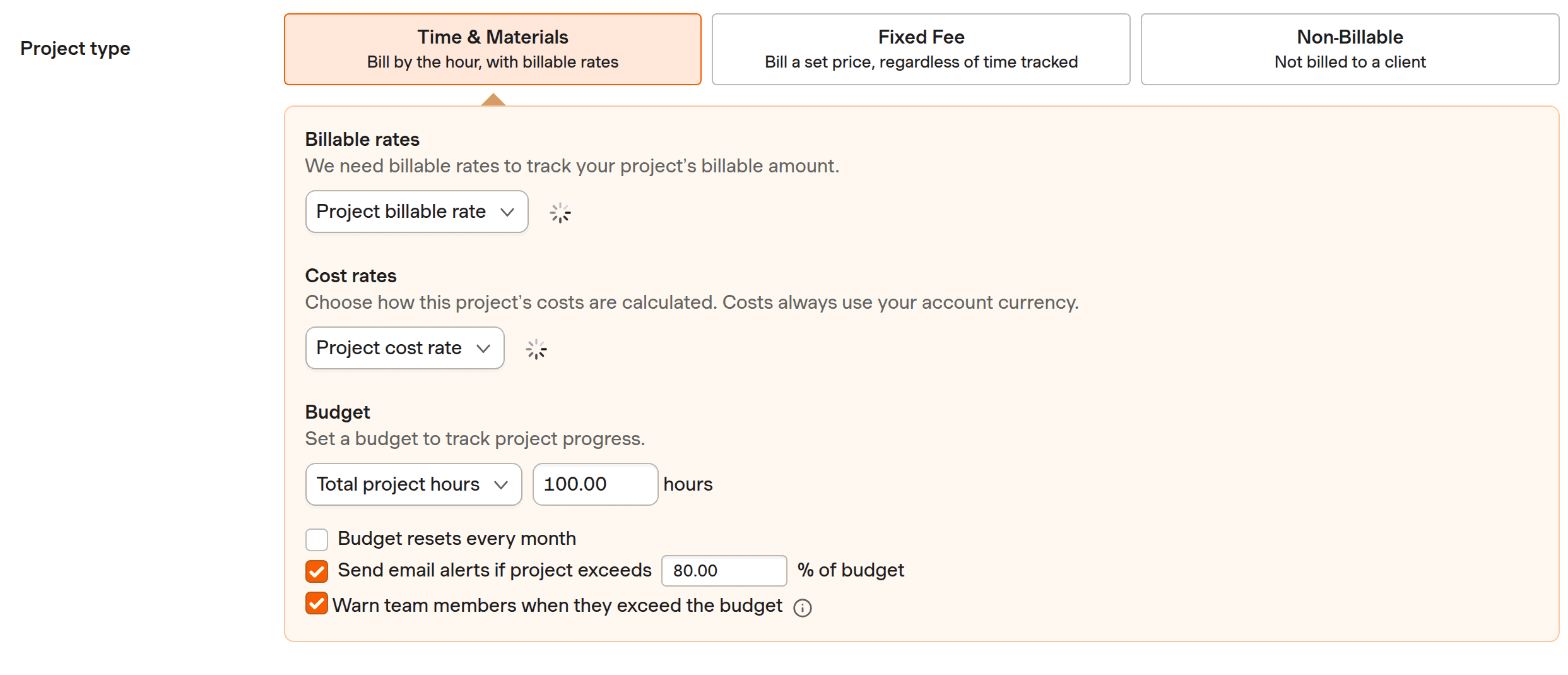
  1. Choose your budget type on the project edit form

    Set your target across total hours, total fees, or specific tasks and team members, and check the monthly reset for ongoing retainers. Except on fee-derived budgets, which do not send alerts, you can configure automatic email notifications at a chosen percentage threshold and enable timesheet warnings.

    Project budget settings form showing type, hours, and alert thresholds
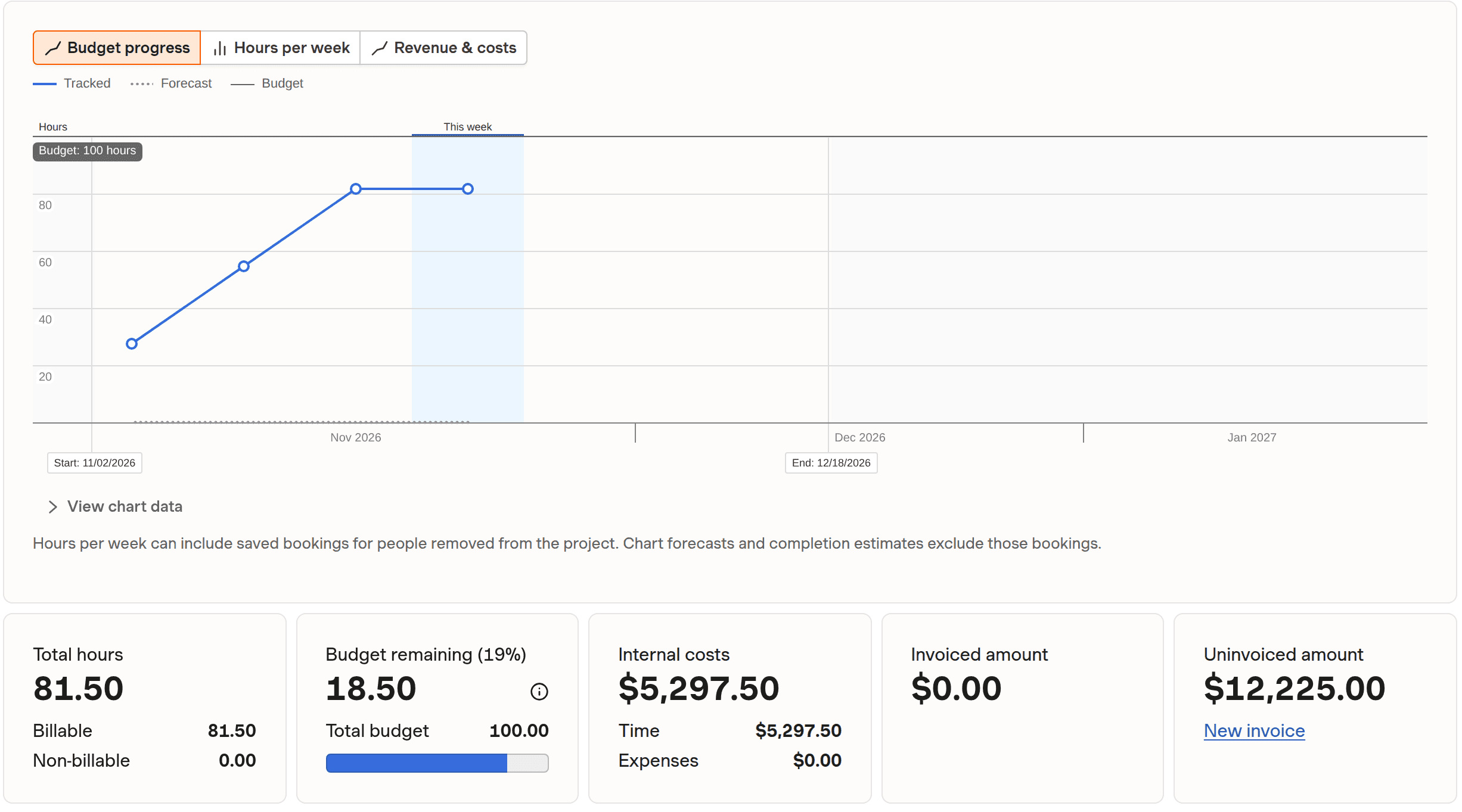
  2. Watch tracked spend plot against the target budget line as work happens

    The project page calculates Budget remaining, percentage used, and an estimate to completion directly from recorded time, giving you a clear view of delivery pacing without exporting spreadsheets.

    Project budget progress graph showing tracked hours against target line
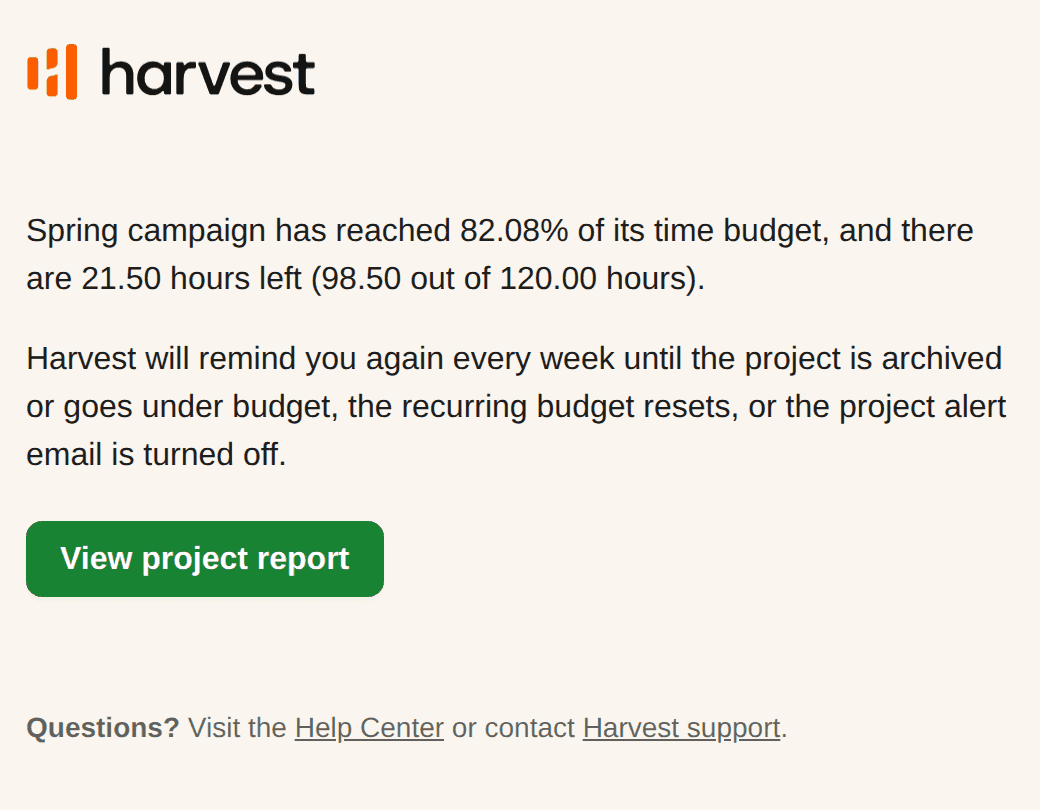
  3. For eligible projects with alerts enabled, Harvest sends an automatic email the morning after a project crosses your selected percentage threshold

    The email shows the percentage reached, the hours or money left, and links directly to the project report.

    Over-budget notification email with percentage reached and report link

Where teams catch overruns before billing wrap-up

Thursday afternoon · daily time entry

A live alert directly inside the timesheet before an entry is saved

For example, when warnings are enabled on an eligible project and someone types 6 hours on a project with 2 hours remaining (illustrative numbers), an amber banner appears above the save button. The entry can still be logged for approved overtime, alerting the team member before the entry is saved.
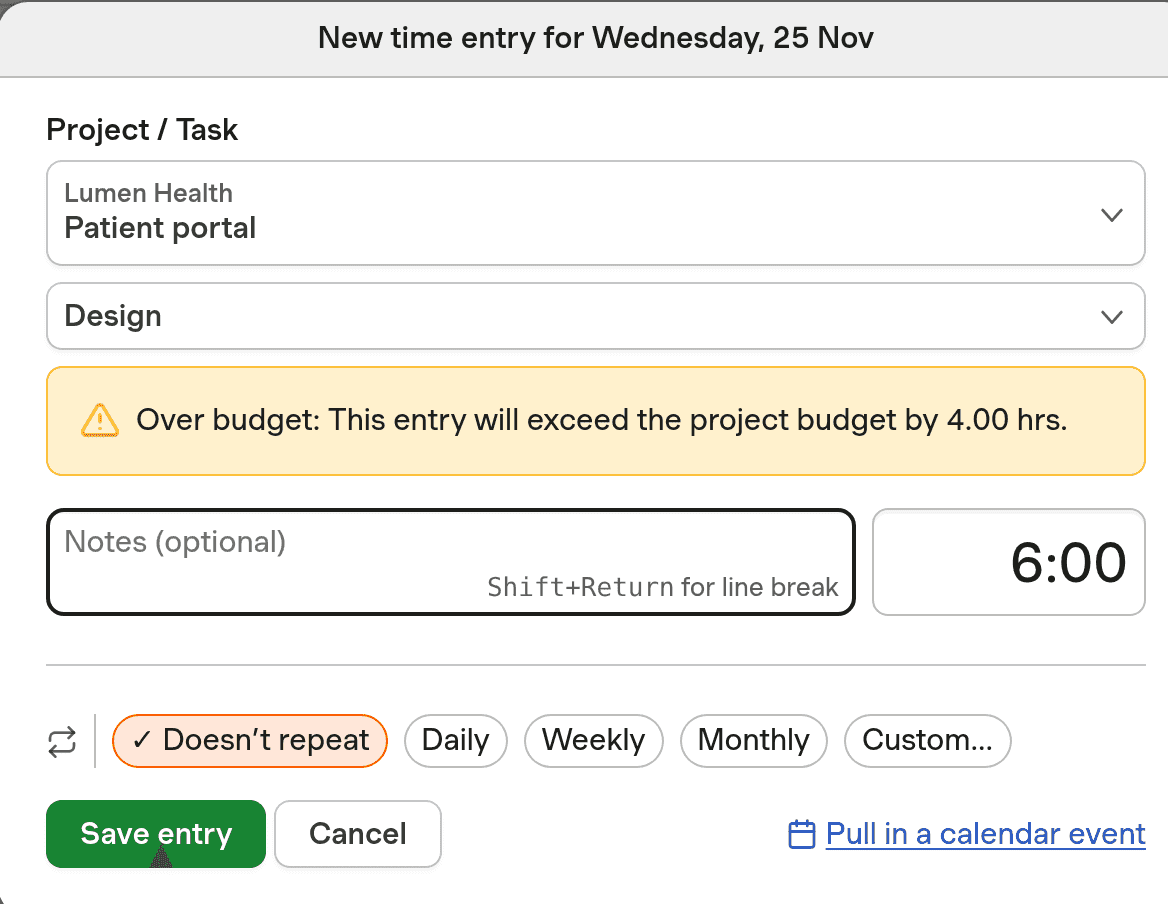
Overrun flagged in the timesheet before save

Live alert warning shown in the time entry modal before save

Week three · mid-flight client review

Tracked spend graphed against the agreed budget with projected completion

The project summary charts tracked spend against the target budget line, showing remaining budget, percentage used, and an estimate to completion so leads can address pacing before the budget is exhausted.

Visibility into remaining budget while delivery is underway

Project budget progress graph showing tracked hours against target line

Friday afternoon · agency-wide status review

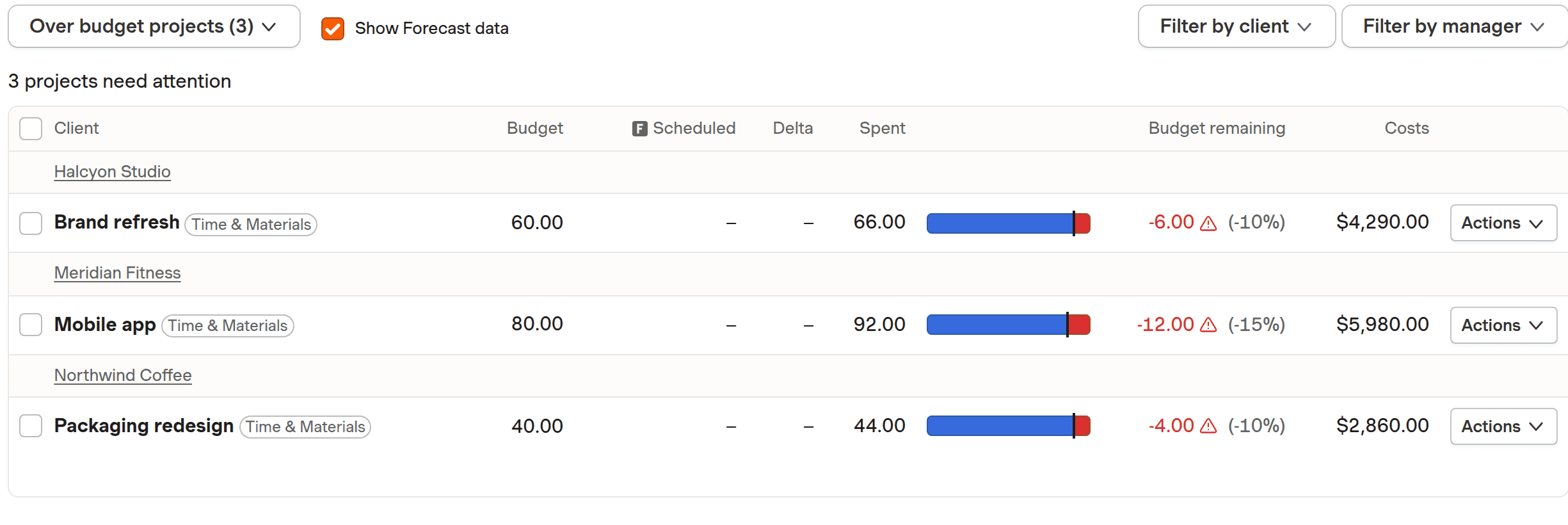
Every active project exceeding budget isolated in a single list

Filtering active projects reveals every active project over budget alongside a count of how many need attention. Red warning triangles highlight negative remaining figures immediately, giving operations leads an instant punch list.

Over-budget projects identified across the portfolio without opening individual projects

Filtered active projects view showing over-budget indicators

Built to protect honest time tracking

  • Warnings never stop honest time

    Alerts keep your team informed without blocking their day. Team members can still record hours or approved overtime, and the timesheet marks the row with an amber chip rather than preventing a save.

  • Budget figures stay protected

    Everyone assigned to the project sees the warning when a budget is exceeded, but only people with permission to see the project’s budget see the amount it is over by. Managers without rate permissions can see a money budget, but cannot change it.

  • Monthly budgets reset on the first

    With “Budget resets every month” checked, only the current month’s spend counts against the target, and the budget resets on the first of each month.

Project Budget Alerts

Stop finding out about project overruns at invoice time

Set your budgets once, keep your team aware as they track time, and protect your margins before unbillable hours get delivered.