Skip to content

Leave Payouts

Every unused leave day ready for payroll before year end

Track allowances and approved leave alongside carryover caps on each leave type instead of dividing project hours in spreadsheets. When payroll settles unused leave, export remaining balances with one row per person per leave type and the as-of date.

  • Locked timesheets protect counted leave from cancellation
  • Overdrawn allowances carry forward as deficits rather than zero
  • Every export row carries the leave type and as-of date
The Time off report in the leave-year view.

How it works

When teams log time off against an internal project code, settling unused leave at year end turns into hours of spreadsheet math. With Harvest’s Time off module, allowances, approved requests, and carryovers are tracked directly on each record, giving payroll calculated remaining balances without manual timesheet calculations.

  1. Set the leave year

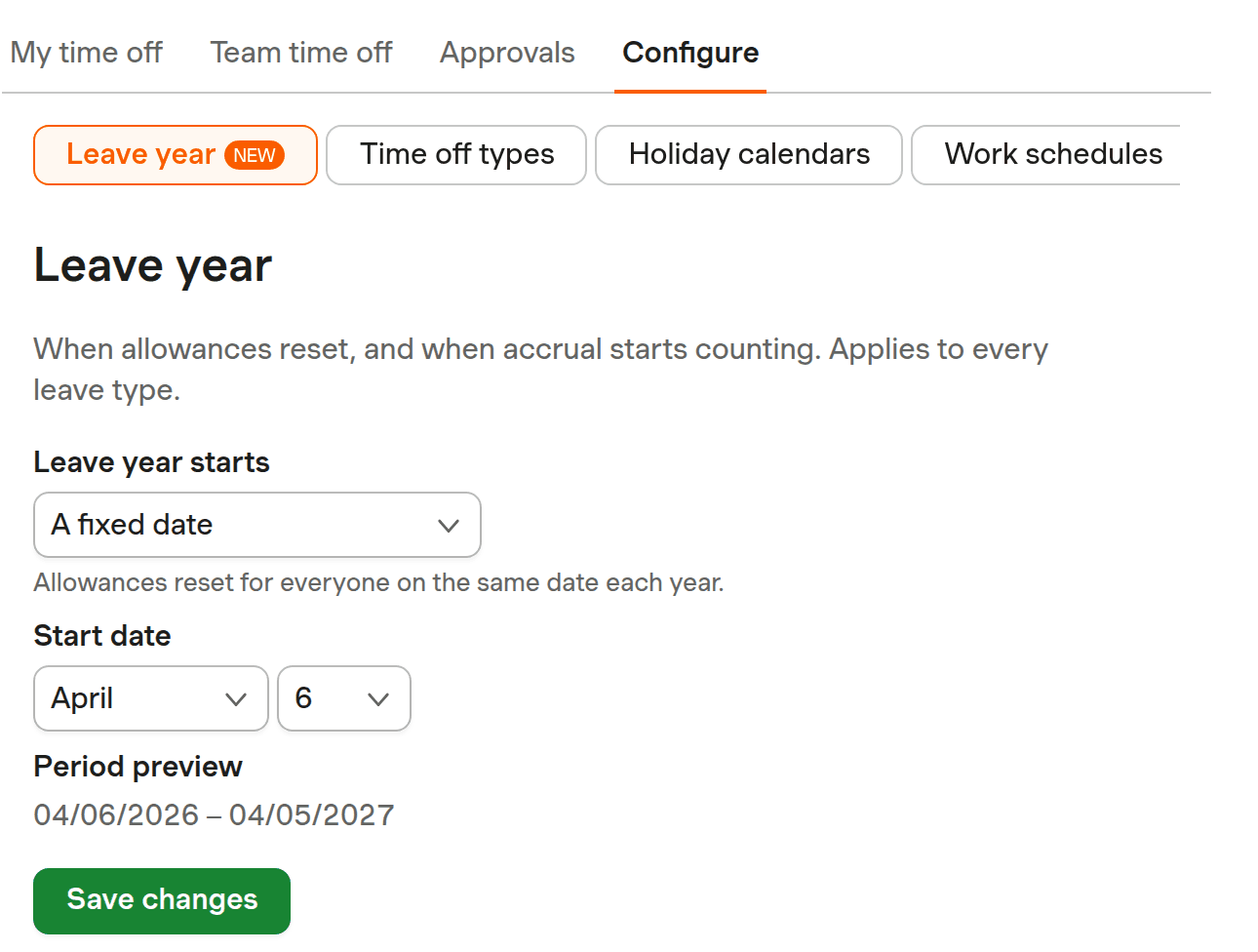
    Choose the cycle your team’s allowances reset over, whether that follows the calendar year, a fixed fiscal date, or each teammate’s hire anniversary. Changing this window recalculates all balances across your account at once, keeping everyone aligned without manual adjustments.

    The Leave year tab.
  2. Create the leave types

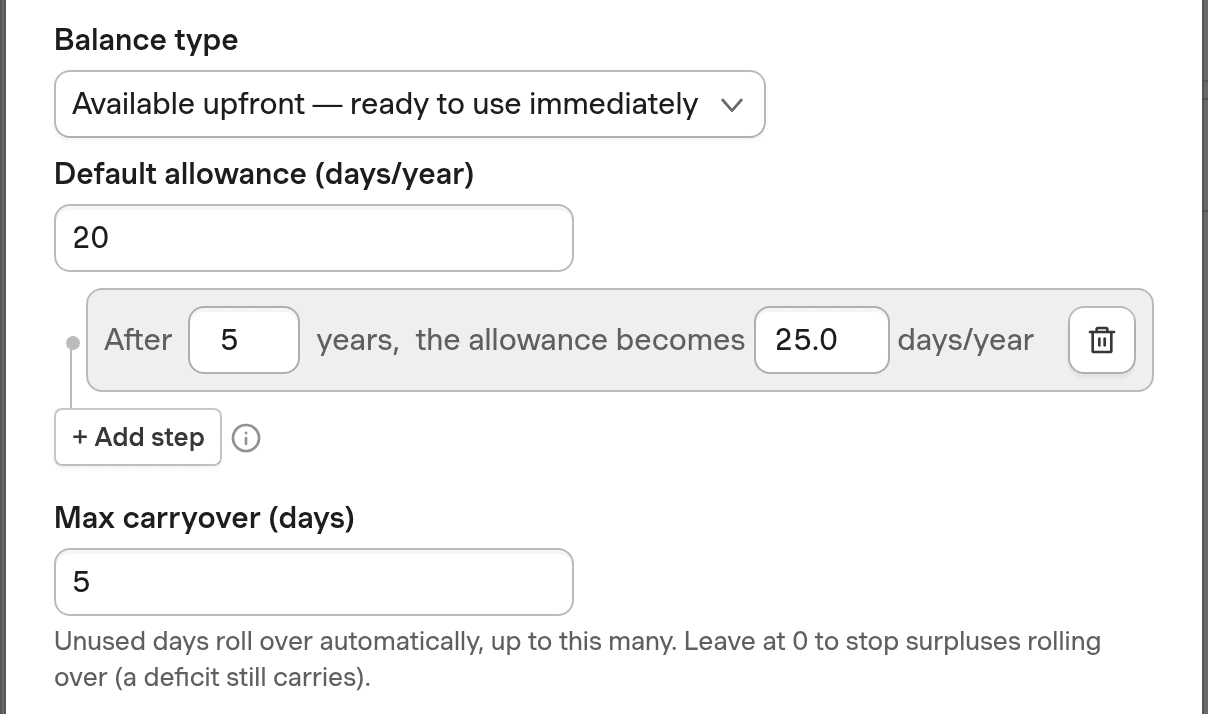
    Set up separate policies for vacation, sick time, or personal leave with clear accrual rules and carryover limits. You can configure service milestones that automatically increase annual allowances as employees reach tenure thresholds, so policies update without administrative spreadsheets.

    The time off type dialog.
  3. Give each person their allowance

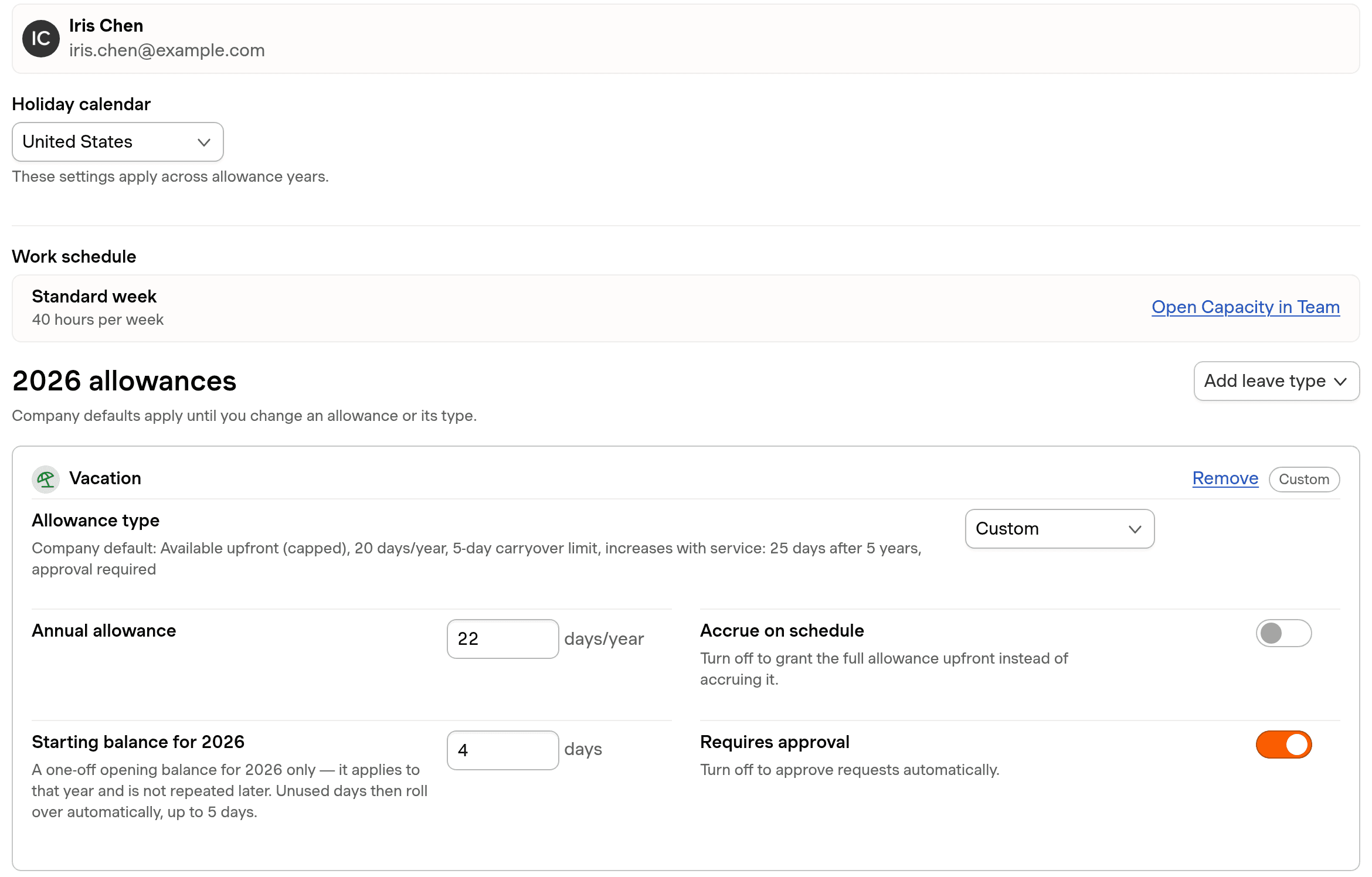
    Apply company defaults across the whole team or customize individual allowances for part-time schedules and specific contracts. Enter starting balances for mid-year hires who arrive with leave already taken elsewhere, ensuring their records remain accurate from their very first day.

    Team allowances with one person’s allowance editor open.
  4. Leave is requested, approved and booked

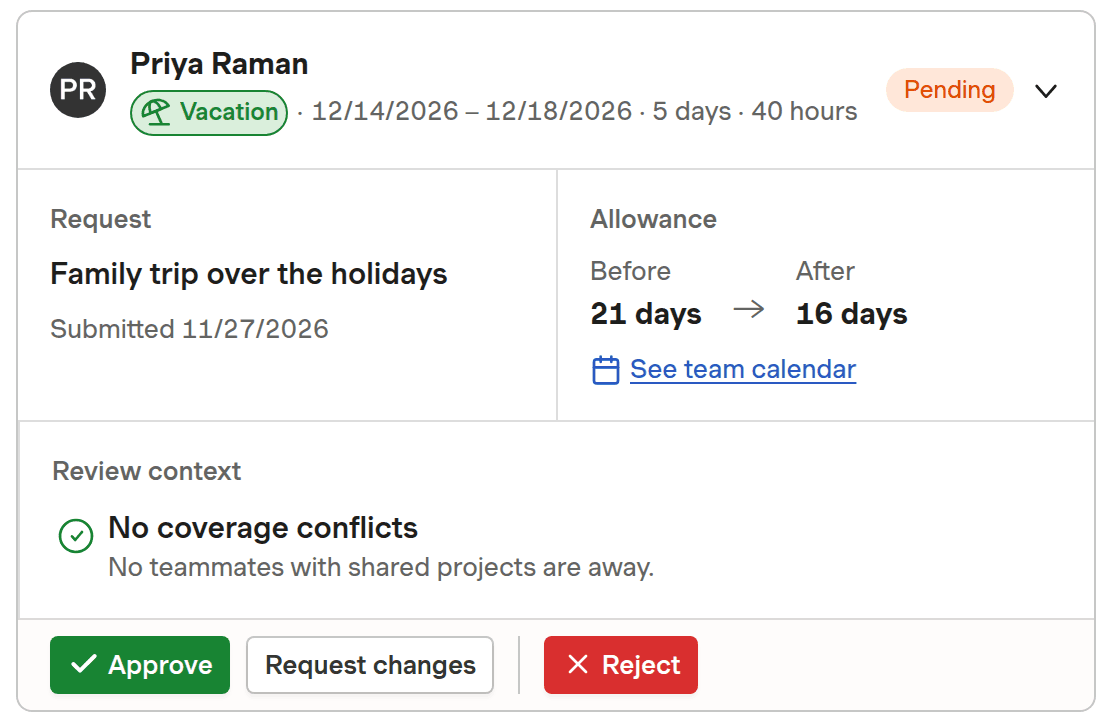
    Teammates submit their time off requests directly, seeing how upcoming dates will affect their remaining balance. Approvers review requests alongside live before-and-after calculations, and pending requests stay counted until a decision is made.

    A pending request in Approvals.
  5. The balance is read, not stored

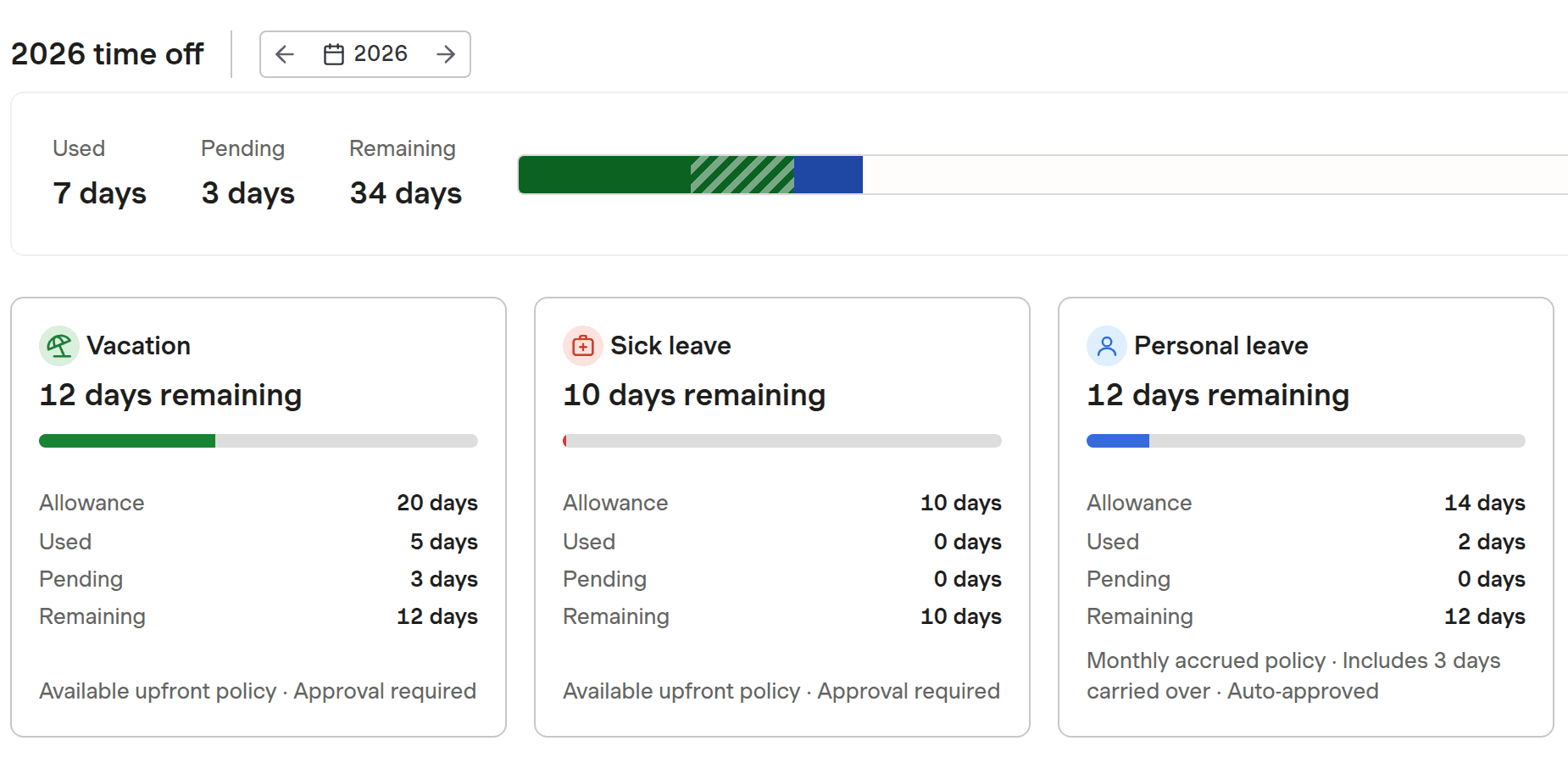
    Balances recalculate automatically whenever leave is taken or policies change, deducting booked time and pending requests from total allowances. If an employee exceeds their allocated days, the system displays the deficit clearly as a negative figure rather than rounding up to zero.

    A person’s My time off page.
  6. Payroll takes the number

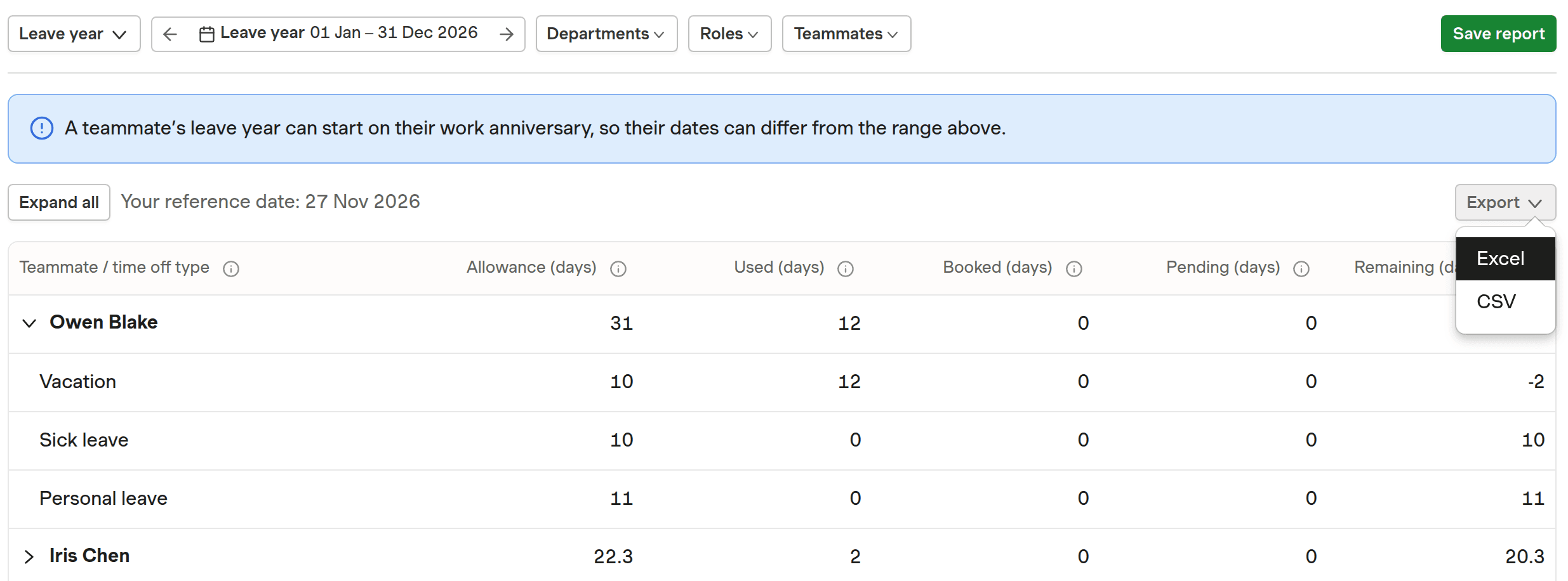
    Open the Time off report to review everyone’s allowance, booked leave, and remaining days for the current leave year. Export the summary to CSV or Excel with the as-of date on every row, giving payroll exact numbers ready for payout.

    The Time off report’s export menu.

Where teams settle leave balances

December cutoff · the final payroll before the leave year closes

Every teammate’s remaining balance on one screen

Year-end leave payouts require accurate remaining days without dividing logged project hours by hand.

Instead of exporting rows from an internal PTO project and converting hours to days in a spreadsheet, review each person’s used, booked, and remaining days directly in the Time off report.
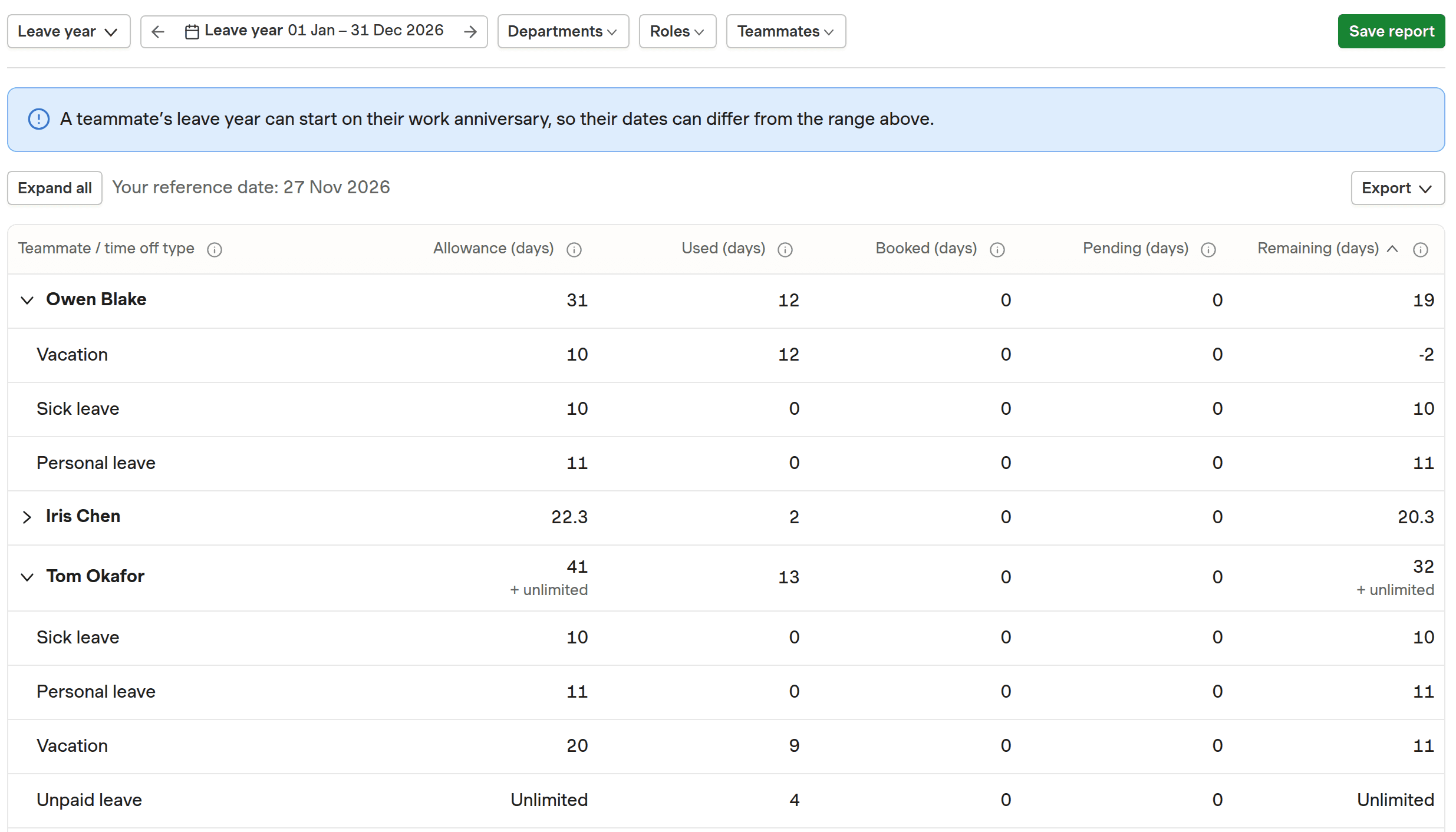
Remaining leave balances ready for payroll without manual timesheet calculations

The Time off report in the leave-year view.

Friday afternoon · settling a departing teammate’s final paycheck

A calculated payout figure without digging through past timesheets

Departing staff need a final balance settled before their record is archived.

Export rows for the employee per leave type with the exact leave year and as-of date, giving finance the figures for final compensation before the record archives.

Instant settlement numbers with no timesheet reconstruction

The Time off report’s export menu.

January reset · setting next year’s starting balances

Carryover caps and service milestones applied automatically

Annual rollovers and tenure bumps need to apply across the company without manual data entry.

Set the maximum carryover per leave type so unused days roll forward up to your cap, leaving any excess to be settled or lapsed by your policy. Length-of-service steps increase allowances on employment anniversaries without manual spreadsheet updates.

Rollovers and tenure increases update balances without manual data entry

The time off type dialog.

Clear rules for payroll handoffs

  • A clean handoff for payroll

    Your payroll provider receives calculated remaining balances through reports, exports, or the API, ready to process the payout in your payroll system.

  • Locked timesheets protect counted leave

    Approved leave within a locked timesheet period cannot be cancelled, ensuring records that have already gone to payroll remain protected.

  • Overdrawn allowances carry forward

    Negative balances never reset to zero, so over-used allowances carry forward as deficits for payroll reconciliation.

Leave Payouts

Bring clean leave balances into your next payroll run

Start a free trial to track allowances, manage rollovers, and export calculated leave balances for payroll.