Skip to content

Resource Planning with Forecast

See who is free on your projects before overbooking anyone

Forecast brings your team’s project schedule and Harvest capacity onto one visual board. Spot open hours and upcoming over-allocations weeks in advance, then drag assignments to rebalance work before anyone is overbooked.

  • Workload overlays by day and by week
  • Days over capacity outlined in red
  • Approved Harvest time off deducted automatically
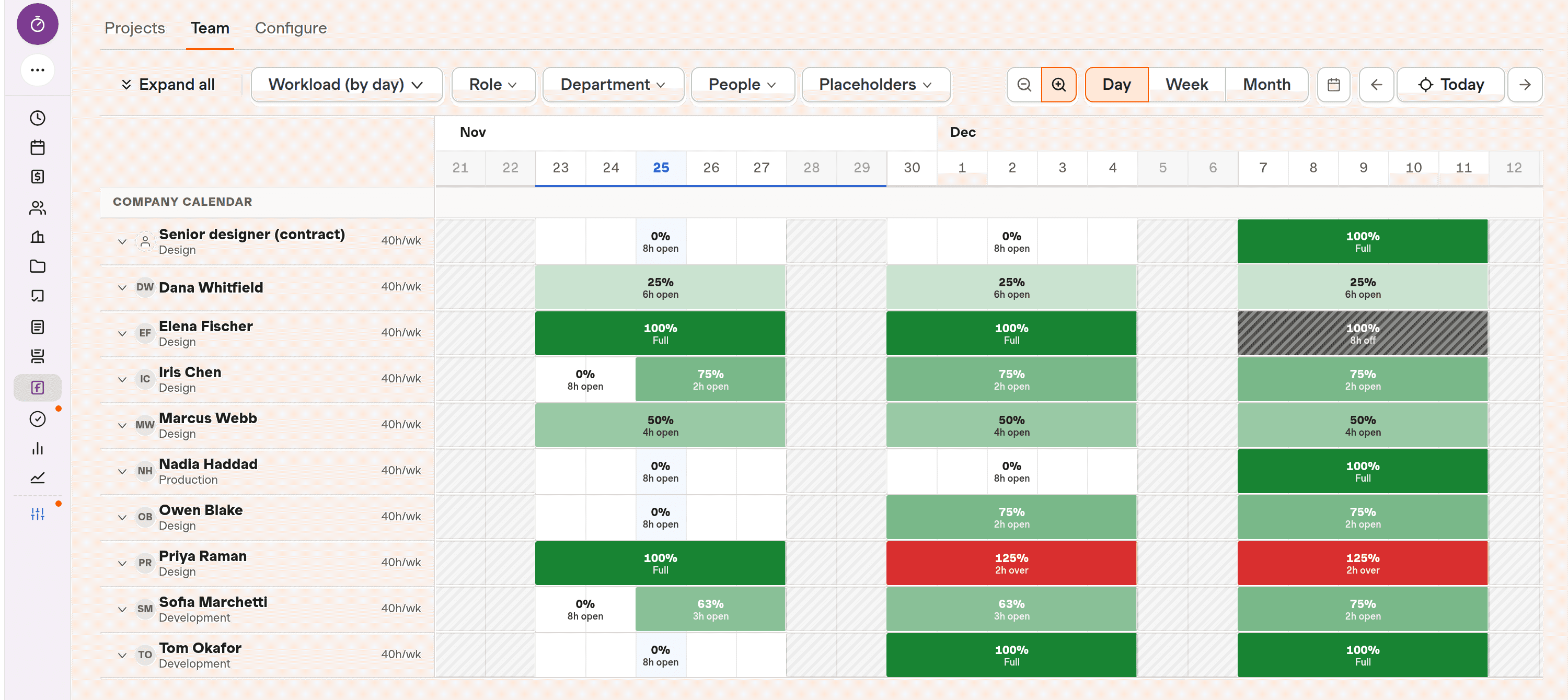
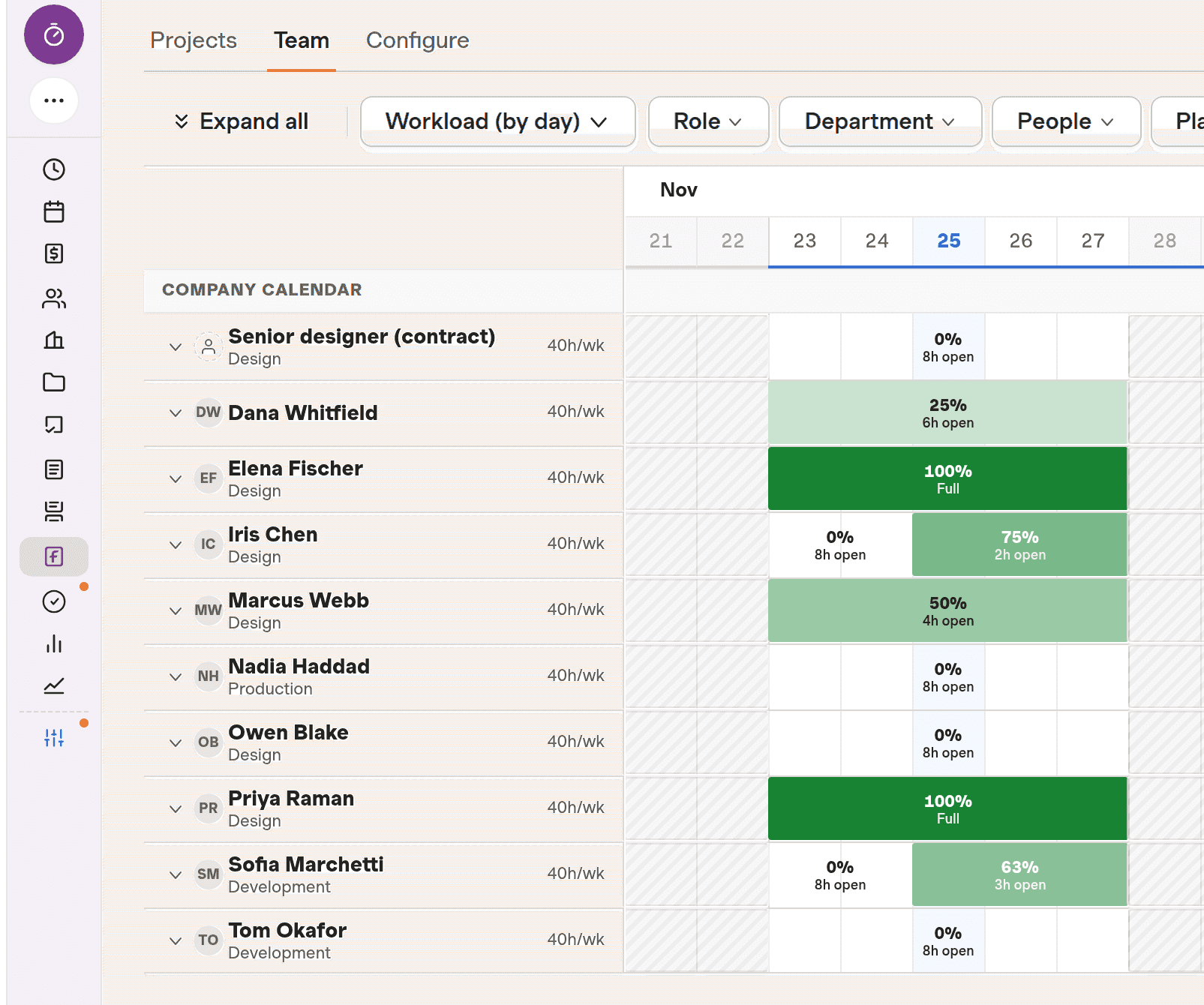
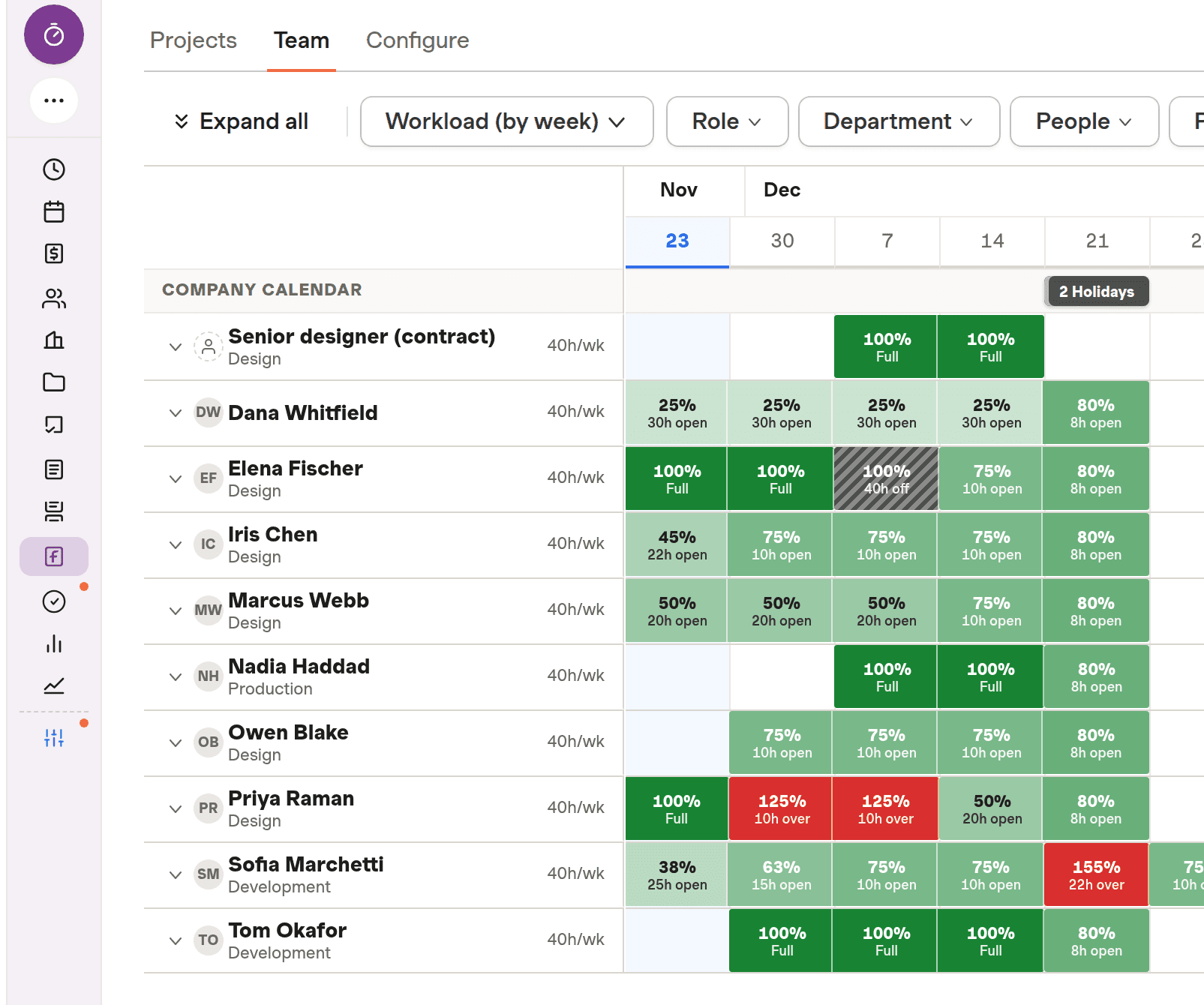
Forecast team planning board showing daily workload overlay with availability and over-allocated days

Plan team capacity without reconciling spreadsheets

When client kickoffs slip or new work lands, operations leads cross-reference timesheets, calendars and spreadsheets to figure out who has time to help. Because those files sit apart from tracked time, they are already out of date by the time the resourcing meeting ends.

Forecast brings your team’s upcoming assignments directly into Harvest. You see availability based on weekly capacity and approved time off, alongside upcoming over-allocations on a single shared board, so you can rebalance work weeks before a deadline is at risk.

How studios handle shifting project schedules

Thursday production call · when a kickoff slips a week

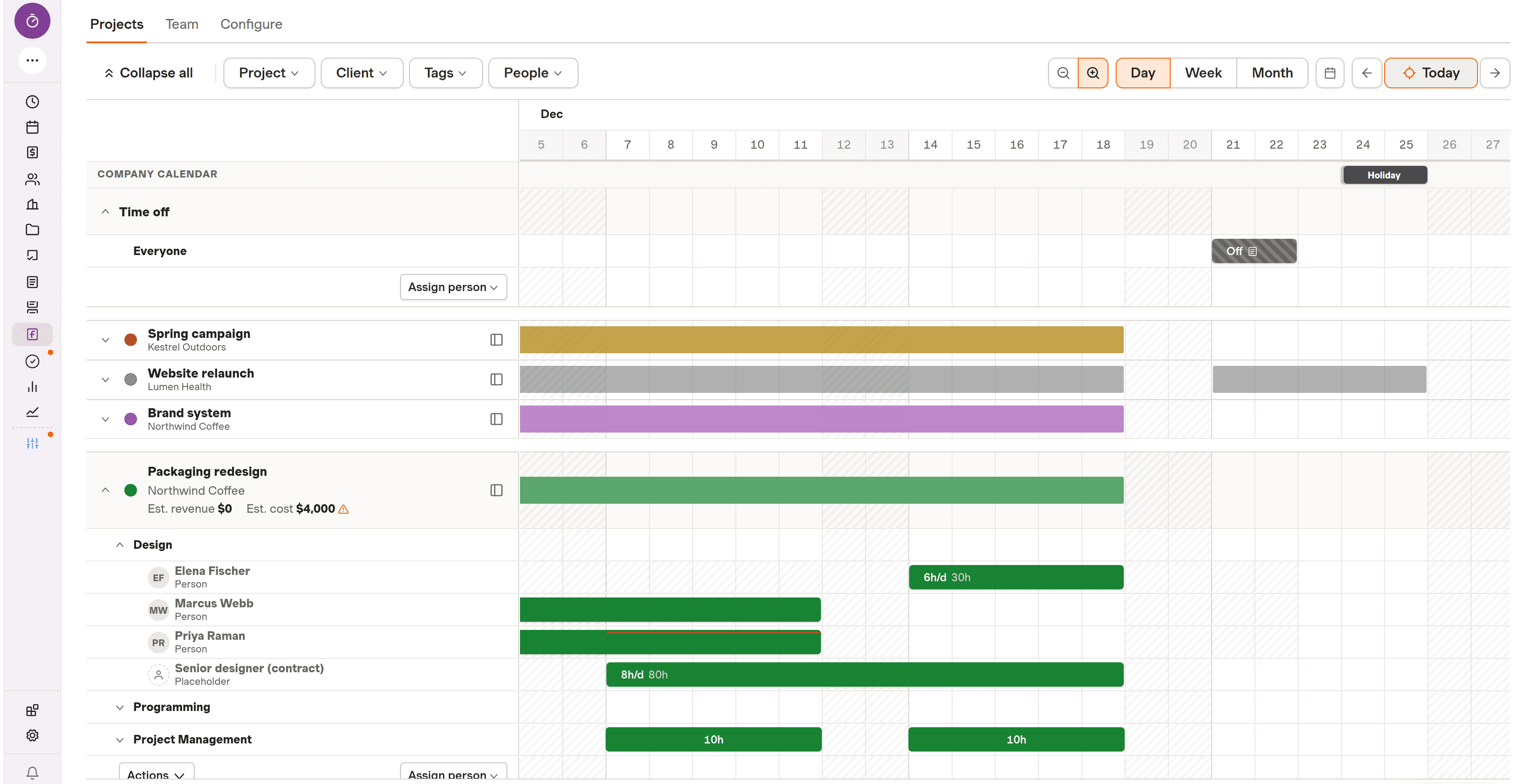
Adjust shifting project timelines directly on the board

When client dates slip, drag the project bar to new dates and see the whole schedule recalculate. Over-committed days light up in red instantly, so you can rebalance the work before the sprint starts.
Schedules updated and conflicts flagged in one move

Forecast team planning board showing daily workload overlay with availability and over-allocated days

Tuesday check-in · when a designer says they are swamped

Tell at a glance whether someone has a tight week or a full month

Instead of opening multiple timesheets to guess someone’s bandwidth, switch between daily and weekly workload overlays. You can see whether a teammate is overloaded for two days or fully booked through next month.

Clear team capacity without counting hours manually

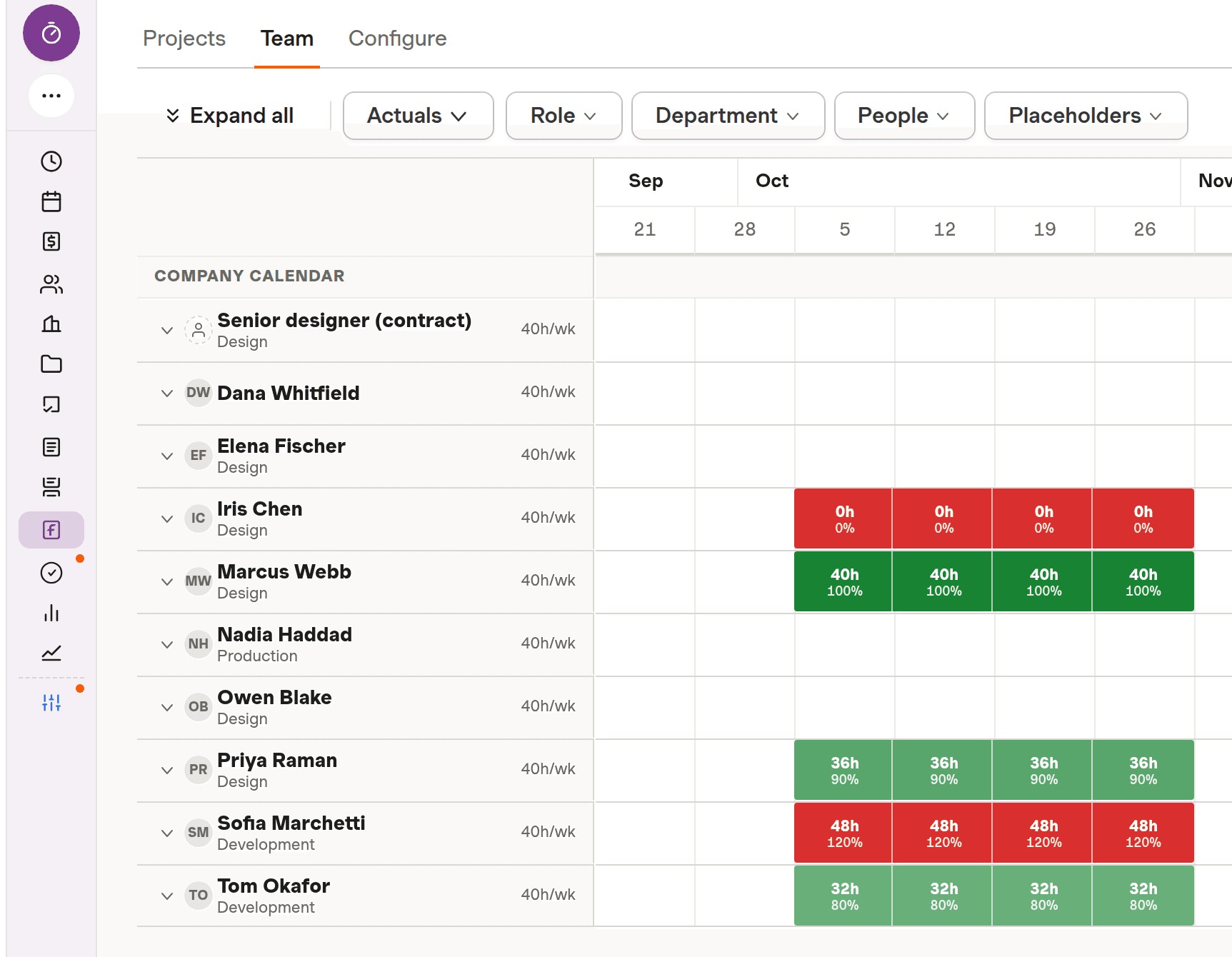
Review team availability on the Team tab with the workload overlay

August planning · when two people book holiday the same week

Plan around time off before promising client dates

Approved time off automatically syncs to the planning board, deducting from each person’s available capacity. You see exactly who is away and who has open hours before committing to next month’s deliverables.

Availability with holidays and time off already accounted for

Plan around time off before promising client dates

How resource planning works in Harvest

  1. Review team availability on the Team tab

    Open Forecast from the navigation to review team availability on the Team tab. The workload overlay calculates each person’s open hours by subtracting planned projects and approved time off from their weekly capacity. You can see at a glance who has room for new work next month.

    Review team availability on the Team tab with the workload overlay
  2. Book time on a project

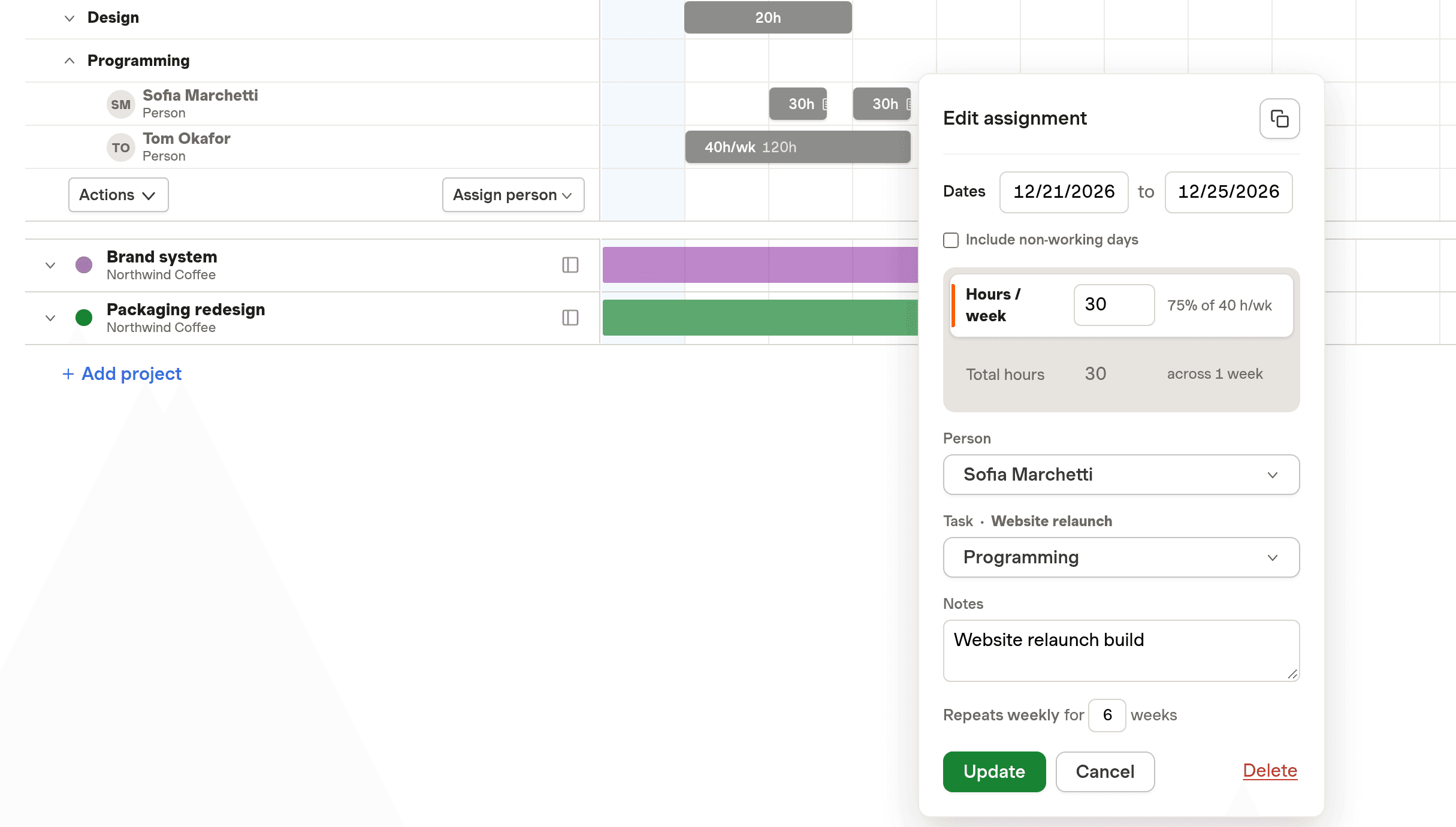
    Draw an assignment bar on the timeline to book time on a project. In the popover, select the person, project and task, enter their planned hours, and choose repeat weekly to staff multi-week runs. The board updates that person’s availability as soon as you save.

    Assignment editor popover to configure person, project, task, hours and repeat options
  3. Rebalance when project dates shift

    When project dates shift, drag the bars to new dates to keep the studio on track. Any day where assignments exceed daily capacity is outlined in red, while the Actuals overlay compares your planned hours directly against tracked Harvest timesheets.

    Actuals overlay comparing planned hours directly against tracked Harvest timesheets

Confidence in every schedule change

  • Permissions that match your studio

    Scoped access lets administrators decide who views or edits schedules, so project managers stay focused on their own projects and teams.

  • Seats for the people you schedule

    Administrators assign Forecast seats to the team members who appear on the schedule, while your existing Harvest projects, clients and time off sync automatically.

  • Reliable availability from Harvest

    Availability draws directly from each person’s weekly capacity and approved Harvest time off, so open hours reflect real team bandwidth.

Resource Planning with Forecast

Balance your team’s schedule before deadlines slip

Start your free trial to map upcoming projects, spot open hours at a glance, and keep your studio’s schedule balanced.