Skip to content

Fixed Fee Projects

See earned revenue on every fixed-fee project as it accrues

Track monthly retainers and milestone contracts by what you have actually earned to date. Profitability reports reflect true margins each month, and unbilled fees wait on draft invoices without manual spreadsheet formulas.

  • Monthly fees accrue each active calendar month
  • Milestone payments book on their billable dates
  • Unbilled fees carry forward into your next invoice
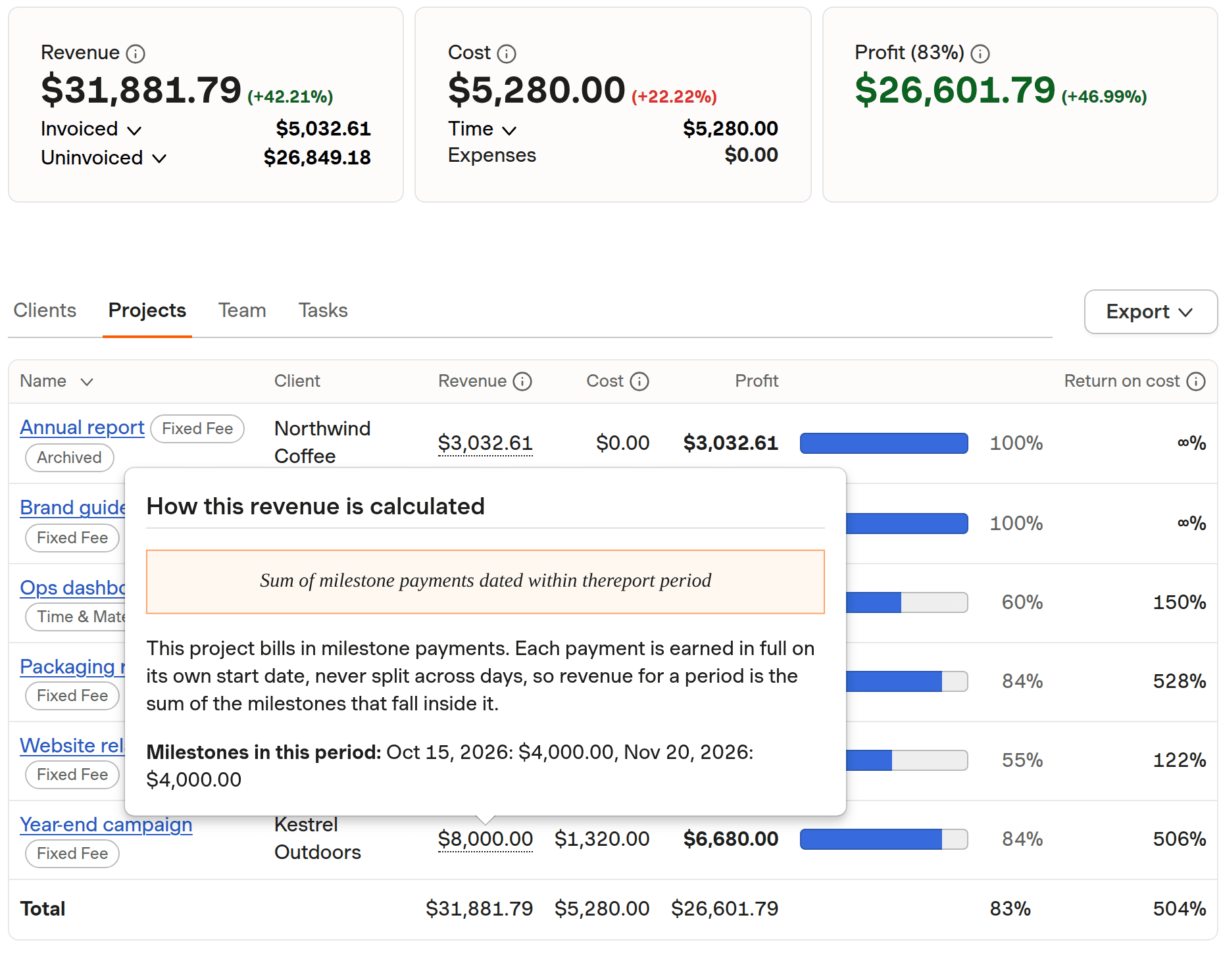
The Profitability report’s Revenue figure with the fixed-fee revenue tooltip open.

See revenue earned when work happens, not when an invoice lands

Fixed-fee projects often distort month-end reviews: contracts look unprofitable for months while the team delivers work, then show a sudden surge when the final invoice is billed. Harvest changes this with fixed-fee accrual across active contract dates. Monthly retainers accrue one fee per active month, while phased projects step up revenue on each milestone date. In the Profitability report, you see the actual revenue earned during each period alongside team costs, giving your leadership team dependable monthly margins across all active client work.

Where automated fee accrual changes the numbers

Contract setup · structuring a phased agreement

Each payment accrues on its own billable date

Milestone payments align the project budget with delivery dates from day one.

Add milestones with amounts and dates, and Harvest builds the schedule. Revenue steps up as each date arrives instead of landing as one lump sum at project completion.
Phased contract value scheduled across agreed delivery dates

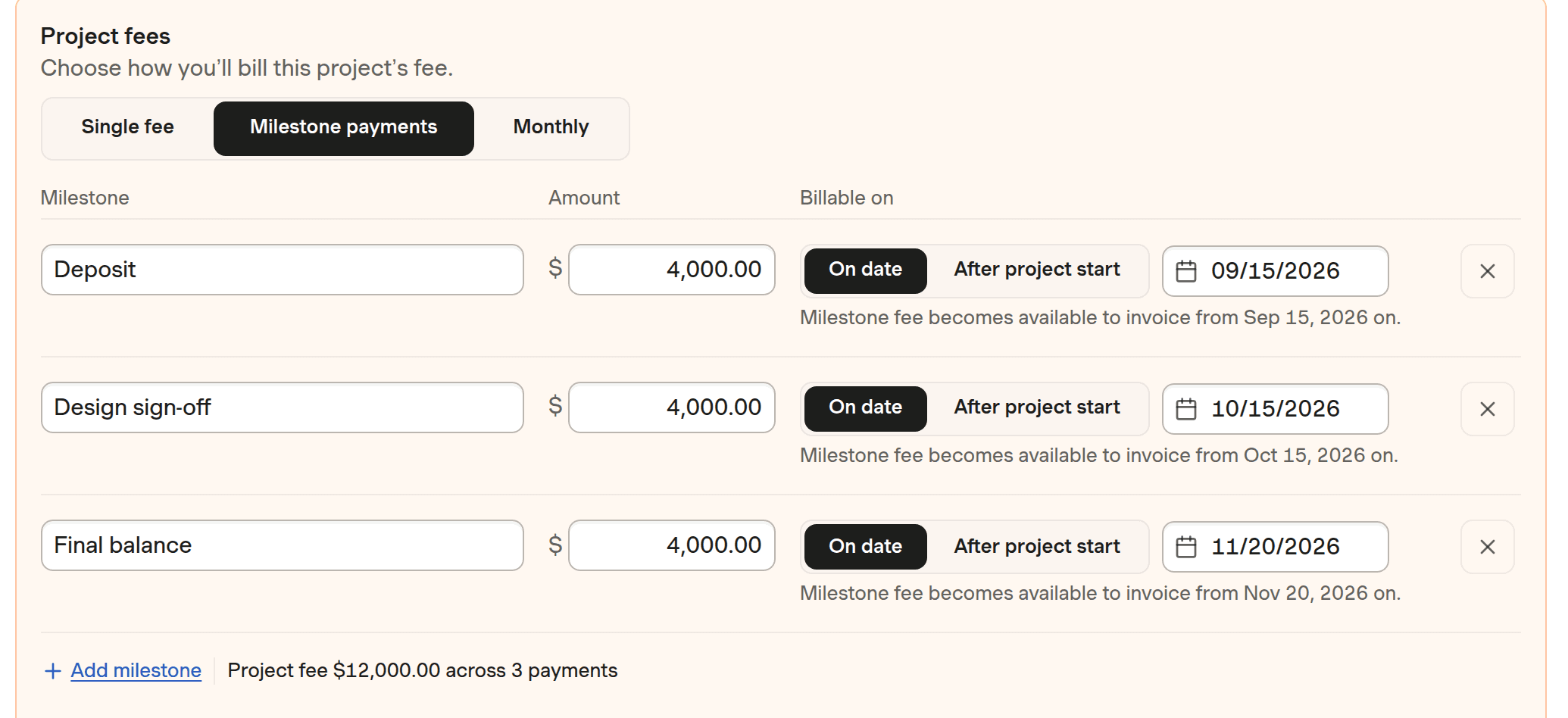
The milestone editor with three rows — Deposit $4,000, Design sign-off $4,000, Final balance $4,000 — and the running total.

Quarterly partner review · comparing project margins

Monthly margins reflect the work earned in that period

Period margins stay consistent instead of fluctuating with invoice timing.

Open the Profitability report to see revenue accrued month by month. Hovering over any revenue figure reveals the exact active retainer months or milestone dates counted, preventing long fixed-fee projects from looking underwater until their final invoice.

Revenue booked when earned across every reporting window

The Profitability report’s Revenue figure with the fixed-fee revenue tooltip open.

Billing review · checking unbilled retainers

Unbilled retainer fees roll into the next invoice automatically

Accrued retainer fees stay accounted for even when a monthly invoice is delayed.

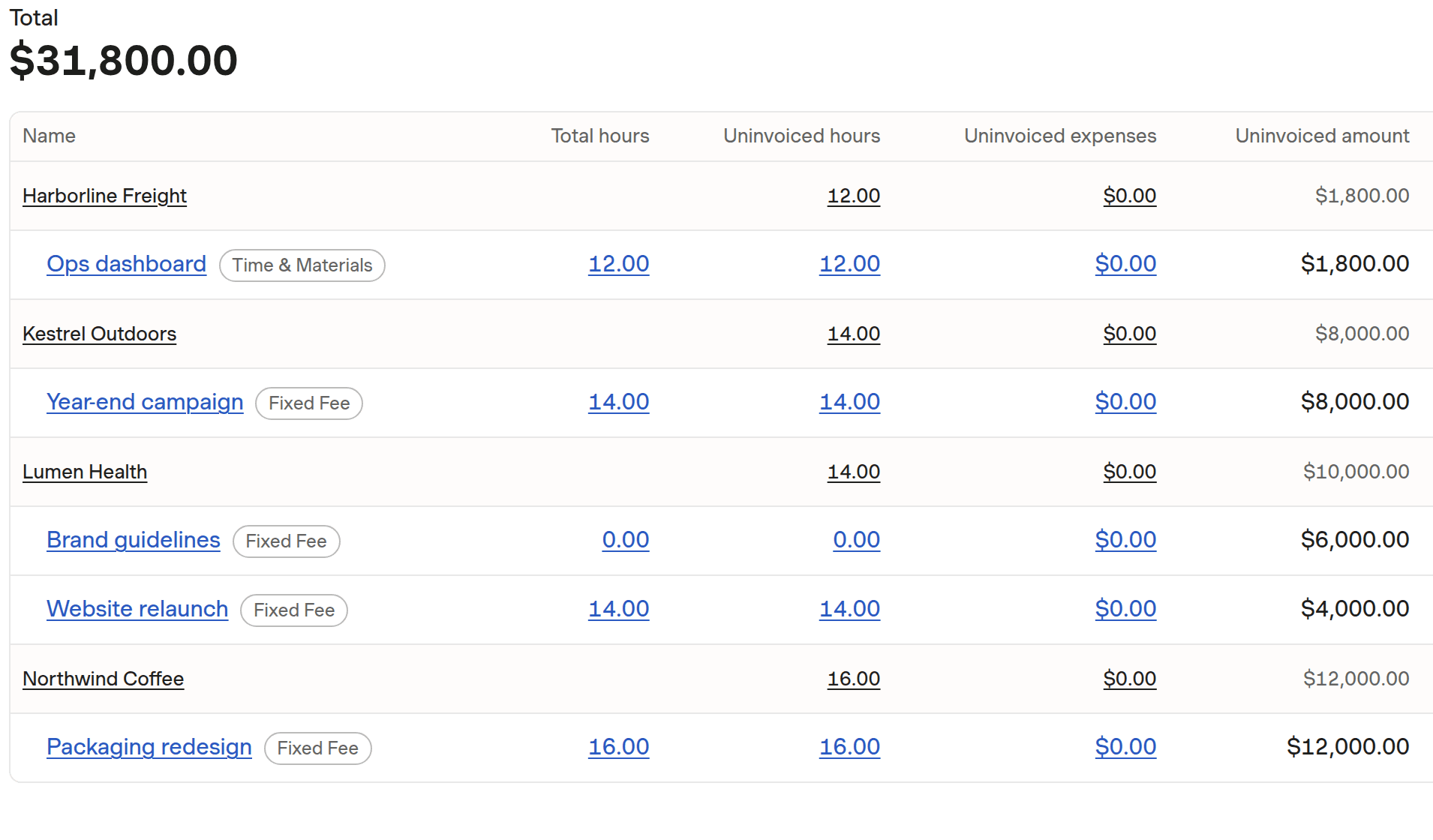
The Uninvoiced report calculates fees accrued minus total invoiced per client. If a month passes without billing, the earned amount remains in the unbilled balance and pre-populates the next draft invoice.

Unbilled balances carried forward until invoiced

The Uninvoiced report with several clients and a retainer row carrying an accrued-but-uninvoiced balance.

How it works

  1. Set the project type and fee

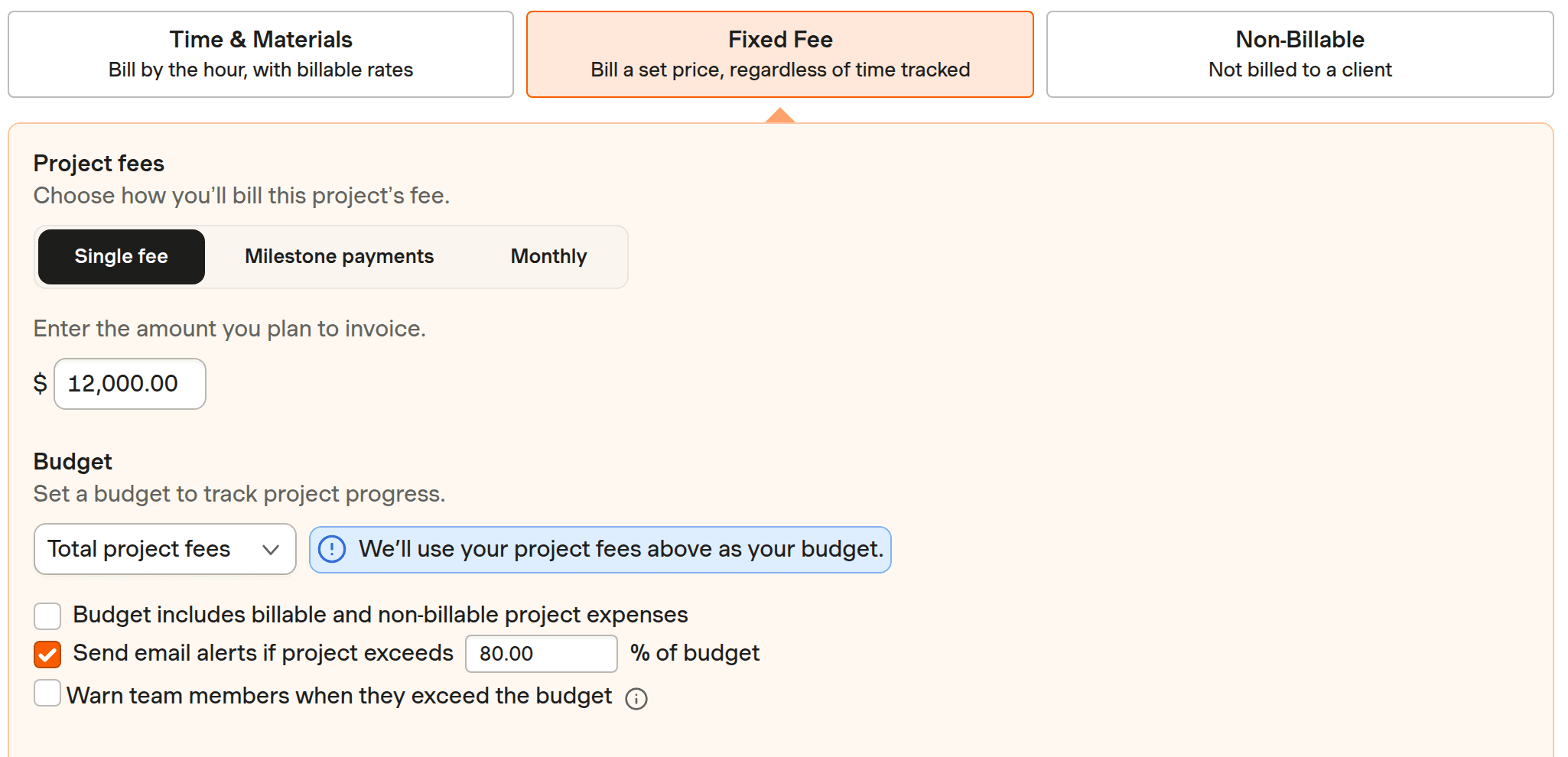
    Open the project, set the project type to Fixed Fee, and enter the amount under Project fees.

    The Project fees block on a Fixed Fee project with Single fee selected and a $12,000 fee entered.
  2. Choose how the fee is billed

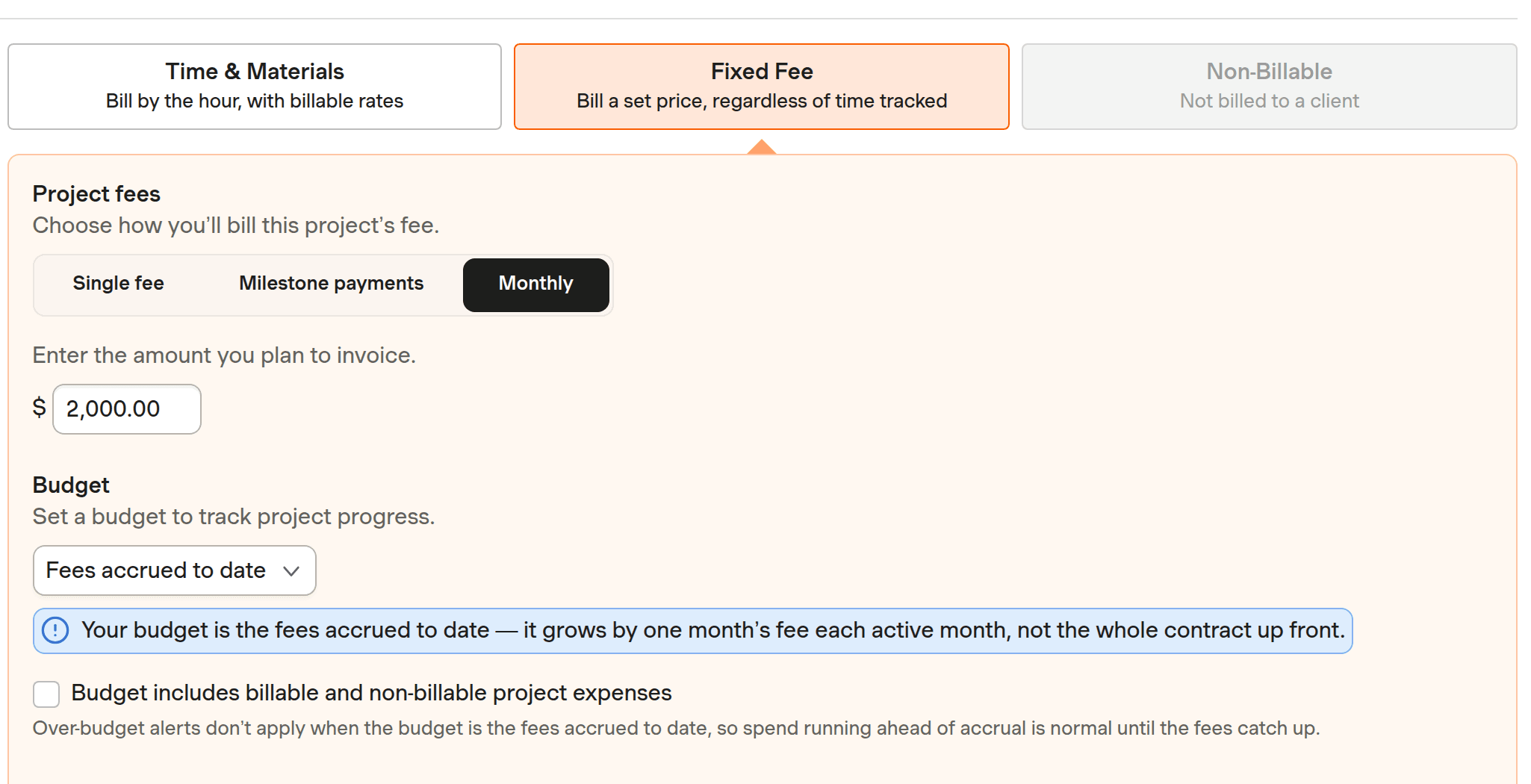
    Select Single fee, Monthly, or Milestone payments. Choosing Monthly requires a project start date, while Milestone payments opens the payment schedule editor.

    The same block with Monthly selected and a $2,000 fee, plus the budget note that it grows by one month’s fee each active month.
  3. Build the milestone schedule

    Add a row for each payment with a name, amount, and billable date so the fee schedule reflects your contract terms.

    The milestone editor with three rows — Deposit $4,000, Design sign-off $4,000, Final balance $4,000 — and the running total.
  4. Watch the fee accrue

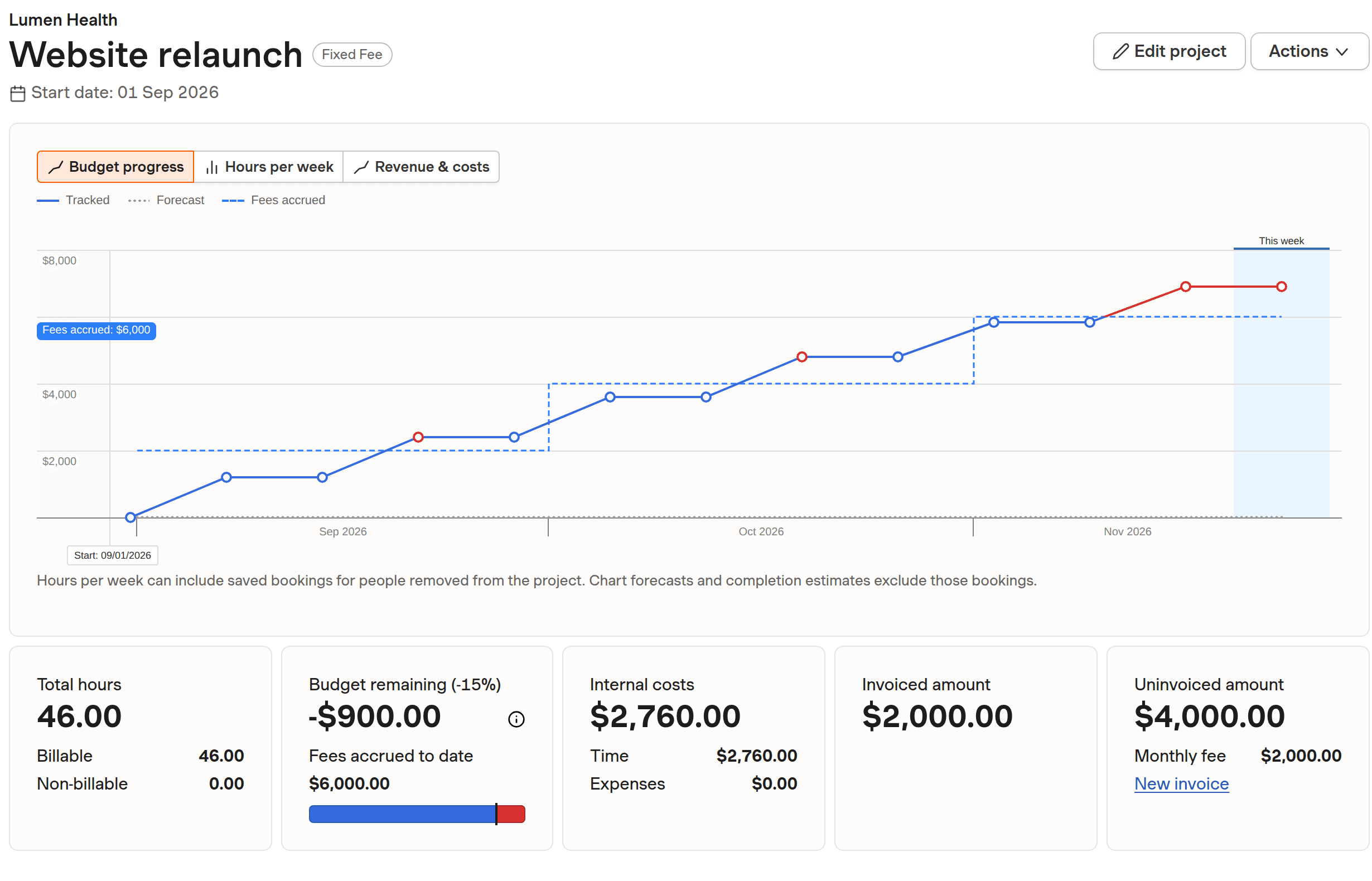
    As calendar months pass or milestone dates arrive, the fee accrues. The project budget displays fees accrued to date, and the chart draws a stepped accrual line.

    The project page budget card labelled “Fees accrued to date” and the cumulative chart’s stepped “Fees accrued” line.
  5. Bill what has accrued

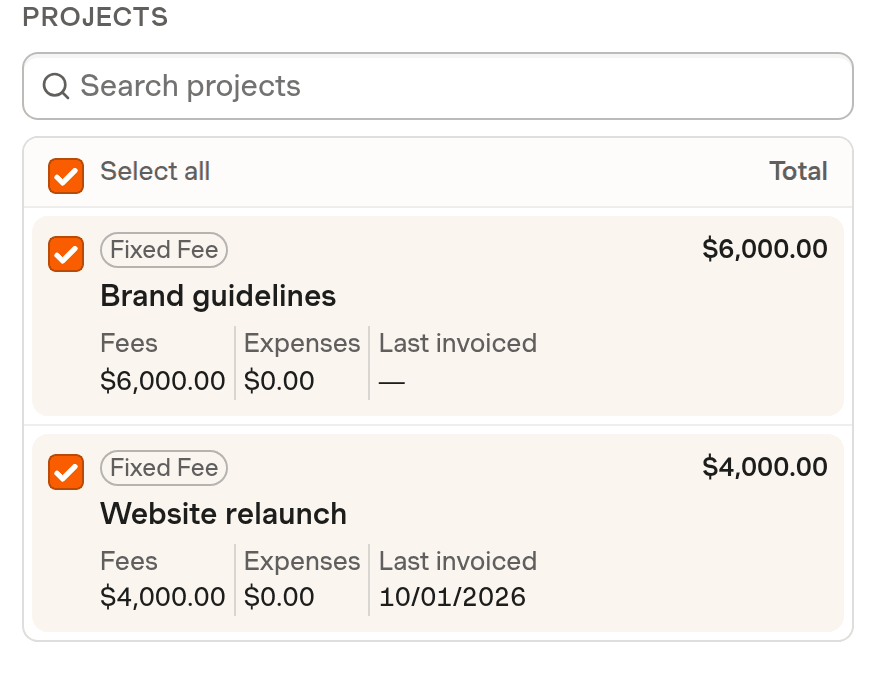
    Create a draft invoice for the client and add the project. Harvest adds accrued, unbilled fees in chronological order and leaves upcoming milestones untouched.

    The new invoice page with a client’s projects, the retainer pre-selected and its accrued fees shown.
  6. Review period revenue

    Open the Profitability report to review revenue accrued across active months and milestone dates, while the Uninvoiced report tracks unbilled totals across every client.

    The Profitability report’s Revenue figure with the fixed-fee revenue tooltip open.

Clarity on limits and control

  • Project-level tracking, not ledger accounting

    Harvest manages operational fee accrual and unbilled balances by project. It does not generate double-entry journal entries, deferred revenue schedules, or general ledger postings.

  • Unbilled balances roll forward

    If an invoice is delayed during a busy month, accrued fees stay in your unbilled balance and prefill the next draft invoice automatically.

  • Update multiple contracts at once

    Bulk actions let you set fixed fees and monthly reset rules across multiple projects together.

Fixed Fee Projects

Retire the spreadsheet revenue schedule

Track earned fees, protect project margins, and keep unbilled balances current as work progresses across all your client contracts.