Skip to content

Time Off & PTO Tracking

Approve time off with balance and project coverage in view

Let your team request leave in Harvest, review project clashes and remaining days before approving, and keep time off separate from billable hours.

  • Live balance preview before submitting
  • Coverage warnings for teammates on shared projects
  • Informational timesheet rows outside tracked totals
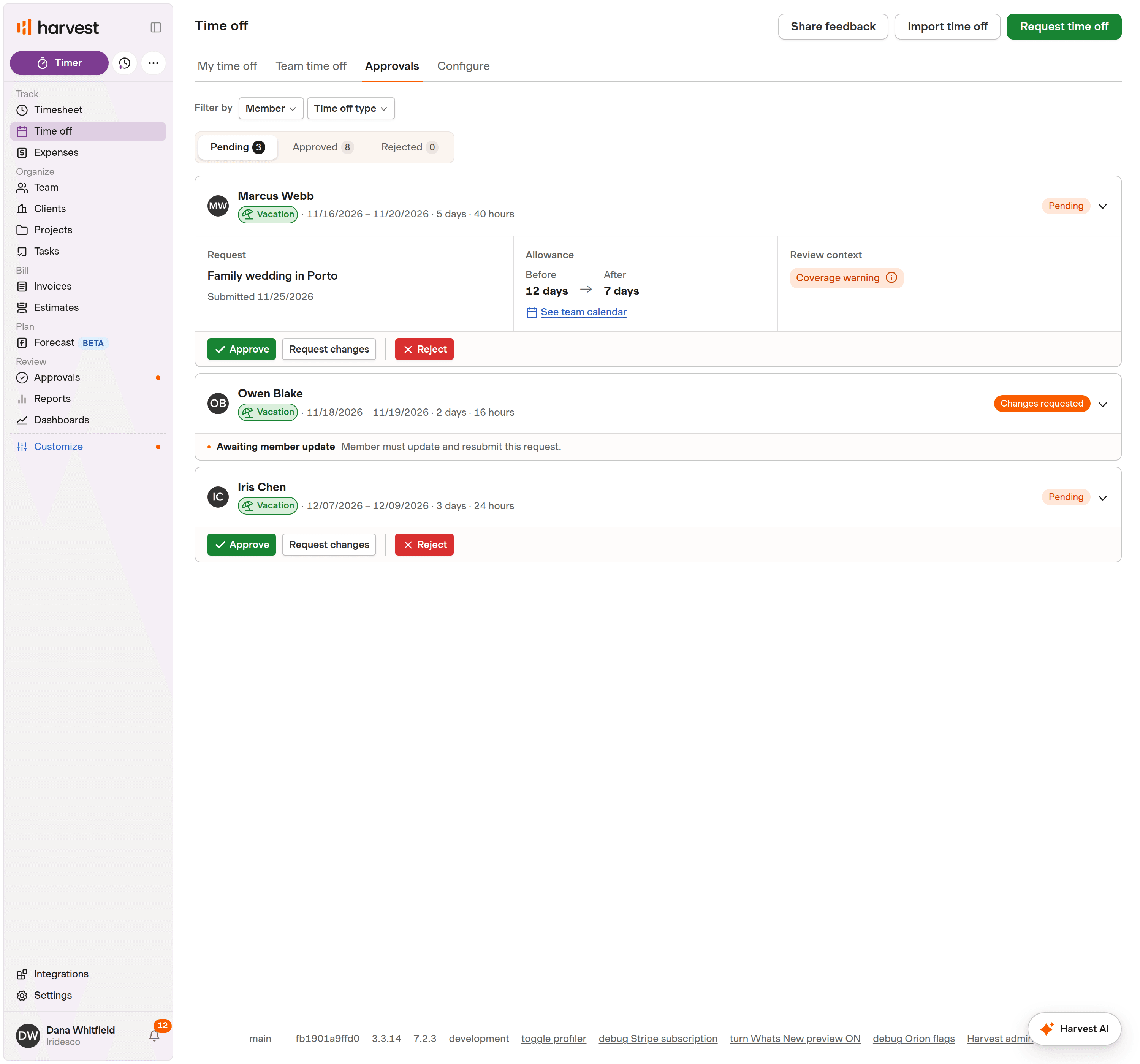
Approvals screen showing Before and After balances and coverage warnings for teammates on shared projects.

Stop reconciling leave requests in spreadsheets

Friday afternoons often end with three leave requests in your inbox, an out-of-date spreadsheet, and quick checks to confirm nobody is away during a client launch. Staff log holidays under internal project codes to keep timesheets full, and those hours risk leaking into client invoices or distorting billable targets.

Harvest gives time off its own home. Teammates submit their own requests, approvers see coverage warnings alongside balance impacts, and approved leave appears on timesheets as an informational row that never inflates project hours.

How it works

  1. Request time off

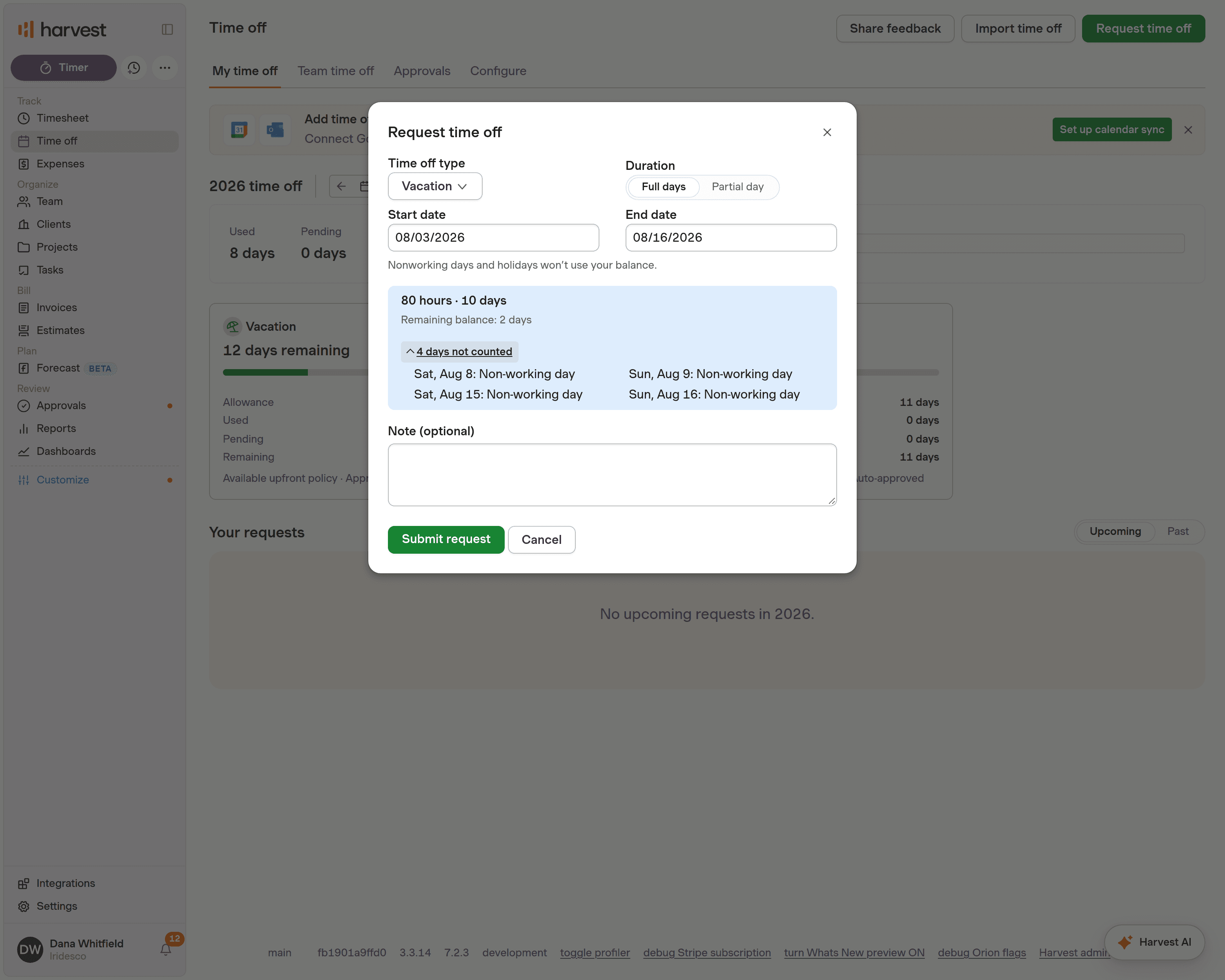
    A teammate requests two weeks in August. The dialog calculates working days, leaves out public holidays, and previews their remaining balance before they submit.

    Request time off dialog showing dates, days not counted, and remaining balance preview.
  2. Review pending requests

    Review pending requests in Approvals. Each item shows the person’s balance before and after your decision, alongside coverage warnings if a teammate on a shared project is out on the same day.

    Approvals screen showing Before and After balances and coverage warnings for teammates on shared projects.
  3. See approved leave on timesheets

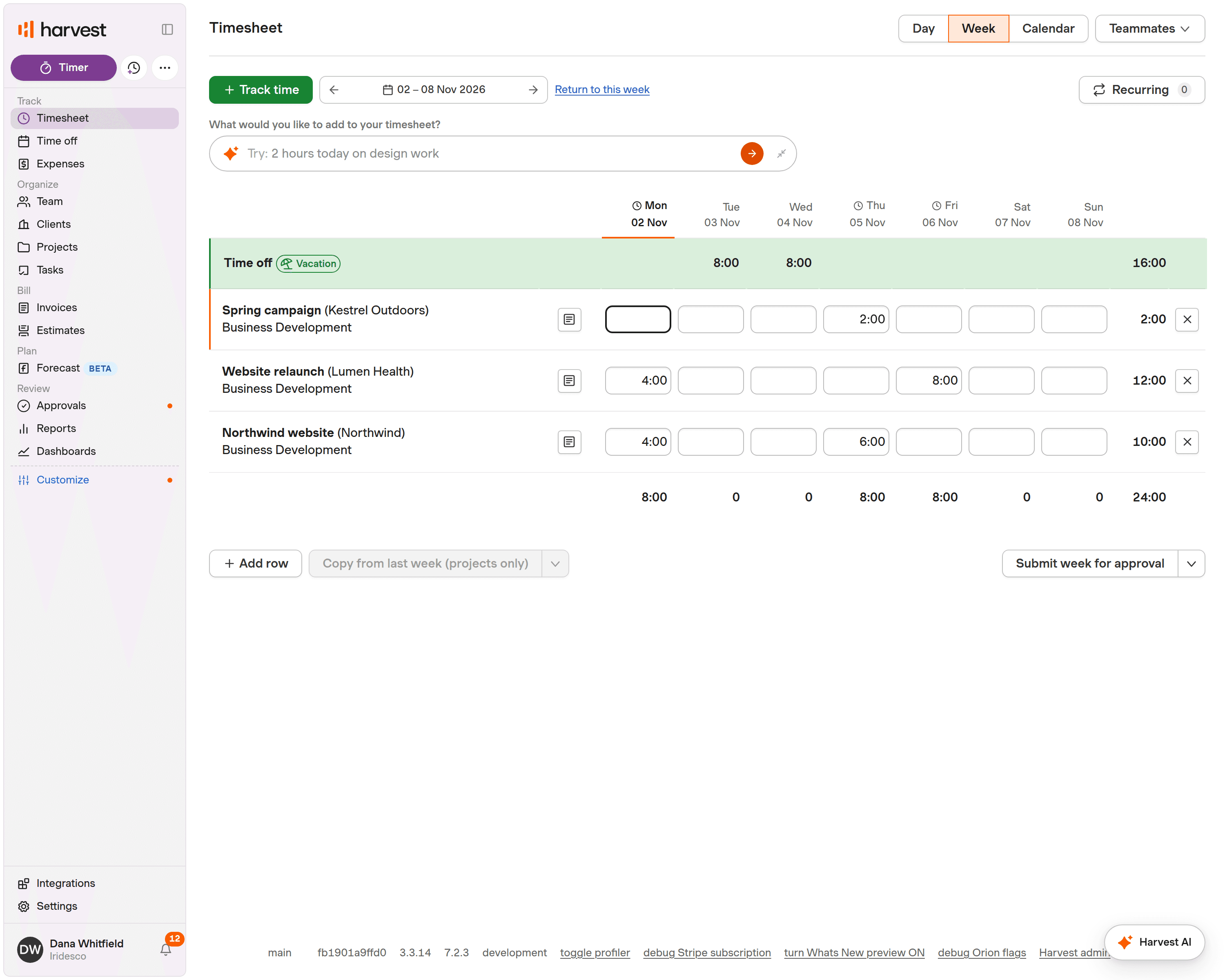
    Approved leave places an informational Time off row on the timesheet and marks the team calendar, leaving tracked project totals untouched.

    Timesheet showing informational Time off row with tracked project totals untouched.

Approve leave, check team coverage, and keep timesheets clean

Friday afternoon · three requests waiting in your inbox

Approve leave with balances and project conflicts already checked

Instead of checking email threads against a spreadsheet and asking project leads if dates clash, pending requests show remaining balances before and after alongside coverage warnings for shared project assignments.
Requests approved without cross-referencing spreadsheets or project schedules

Approvals screen showing Before and After balances and coverage warnings for teammates on shared projects.

The Monday standup after a bank holiday

See who is available across every team in one calendar

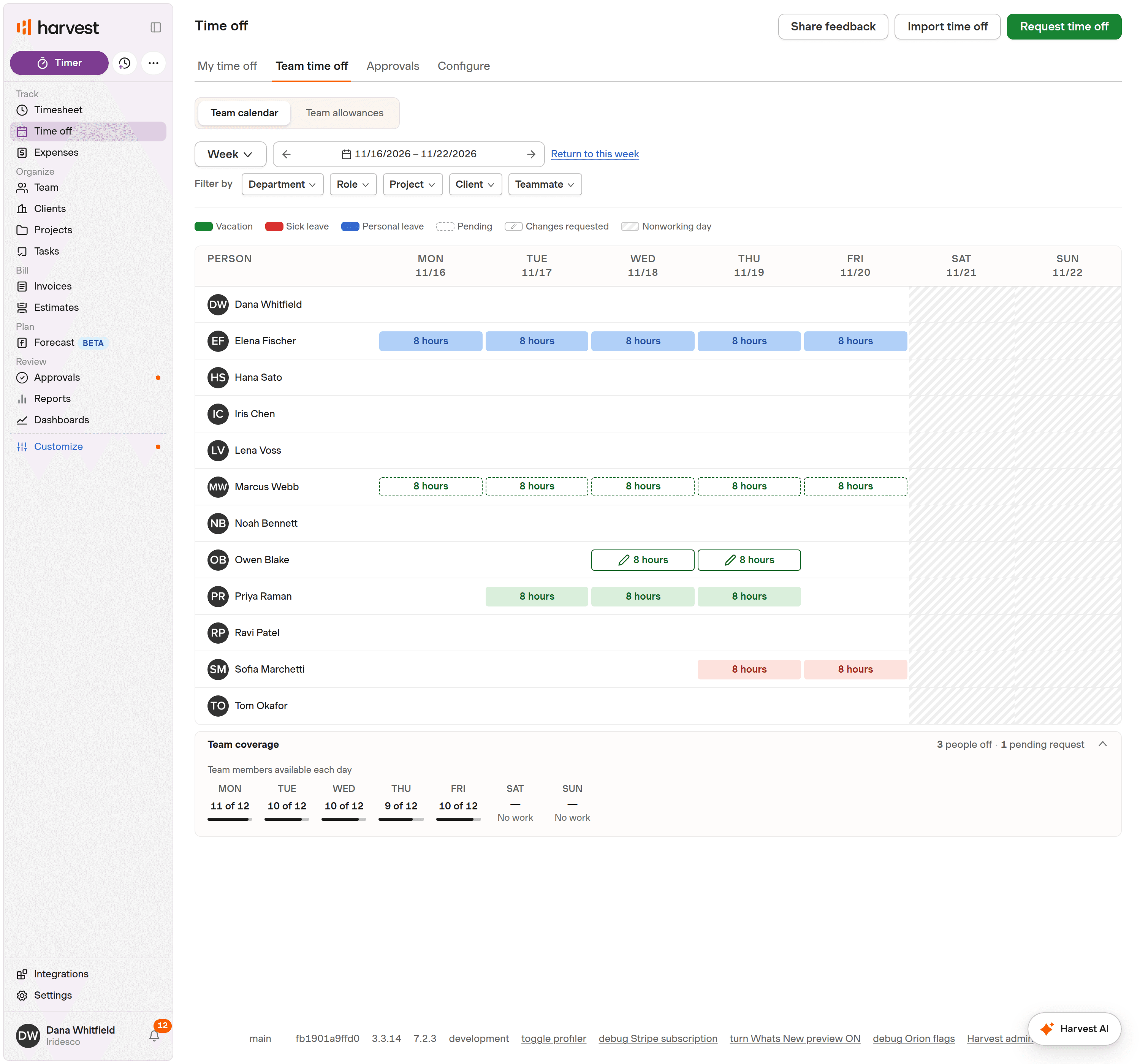
Instead of opening individual timesheets to see who is working, the team calendar displays leave across the agency with daily coverage counts filtered by project, department, or role.

Staff Monday’s standup without opening individual timesheets

Team calendar showing team members on leave, pending blocks, and coverage count.

The week after someone’s leave · timesheets are due

Leave sits on timesheets without distorting billable project hours

Instead of asking staff to log internal PTO project rows that risk being billed to clients or skewing utilization, approved time off appears as an informational row that leaves tracked project totals clean.

Clean project totals with no accidental billable hours

Timesheet showing informational Time off row with tracked project totals untouched.

What to know about time off

  • Nothing changes until you approve

    Edits to approved leave submit as amendments. The original days stay on the team calendar and timesheets until a manager reviews and confirms the update.

  • Private team visibility

    Teammates only see their own requests and balances. Viewing team calendars or approving requests requires specific view and approval permissions.

  • Cancellations and locked periods

    Staff can cancel upcoming leave. Completed leave requires an administrator to cancel, and leave inside locked timesheet periods cannot be cancelled.

Time Off & PTO Tracking

Bring leave tracking into your project workflow

Start your free trial today and run your next team standup without cross-referencing spreadsheets or checking individual timesheets.