Skip to content

Uninvoiced Report

Know what your firm is owed before month-end closes

Review tracked time, expenses, and remaining project fees across every client in a single view. Spot unbilled balances immediately so delivered work never slips through the cracks at month-end.

  • Archived projects with an open balance stay in the list
  • Warning flags highlight projects missing a billable rate
  • Prefills draft invoices straight from client balances
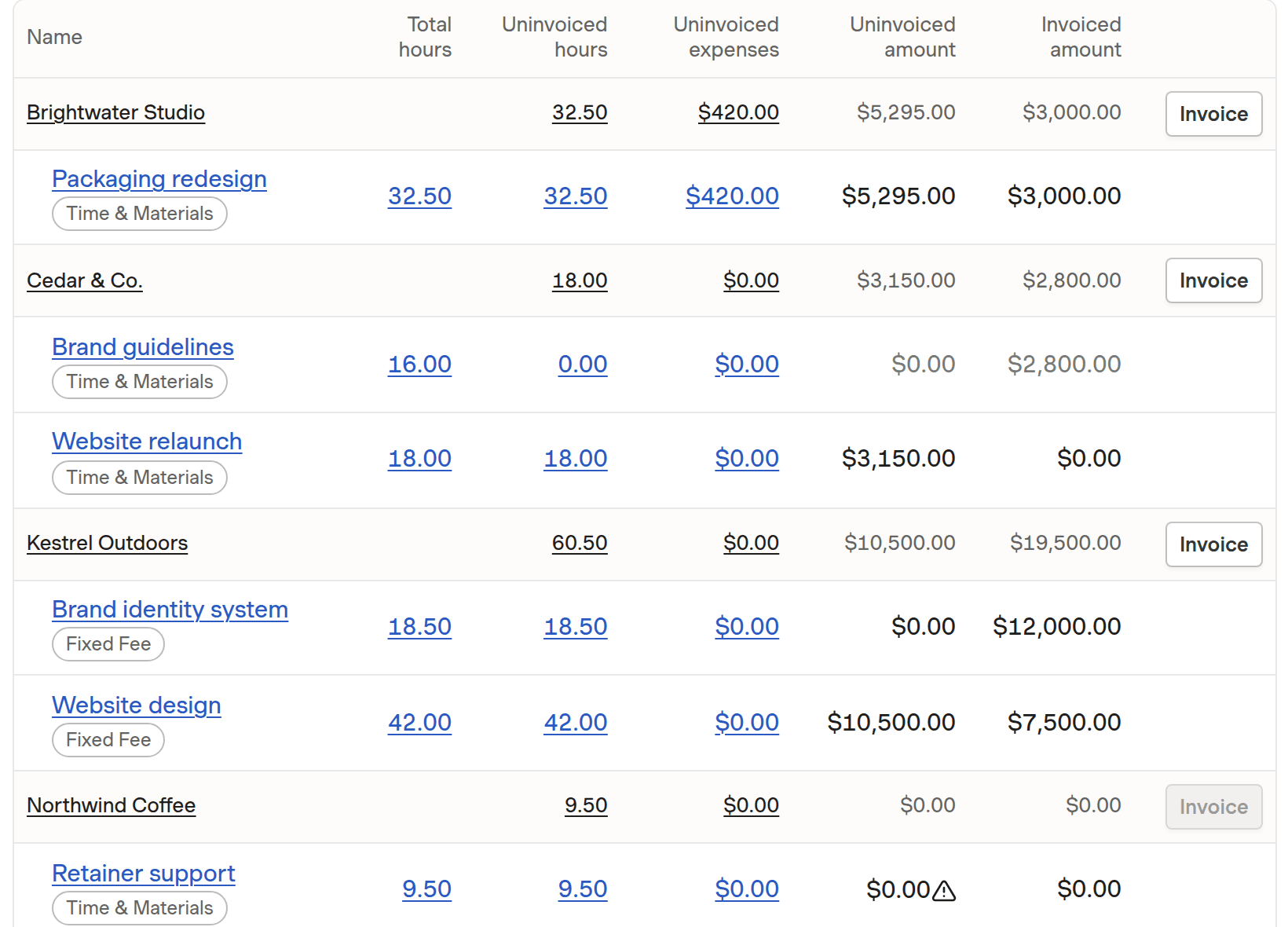
The Uninvoiced report page.

How it works

For time-and-materials projects, Harvest calculates unbilled balances by multiplying tracked billable hours by their billable rates and adding unbilled billable expenses. Fixed-fee projects display the fee balance not yet invoiced rather than hours multiplied by a rate, while retainers track accrued monthly fees minus issued invoices. Harvest reports tracked billable work rather than ledger entries, giving you an operational view of work delivered without estimating accounting WIP.

  1. Open the report

    Review your firm’s unbilled work across every client and currency in Reports > Invoicing > Uninvoiced, before drafting a single bill.

    The Uninvoiced report page.
  2. Choose your billing period

    Select a week, month, quarter, custom date range, or all time to aggregate open hours and expenses tracked during that window.

  3. Review client balances and warning flags

    Inspect uninvoiced hours, expenses, and remaining fee balances grouped under each client, with immediate warning icons if a project is missing a billable rate.

    A project row carrying the missing-rate warning.
  4. Drill into underlying timesheets

    Click any hour or expense figure to open a detailed report filtered to those exact entries, so you can verify work before billing.

  5. Create a prefilled invoice

    When the Invoices module is enabled, click Invoice on a client row to open a new draft invoice already populated with that client’s unbilled hours and expenses for the period.

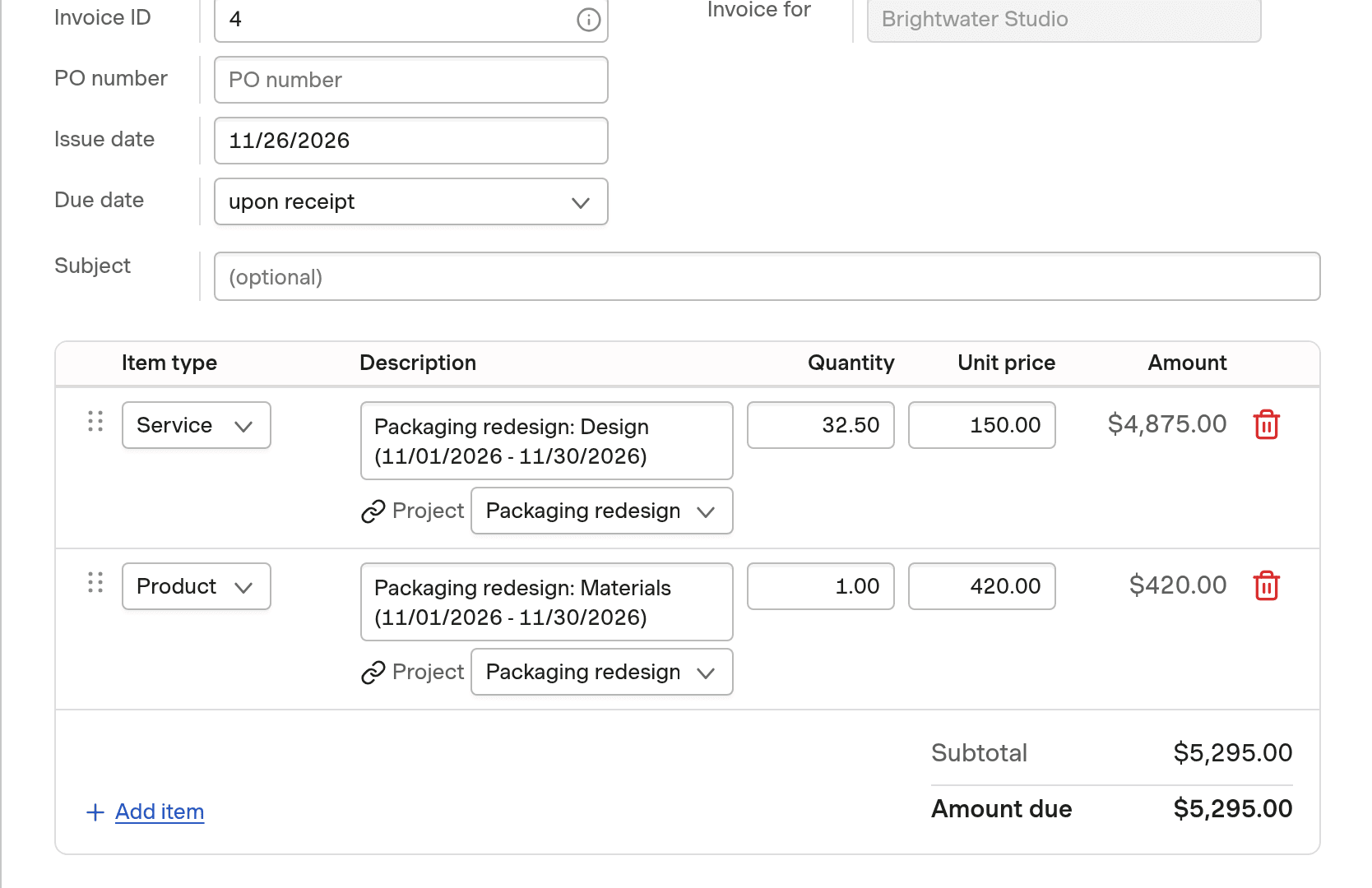
    The new invoice form opened from a client’s Invoice button.

Where unbilled balances make the difference

Month-end close · reviewing unbilled work

A clear view of billable work that no invoice has claimed yet

The leadership team needs the true total of delivered work before approving monthly closes.

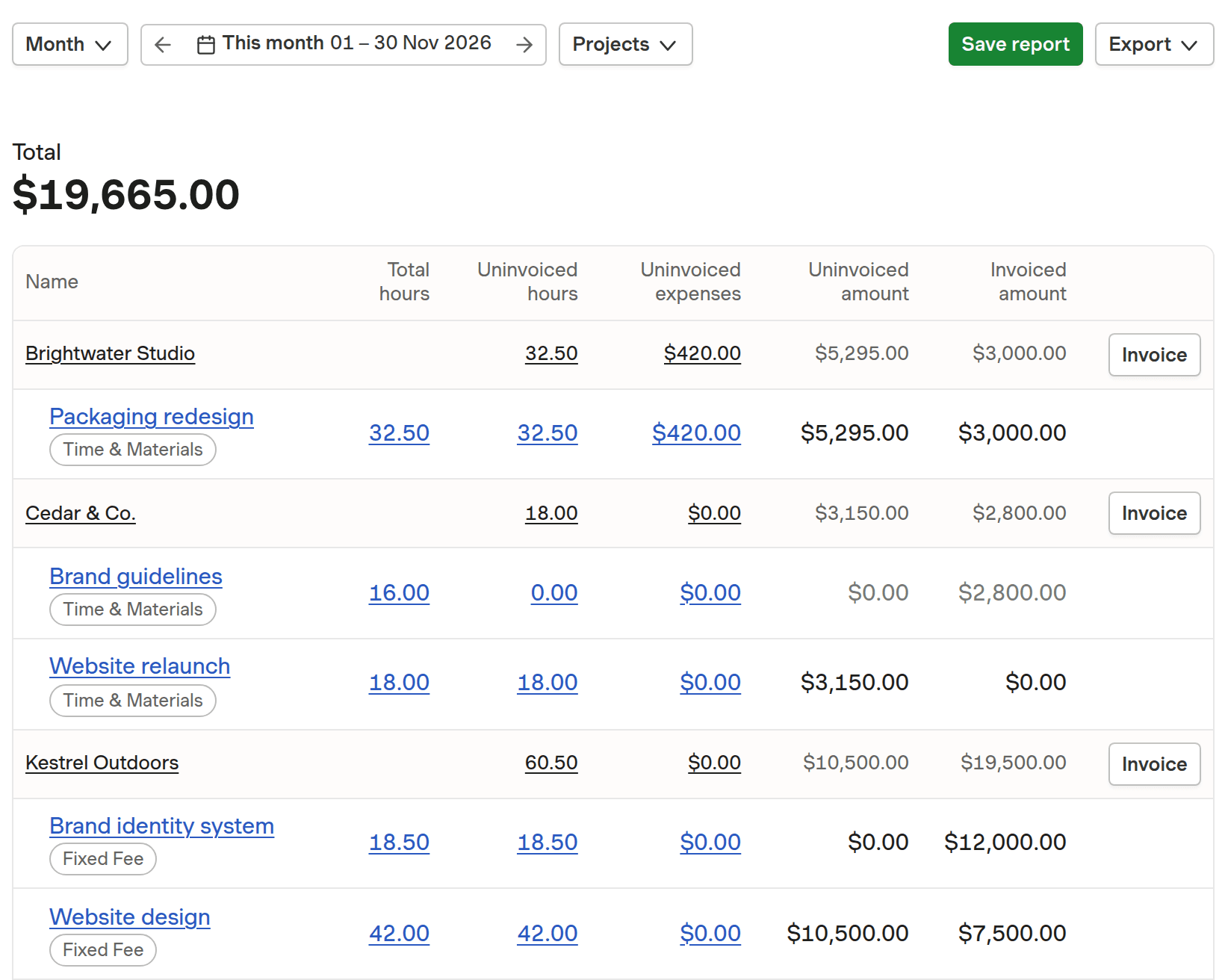
Instead of opening each project or cross-referencing timesheets against sent invoices, see every client’s unbilled hours, billable expenses, and uninvoiced balances for your chosen period side by side, with clean totals per currency.
A complete picture of unbilled work in progress without manual spreadsheets

The Uninvoiced report page.

The first of the month · retainer and fixed-fee review

Accrued retainer and fixed-fee balances that never get forgotten

Contract fees and ongoing logged hours must stay aligned after billing.

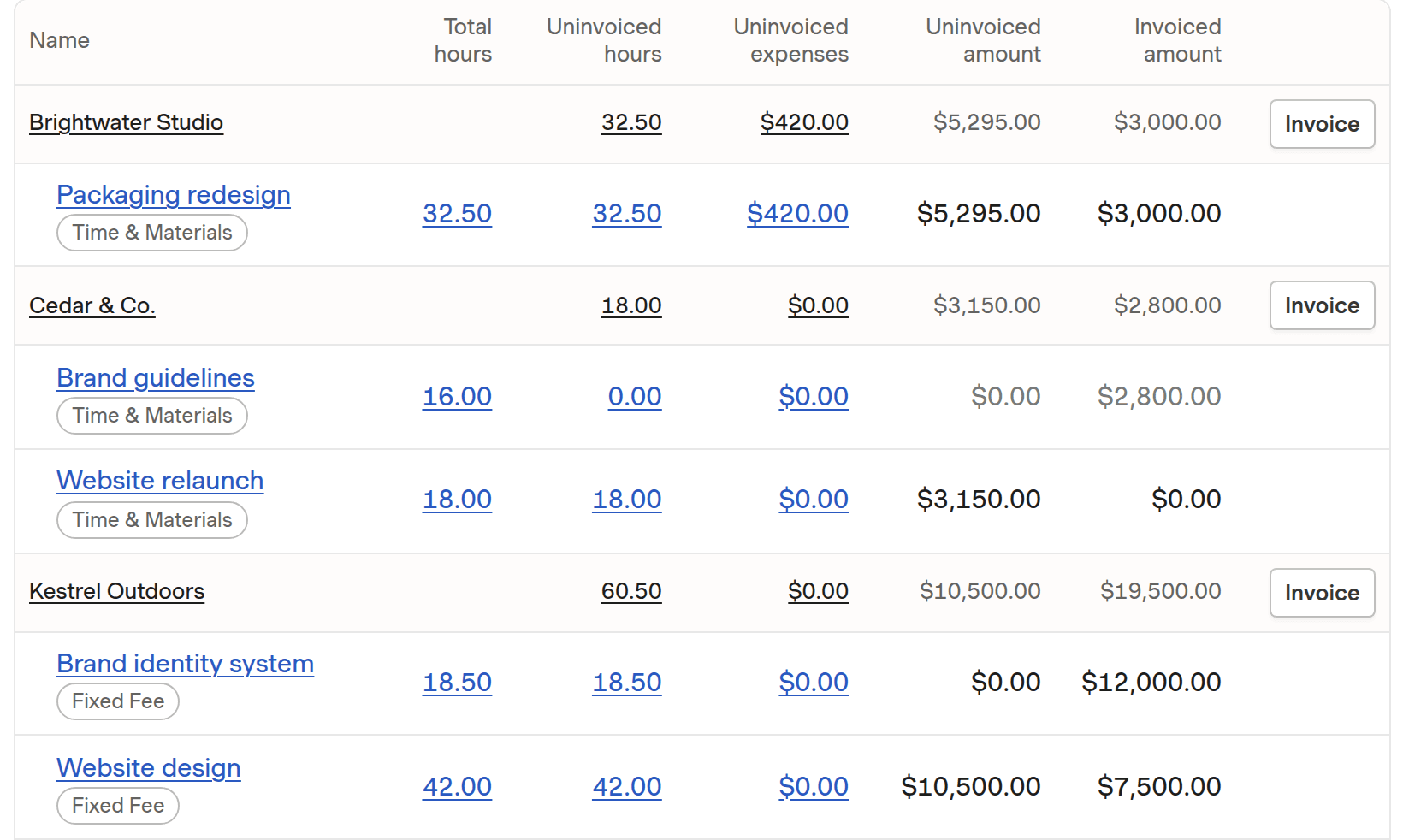
A week after invoicing a fixed fee, your team continues logging hours against the deliverable. Harvest keeps the uninvoiced fee balance at zero while showing those hours under Uninvoiced hours, so project leads can see delivered time and clear it without altering the contract fee.

Unbilled retainer fees caught and claimed on time

The fixed-fee project rows.

Project audit · checking billing readiness

Missing project rates caught before an invoice leaves the door

Missing rates result in delivered hours being billed at zero dollars.

When a project is missing a billable rate, its row flags the omission with a warning and a direct link to the rate setting that needs fixing.

Missing billable rates flagged with a link to the setting

A project row carrying the missing-rate warning.

Balances scoped to your projects and current the moment you bill

  • Who can see unbilled numbers

    Administrators and Managers with invoicing access can view the report. If a reader only holds managed-invoice access, Harvest automatically restricts the report to the projects they manage.

  • Independent totals for each currency

    Clients billed in multiple currencies appear in separate sections with distinct currency subtotals. Harvest never blends different currencies into an artificial converted total.

  • Operational balances, not ledger journals

    The report reflects current tracked billable entries and open contract fees. It does not post journal entries, accrue accounting WIP, or manage formal revenue recognition.

Uninvoiced Report

End month-end billing before your weekend begins

Review unbilled time across all client projects, catch rate errors before sending, and generate clean draft invoices in minutes.