Skip to content

What-If Plans

Schedule tentative work without booking over your team

Placeholders let you map unstaffed roles directly onto your live timeline with their own weekly capacity. You can test project dates and spot bottlenecks early, without borrowing a teammate’s calendar.

  • Holds planned hours without taking a paid seat
  • Heatmap flags weeks that exceed weekly capacity
  • Archive preserves role settings for future projects
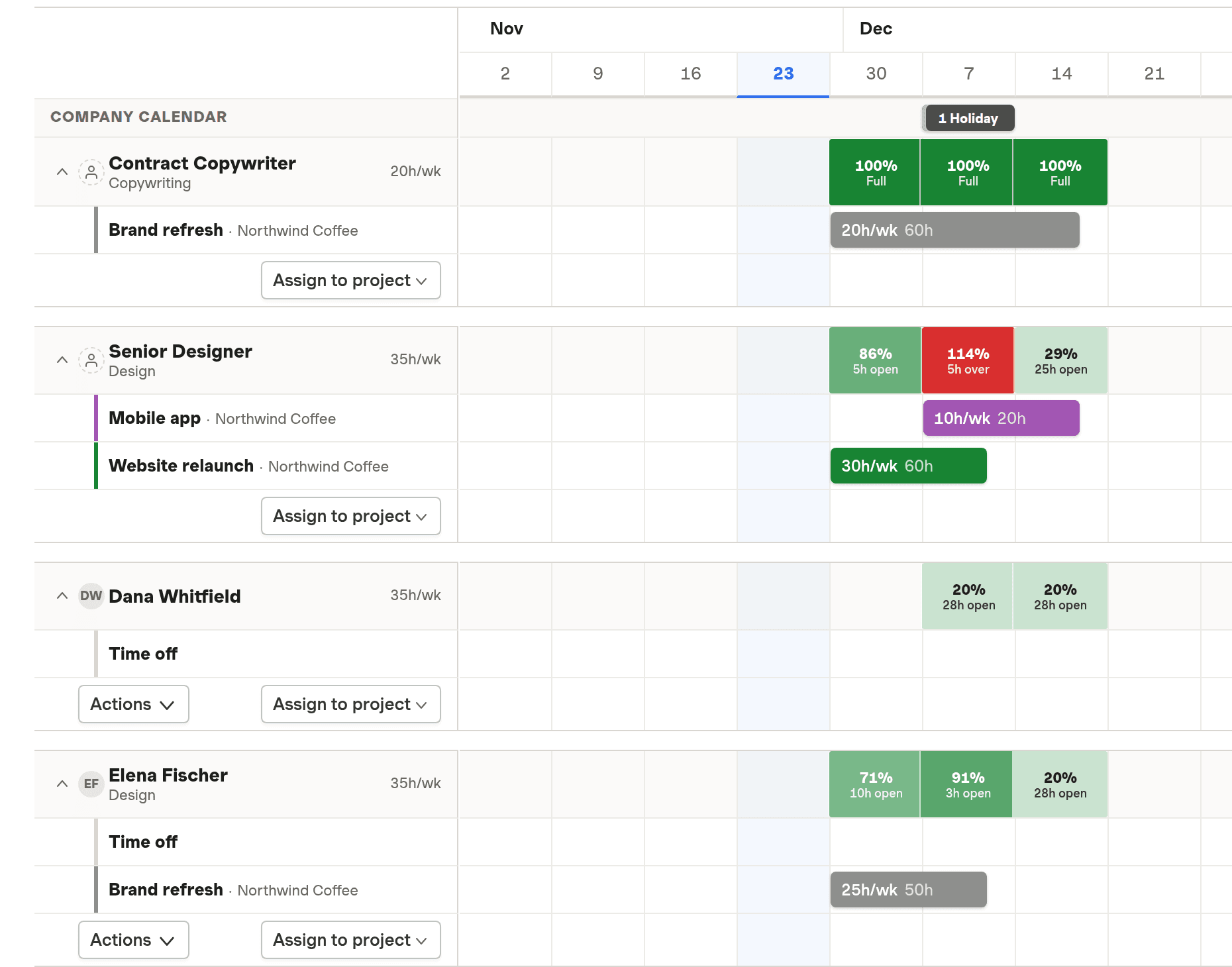
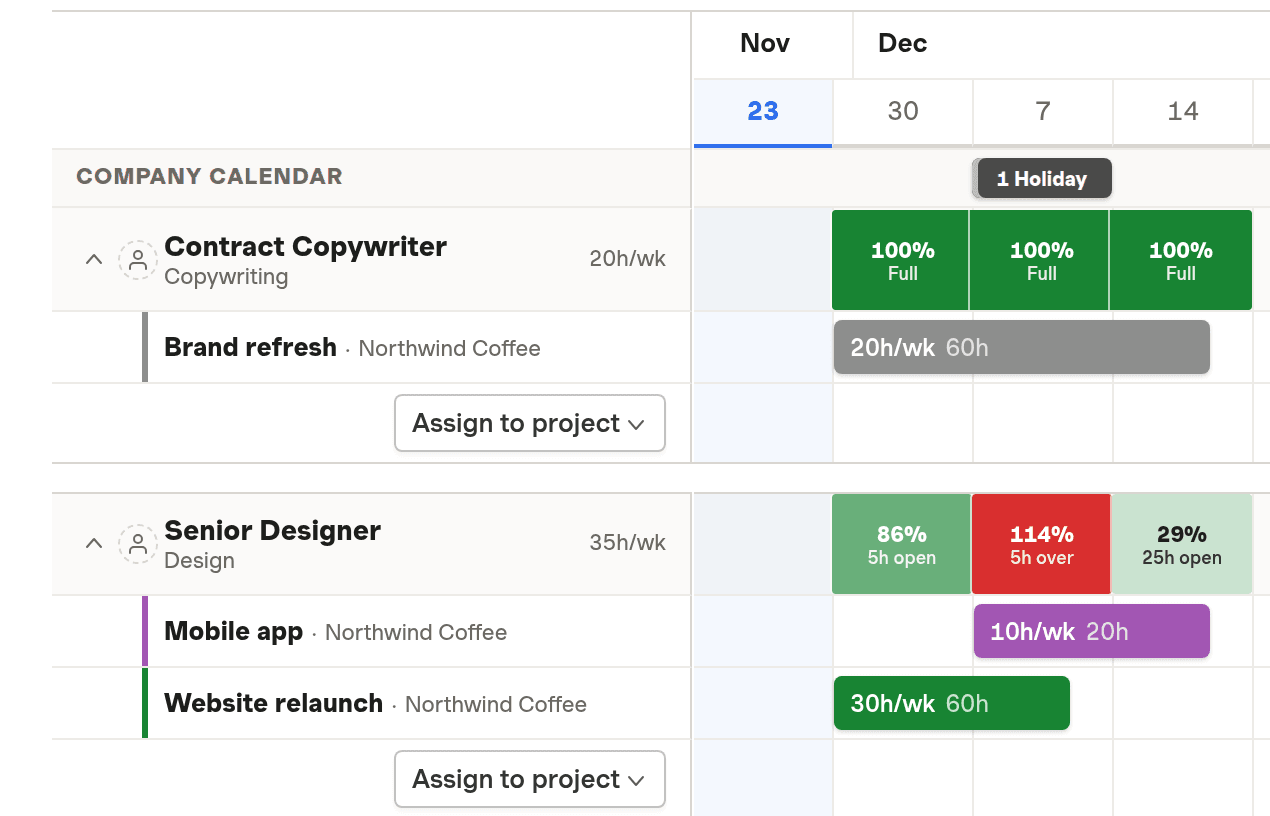
The Forecast Team view with the placeholder rows above the team.

Keep tentative commitments on the board without ghost bookings

When client projects are still taking shape, scheduling work usually means leaving upcoming months blank or borrowing a teammate’s name and fixing it later. Placeholders give unstaffed roles a dedicated row on the Forecast board with their own weekly capacity. You can schedule upcoming assignments against a named role, see how new commitments affect team workload and keep your timeline accurate without overloading real people.

How teams plan upcoming work

Project scoping · six weeks before kickoff

Unfilled roles get their own rows on the team board

Tentative commitments need a visible place on the timeline before contracts are signed.

Add a named role like Senior Designer with its own weekly capacity. The row appears right on the board above the team, ready for bars to be scheduled across the upcoming months without burning a paid seat.
Upcoming work is visible on the schedule without distorting anyone’s personal calendar

The Forecast Team view with the placeholder rows above the team.

Capacity triage · balancing upcoming demand

Planned hours measure against the role’s weekly limit

Resourcing leads must see when tentative commitments exceed standard working hours.

The availability heatmap tracks scheduled hours against the placeholder’s weekly capacity, flagging weeks where commitments exceed the target just as it would for a full-time teammate.

Spot hiring bottlenecks weeks before committing to client kickoff dates

The availability heatmap on the Senior Designer placeholder row.

Staffing confirmed · turning plans into live assignments

Hand the work to a team member in one click

Transferring scheduled work to a hired contractor must not require recreating dates and tasks.

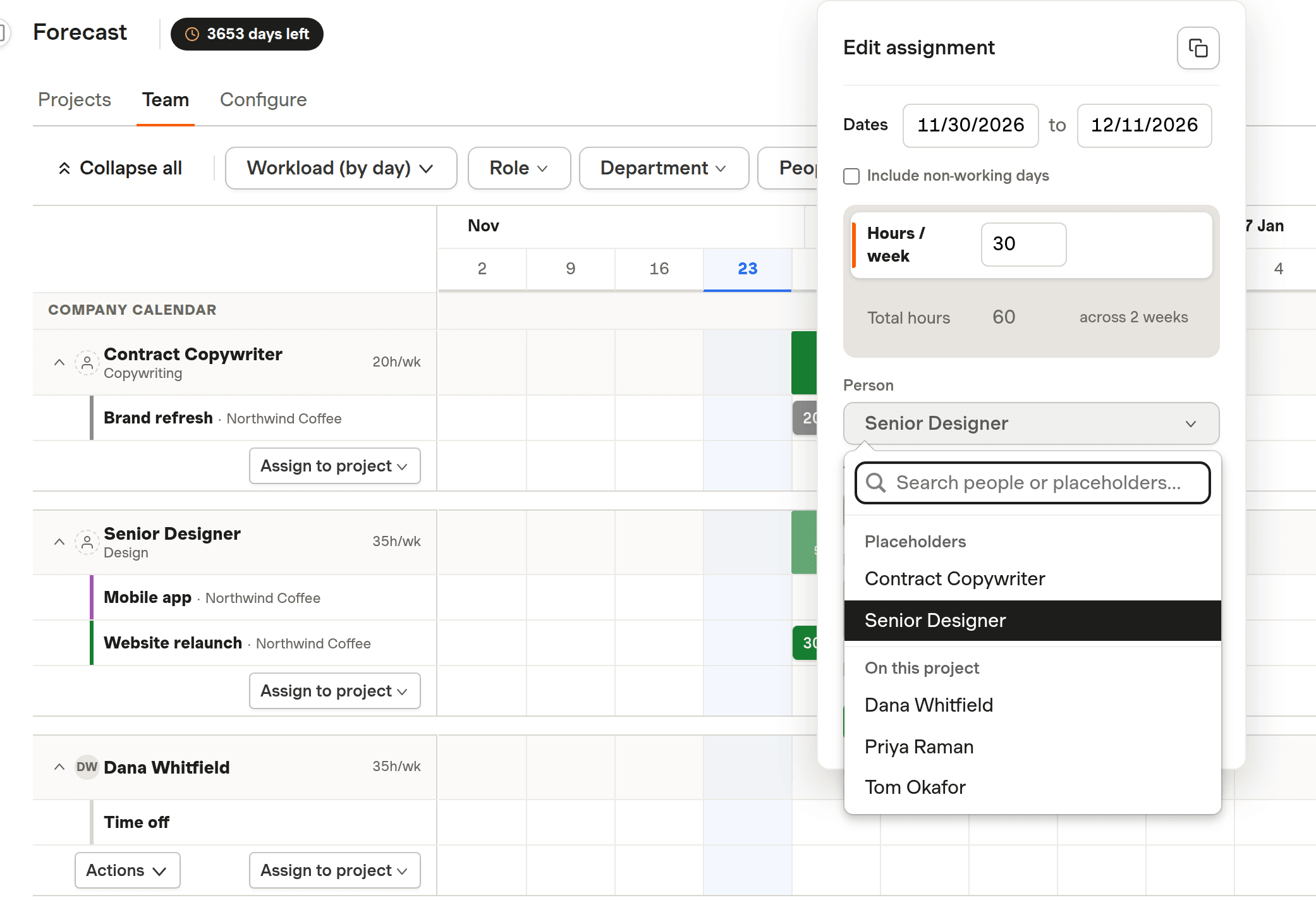
When you know who will take on the project, open the scheduled bar and switch the assignee in the Person picker. The dates, project, allocations and tasks carry straight over without rebuilding the plan.

The scheduled bar moves to the new hire without retyping dates or tasks

The assignment editor’s Person picker, open on a placeholder’s bar.

How placeholders work on the board

  1. Find it on the board

    A placeholder sits in its own row above the team in the Team view. Draw scheduled bars across upcoming months to hold project dates without borrowing a teammate’s calendar or taking a paid seat.

    The Forecast Team view with the placeholder rows above the team.
  2. Fill the role

    When your hire is confirmed, select the team member in the Person picker. The scheduled bar moves to their row immediately, keeping the dates, project and task allocations intact.

    The assignment editor’s Person picker, open on a placeholder’s bar.

What placeholders cost and what archiving keeps

  • No extra seats while you plan

    Placeholders hold scheduled hours without taking up a Forecast seat. When you replace a placeholder with a person, that person needs a Forecast seat to save the assignment.

  • Archiving preserves role settings

    Archiving keeps a placeholder’s roles and weekly capacity saved under the Archived tab. You can restore the placeholder whenever a similar project begins.

  • Active allowance for upcoming pitches

    Every account includes two active placeholders, with more added as you purchase Forecast seats. If you reach your limit, archiving a completed role frees an active slot immediately.

What-If Plans

Balance your schedule before you commit to hiring

Map unstaffed roles directly onto your timeline, spot bottlenecks early, and commit to client start dates knowing exactly when you need extra hands.