Overview of Harvest Forecast Updates
The latest updates in Harvest Forecast are designed to boost project management efficiency by enhancing task scheduling and profitability features. With these updates, Harvest Forecast now offers more granular control over project planning, allowing teams to assign time at the task level rather than just at the project level. This shift provides a clearer picture of workload distribution and project timelines, which is crucial for teams managing multiple deliverables.
One of the key updates is the introduction of task-level scheduling. This feature enables users to break down complex projects into manageable tasks, thereby improving visibility into who is doing what and when. This granular approach not only aids in better resource allocation but also enhances the accuracy of project forecasts. According to research, optimized scheduling can reduce total project costs significantly, sometimes by as much as 21% when applied effectively, as shown in forest harvest scheduling models source: crojfe.com.
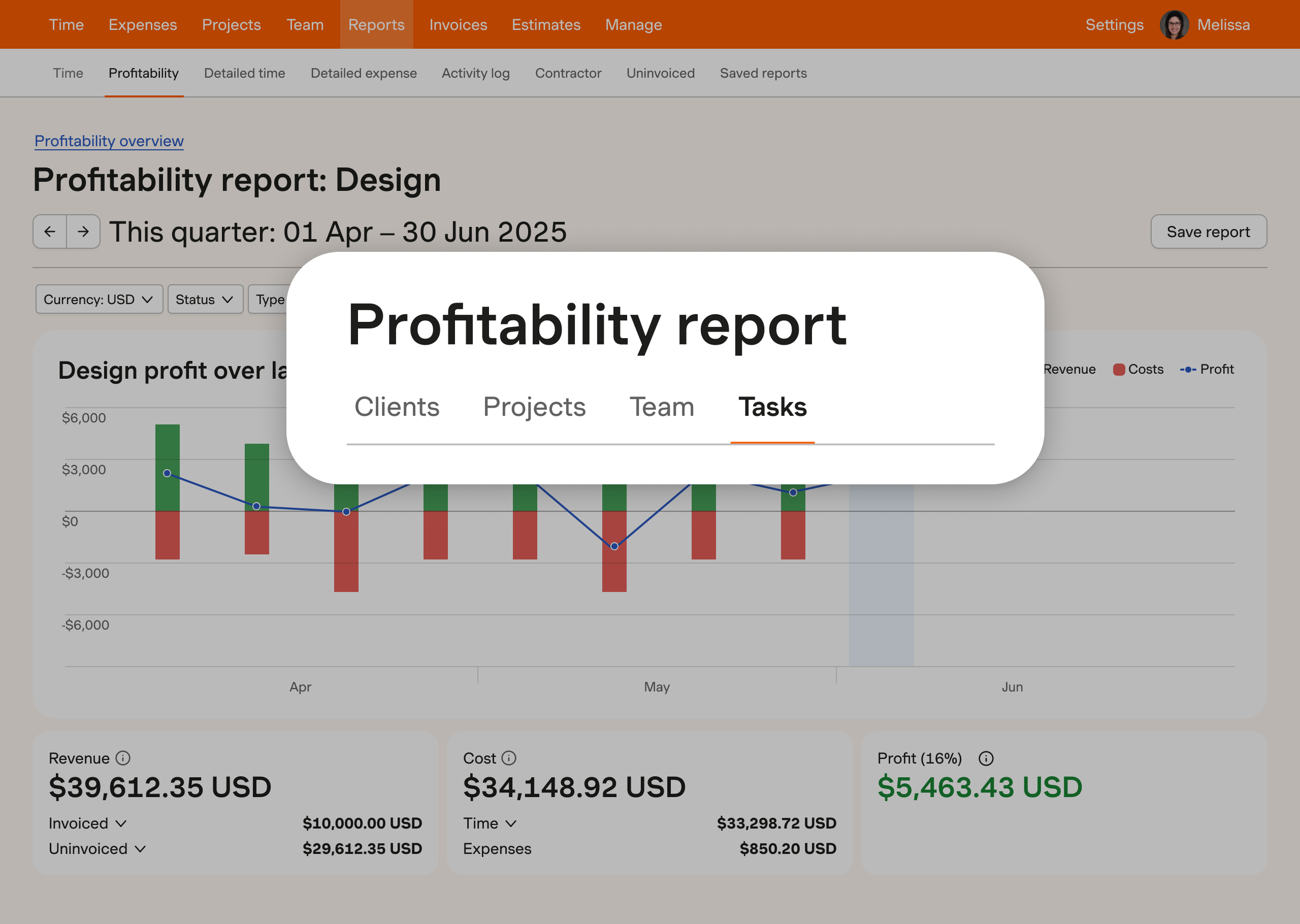
Moreover, Harvest Forecast's updated profitability insights allow teams to drill down into the financials of projects. These insights are crucial for understanding the revenue, cost, and profit associated with each task and team. By identifying high-performing tasks, businesses can make data-driven decisions to optimize profits. This is particularly beneficial for firms that rely on detailed financial analysis to guide their business strategies. These updates are a testament to Harvest's commitment to evolving its tools to meet the dynamic needs of its users.
What Are the Benefits of Task-Level Scheduling?
Task-level scheduling offers numerous benefits that can enhance project management efficiency and team productivity. By allowing teams to allocate time and resources to specific tasks within a project, organizations gain improved visibility into their projects. This level of detail ensures that everyone knows exactly what needs to be done and when, reducing confusion and improving timelines.
A common misconception is that project-level scheduling is sufficient for managing resources effectively. However, task-level scheduling provides a more nuanced approach. It allows managers to assign tasks based on team members' strengths and availability, thereby optimizing resource allocation. This approach can lead to significant improvements in project delivery times and quality. Optimized scheduling has been shown to reduce costs and improve output, with some studies noting up to a 10% reduction in operational costs when tasks are scheduled efficiently source: agsquared.com.
Another advantage of task-level scheduling is enhanced team collaboration. When team members have clear guidance on their responsibilities and deadlines, they can coordinate more effectively. This alignment minimizes bottlenecks and enhances the overall workflow, leading to more successful project outcomes. Task-level scheduling is thus an essential tool for any team looking to improve its efficiency and productivity.
Digital vs. Paper Timesheets: A Comparison
In the battle between digital and paper timesheets, digital solutions like Harvest clearly come out on top. Digital timesheets offer efficiency, accuracy, and seamless integration with other project management tools, which traditional paper methods simply can't match. Digital timesheets reduce the risk of errors associated with manual entry and provide a real-time overview of time spent on various tasks, which is vital for accurate billing and project tracking.
One of the most significant advantages of digital timesheets is their ability to integrate with other systems. For instance, Harvest integrates with tools like Asana and QuickBooks, allowing for seamless data flow across platforms. This integration not only saves time but also enhances accuracy, as there's no need to manually re-enter data. According to meegle.com, businesses that switch to digital time tracking often see a reduction in administrative overhead and a significant increase in productivity.
On the other hand, paper timesheets are prone to errors, loss, and are cumbersome to manage, especially for larger teams or complex projects. They lack the ability to provide real-time data insights, making it harder for managers to make informed decisions. In today's fast-paced business environment, the agility and accuracy that digital timesheets offer make them an indispensable tool for any organization looking to enhance its operational efficiency.
How Does Harvest Compare to Other Project Management Tools?
When comparing Harvest to other project management tools, its unique features and user-friendly experience stand out. Harvest is renowned for its robust time-tracking capabilities, which are seamlessly integrated with its project management features. This integration makes it a powerful tool for teams that need to track time meticulously while managing diverse projects.
Unlike many competitors, Harvest offers a straightforward pricing model without hidden fees, which is a significant advantage for small to medium-sized businesses looking to manage costs effectively. Its pricing transparency contrasts with tools that charge based on user tiers or additional features. Moreover, Harvest’s ability to integrate with over 50 applications, including Slack and GitHub, provides a flexible ecosystem for teams that rely on multiple tools to manage their workflows. This level of integration enhances productivity by reducing the need to switch between different applications. For example, users can easily track time in Harvest while managing tasks in Trello, ensuring all project aspects are aligned without manual data transfers.
User experience is another area where Harvest excels. Its intuitive interface allows for quick adoption by teams, minimizing the learning curve and boosting efficiency right from the start. While other tools may offer similar features, Harvest’s ease of use and comprehensive support significantly enhance user satisfaction. According to runn.io, users switching to Harvest often cite these aspects as key reasons for their choice. Whether you're a startup or a well-established firm, Harvest provides a comprehensive, efficient, and user-friendly solution for managing projects and tracking time effectively.
Best Practices for Maximizing Profitability Insights
To effectively leverage Harvest's profitability insights, focus on integrating accurate and comprehensive data analysis into your decision-making processes. By doing so, you can identify patterns, allocate resources wisely, and ultimately boost project profits. Start by centralizing your data from various sources—such as time tracking, project performance, and financial metrics—into a unified platform, ensuring that your analysis is comprehensive and insightful.
A common misconception is that profitability insights are purely financial. While financial data is crucial, other metrics, such as time management and resource allocation, play an equally significant role. According to a study on forest harvest scheduling, integrating transportation costs can reduce total costs significantly—sometimes by more than fivefold as the operational area increases (crojfe.com). Thus, focusing on holistic insights can lead to more sustainable profitability improvements.
To maximize these insights, regularly update and maintain your data. This involves auditing your data for completeness and consistency, ensuring that any analysis or conclusions drawn are reliable. Additionally, involve your team in these processes to gain diverse perspectives and foster a culture of data-driven decision-making. By prioritizing these best practices, your business can harness the full potential of profitability insights to drive strategic growth.
User Testimonials and Case Studies
Real-world experiences from Harvest Forecast users highlight the practical benefits of the tool on project management and profitability. One notable example comes from a digital marketing firm that implemented Harvest Forecast to streamline their resource allocation and task scheduling. The firm reported a significant reduction in time spent on administrative tasks, allowing more focus on creative projects.
According to meegle.com, this efficiency gain is a common theme among Harvest users. They report improvements in team collaboration and project transparency, which significantly impact profitability. Many users emphasize how these tools help them visualize capacity and workload distribution, reducing the likelihood of overcommitment and burnout.
Another case involves a software development company that used Harvest Forecast to optimize task scheduling. By accurately predicting resource needs and aligning them with project timelines, the company was able to reduce project delays by 20%. These testimonials underscore that implementing Harvest Forecast can transform how teams manage resources and drive profitability. By aligning team efforts with strategic priorities, businesses can ensure that every project contributes effectively to the bottom line.
Future Updates and Roadmap for Harvest and Forecast
Staying informed about upcoming features and enhancements for Harvest and Forecast is crucial for optimizing task scheduling and profitability. The development roadmap for these tools is focused on deeper integrations and more sophisticated analytics, aimed at delivering even greater insights into team performance and project profitability.
One anticipated update involves enhanced predictive analytics capabilities. These improvements are drawing inspiration from industries like agriculture, where predictive analytics have increased crop yields by 15% and reduced resource use by 20-40% (farmonaut.com). While these figures pertain to agriculture, the principles of data-driven efficiency and resource optimization are universally applicable.
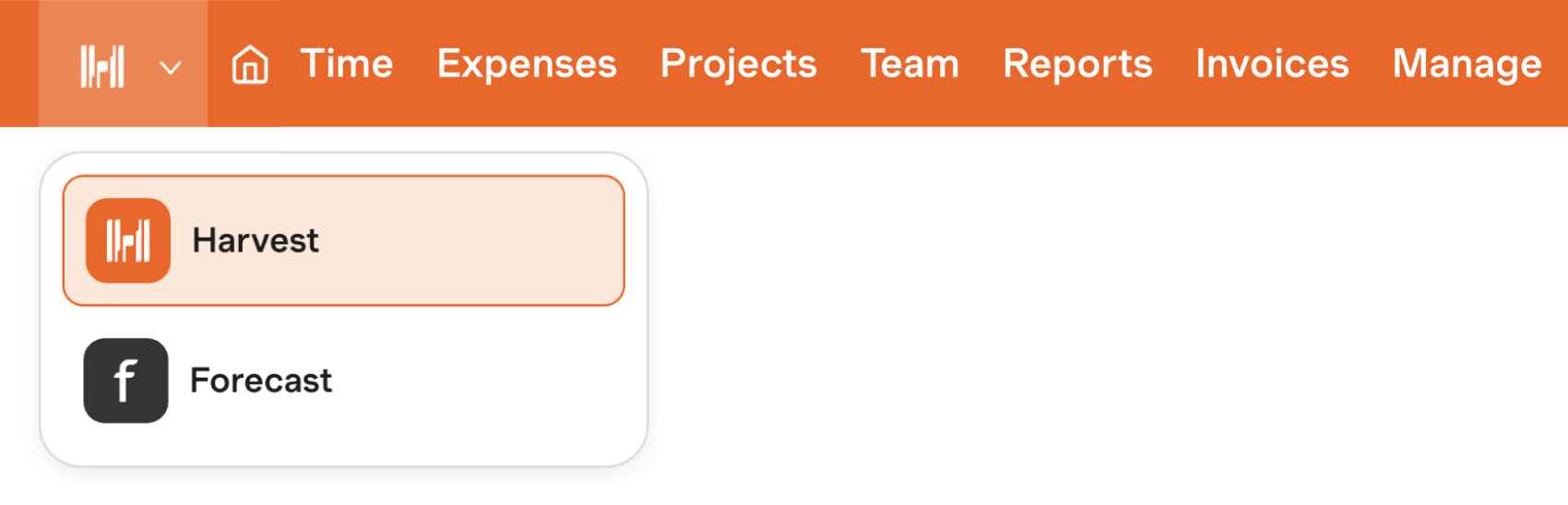
Future updates will also focus on improving user interface and experience, making it easier for teams to switch seamlessly between Harvest and Forecast. These enhancements are designed to reduce friction in daily operations, allowing teams to maintain focus on strategic tasks without getting bogged down by administrative overhead. By staying updated on these developments, you can ensure that your team is leveraging the full capabilities of Harvest and Forecast, positioning your projects for maximum profitability.
Getting Started with Harvest and Forecast
Beginning your journey with Harvest and Forecast involves a few essential steps to ensure you're maximizing the benefits of these powerful tools. Start by setting up your account with a clear understanding of your team's needs and current processes. This initial setup is crucial for tailoring the tools to fit your specific workflow.
First, take advantage of Harvest's integration capabilities. Seamlessly connect with tools like QuickBooks or Xero to streamline your invoicing and financial management. These integrations help eliminate data silos and improve the accuracy of your financial insights. For task scheduling, using Harvest Forecast can transform how you allocate resources by providing a clear, visual overview of your team's availability and project timelines.
A practical tip for getting started is to begin with a pilot project. Choose a smaller, manageable project to test the features and functionalities of Harvest and Forecast. This trial will help you identify any adjustments needed for smoother implementation across larger teams. Additionally, consider involving key stakeholders from the start to foster buy-in and ensure alignment with your strategic goals.
For those new to Harvest, exploring the signup options and resources available can provide additional guidance. By strategically setting up and refining your use of Harvest and Forecast, you can effectively enhance your task scheduling and profitability tracking from the very start.
Frequently Asked Questions
What are the benefits of task-level scheduling?
Task-level scheduling offers improved efficiency and resource allocation. By breaking down projects into smaller, manageable tasks, teams can prioritize work, reduce bottlenecks, and enhance accountability. This approach allows for better tracking of progress and makes it easier to adapt to changes, ultimately leading to increased productivity and profitability.
How does Harvest compare to other project management tools?
Harvest stands out for its focus on time tracking and invoicing alongside project management. Unlike many tools that offer broad features, Harvest excels in providing detailed insights into time spent on tasks and profitability. Its user-friendly interface and integrations with other apps make it a strong choice for businesses prioritizing accurate billing and resource management.
What are the pricing options for Harvest and Forecast?
Harvest offers a free trial, with paid plans starting at $12 per user per month. Forecast, on the other hand, provides a free version for small teams and paid plans that begin at $29 per user per month. Both tools offer tiered pricing based on features, allowing businesses to choose a plan that fits their needs.
What are the best practices for maximizing profitability insights?
To maximize profitability insights, regularly analyze project data and time tracking reports. Implement task-level scheduling to identify inefficiencies and areas for improvement. Additionally, leverage predictive analytics to forecast resource needs and adjust budgets accordingly, ensuring that projects remain within financial targets and drive overall profitability.


