What is Automated Expense Reporting?
Automated expense reporting is a technological solution that simplifies the process of managing business-related expenses. By using software, businesses can significantly reduce the need for manual data entry, thereby minimizing errors and saving time. The advantages of automating expense reports are numerous, including increased accuracy, time savings, and enhanced financial oversight, which collectively lead to improved compliance and real-time insights into spending trends.
One of the most compelling reasons to adopt automated expense reporting is the sheer efficiency it brings. According to a report by the Aberdeen Group, automating expense reports can lead to a 30% reduction in processing costs and a 65% decrease in errors. This shift not only saves time but also frees up financial teams to focus on more strategic tasks instead of getting bogged down by mundane data entry work. Furthermore, businesses gain the ability to monitor expenses in real-time, which is crucial for effective budgeting and cost management.
To get started with automating your expense reporting, you should first select a reliable software that integrates well with your current financial systems. Training your team is crucial to ensure everyone is comfortable with the new system. Setting up clear processes and guidelines will help in the smooth transition to automation. It's also wise to start small, perhaps by automating a single department's expenses before rolling out the system company-wide. This approach allows you to troubleshoot potential issues and make necessary adjustments without disrupting the entire organization.
Overall, automated expense reporting is not just a tool for large enterprises; it is equally beneficial for small and medium-sized businesses. By implementing the right software and processes, you can enhance your financial management capabilities, reduce errors, and gain valuable insights into your spending patterns, thus positioning your business for sustained growth.
How to Automate Expense Reporting in Steps
Automating expense reporting involves a few key steps that can transform how your business handles expenses. The first step is choosing the right software that fits your business needs and integrates seamlessly with your existing financial systems. Look for solutions that offer mobile apps, as these can allow your team to capture expenses on the go, adding flexibility and convenience.
Once you have selected a software, the next step is to integrate it with your current accounting systems. This integration ensures that expense data flows seamlessly between systems, reducing the risk of errors and duplication. It's important to ensure compatibility with tools your team already uses, such as QuickBooks or Xero, to streamline the transition process.
After integration, setting up custom approval workflows is critical. These workflows automate the approval process, routing expenses to the right people based on predefined rules. This not only accelerates approval times but also ensures that all expenses are compliant with company policies. According to smartbridge.com, companies can reduce approval times by up to 50% by implementing automated processes.
Finally, training your team is essential. Ensure that everyone understands how to use the new system and is aware of the changes in procedures. Providing adequate training and support will help mitigate resistance and foster a smoother transition. Remember, the goal is not only to automate but to enhance the efficiency and accuracy of your expense reporting. By following these steps, your business can leverage automation to streamline its financial processes and improve overall productivity.
Common Mistakes in Expense Reporting
Expense reporting can be fraught with pitfalls that lead to inefficiencies and inaccuracies. A common mistake is incorrect data entry, which often stems from manual processes. Manual entries are not only time-consuming but also prone to errors, affecting 19% of expense reports as noted by the Aberdeen Group. This can result in delayed approvals and inaccurate financial reporting.
Another issue is non-compliance with company policies. Without clear guidelines, employees might submit expenses that aren't permissible or lack the necessary documentation. This can lead to disputes that take time and resources to resolve. To avoid these issues, it's vital to have a well-defined expense policy that is easily accessible to all employees. Automating the process can further help by flagging non-compliant expenses in real-time.
Failing to capture all expenses is another frequent oversight. Small expenses often get overlooked or are reported late, skewing financial data and affecting budgeting decisions. Businesses should encourage timely submission of all expenses and consider using tools that automatically sync with corporate cards to ensure no transaction is missed.
Addressing these common mistakes requires a combination of clear policies, effective tools, and regular training. By leveraging automation, businesses can not only reduce errors and compliance issues but also gain more accurate insights into their financial situation. A streamlined expense reporting process ultimately leads to better financial management and enhanced strategic decision-making capabilities.
IRS Requirements for Expense Reports
Understanding the IRS requirements for expense reports is crucial for ensuring compliance and avoiding potential penalties. The IRS mandates that businesses maintain documentary evidence, such as receipts, canceled checks, or bills, to support their expenses. This requirement helps ensure that all reported expenses are legitimate and accurately reflect business activities.
For specific expenses like travel, entertainment, gifts, and auto expenses, the IRS requires additional documentation. For instance, travel expenses must be substantiated with details such as the date, location, and business purpose of the trip. Entertainment expenses require documentation of the event's nature and attendees. The IRS generally requires that these records be kept for at least three years from the date of filing a tax return. However, if your business is claiming deductions for bad debts or reporting underreported income, the retention period can extend up to seven years.
It's important to note that these requirements aren't just about keeping records; they also involve ensuring that the records are accessible and secure. Electronic storage of receipts and documentation is acceptable as long as they are readable and can be easily retrieved when needed. According to wise.com, maintaining precise documentation helps businesses avoid IRS audits and penalties by demonstrating compliance with tax laws.
Incorporating these IRS requirements into your expense reporting process can help your business maintain compliance and avoid costly penalties. Automating your expense reporting can further streamline this process, ensuring that all necessary documentation is captured and stored effectively. This not only simplifies compliance but also enhances financial management by providing accurate records for analysis and decision-making.
Tracking Expenses Automatically: How It Works
Tracking expenses automatically can transform how your business handles financial management. It involves leveraging technology to capture receipt data via mobile apps and sync directly with your bank transactions. This process not only reduces manual data entry but also minimizes errors, which is a significant leap from traditional methods. Tools like Expensify and QuickBooks are popular choices that offer these features, allowing you to upload receipts simply by taking a photograph and linking your transactions directly from your bank account.
One of the key technologies behind automatic expense tracking is Optical Character Recognition (OCR). OCR can extract essential information from receipts instantly, categorizing them based on pre-defined rules. This means that every time you make a purchase, the data is logged and categorized without you lifting a finger. According to quadient.com, AI and machine learning technologies are increasingly used to capture and categorize expenses in real-time, which eliminates the need for manual data entry entirely.
For businesses that manage a high volume of transactions, this shift to real-time and AI-powered processing is crucial. It not only streamlines financial operations but also provides real-time insights into spending patterns. This can be particularly beneficial for industries such as retail or e-commerce, where high invoice volumes and tight margins necessitate quick and accurate financial recording. The takeaway? By automating your expense tracking, you can improve accuracy and efficiency, and free up time for your team to focus on more strategic tasks.
Invoice vs. Expense Report: Key Differences
Invoices and expense reports serve distinct roles in financial management, each essential in its own right. An invoice is essentially a request for payment. It’s issued by a business to its customers, detailing goods or services provided, and is a formal way of requesting payment. On the other hand, an expense report is an internal document that employees submit to get reimbursed for business-related expenses they've incurred, such as travel or meals.
Understanding these differences is crucial for effective financial management. While invoices are used to track sales and income, expense reports are used to manage costs and reimbursements. For instance, an employee who travels for a conference might use an expense report to get reimbursed for their travel and accommodation expenses. Meanwhile, a service provider will issue an invoice to a client for the work completed. According to ledgers.cloud, the IRS requires businesses to retain invoices for at least three years from the date of filing a tax return, which is crucial for audit and tax purposes.
A common misconception is that these documents are interchangeable, but the reality is they perform different functions and are subject to different regulations. Businesses need to ensure they are not only using the right document for the right purpose but are also maintaining appropriate records. Knowing the distinctions between invoices and expense reports can help streamline your financial processes, ensuring compliance and improving cash flow management.
Frequently Asked Questions
How can I track my expenses automatically?
You can track your expenses automatically using expense management software that allows you to scan receipts or link your bank accounts. Many apps capture transaction details like amount, date, and merchant instantly, reducing manual entry. Additionally, some platforms integrate with accounting software to streamline the process further, saving time and minimizing errors.
What does the IRS require for expense reports?
The IRS requires that you maintain documentary evidence for expense reports, including receipts, canceled checks, or bills. For specific categories like travel, entertainment, and gifts, additional documentation may be necessary to substantiate the expenses. This ensures compliance and helps in the event of an audit.
Are billable expenses automatically added to the customer's invoice?
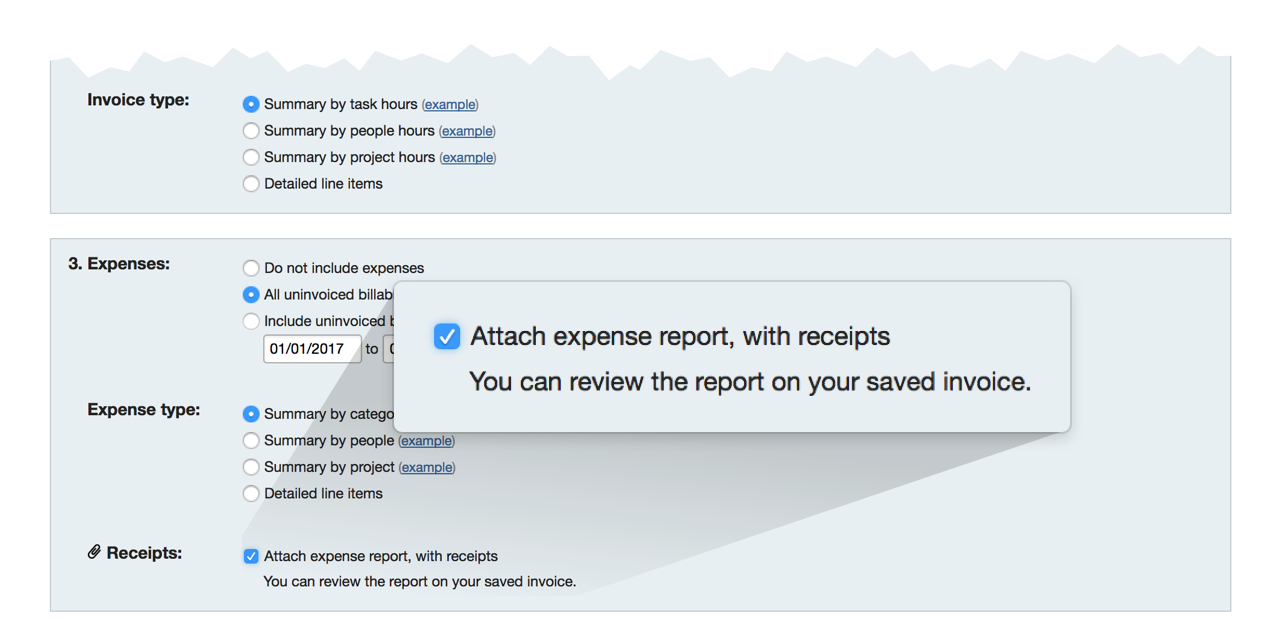
No, billable expenses are not automatically added to customer invoices. You need to manually include them when creating the invoice. This allows for accurate billing and ensures that all expenses are accounted for correctly before sending the invoice to the customer.
What is the difference between an invoice and an expense report?
An invoice is a formal request for payment from a vendor or service provider, while an expense report is a document submitted by employees to request reimbursement for business-related expenses they've already incurred. Invoices are typically sent to clients, whereas expense reports are used internally within a company.


