In Season is our periodic Harvest update on what’s new, what’s next, and what we’d love feedback on.
A lot has changed since we released our first edition of In Season in July. Several of the features we previewed then are now available, while others have moved into beta and are being actively refined. Here’s where things stand today!
Many of our latest features started with ideas from the people who use Harvest. We’d love your feedback on what we should build next. Share your thoughts →
Just shipped
More ways to see how your business is performing, get paid, manage expenses, and align Harvest to the way you work.
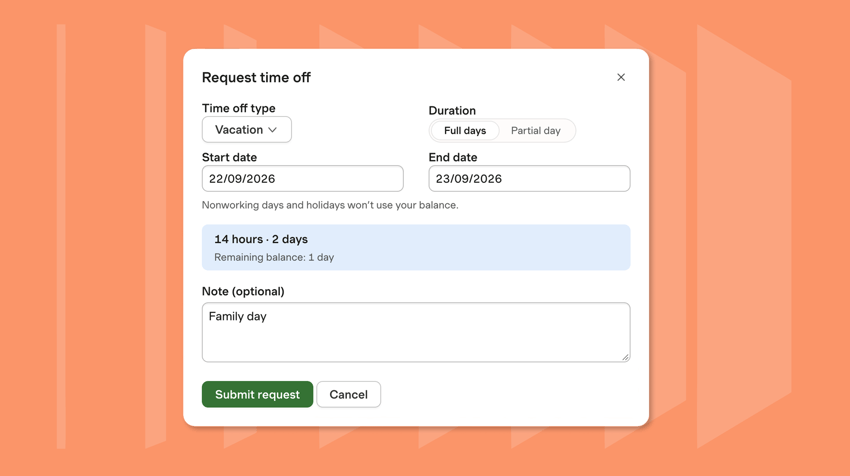
Manage Time Off in Harvest Time Off gives your team one place to manage vacation, sick leave, and other types of paid time off in Harvest.
Holiday calendars and time-off types can be set up with the right accrual rules, allowances, carryover limits, and approval requirements for your team. From there, team members can request time off and see their remaining balance, while administrators can review requests and see upcoming time off across the team in one calendar. Once approved, time off appears automatically on the teammate’s timesheet.
Time Off is rolling out now to all Harvest accounts. See how it works in this 3-minute demo → Learn more →
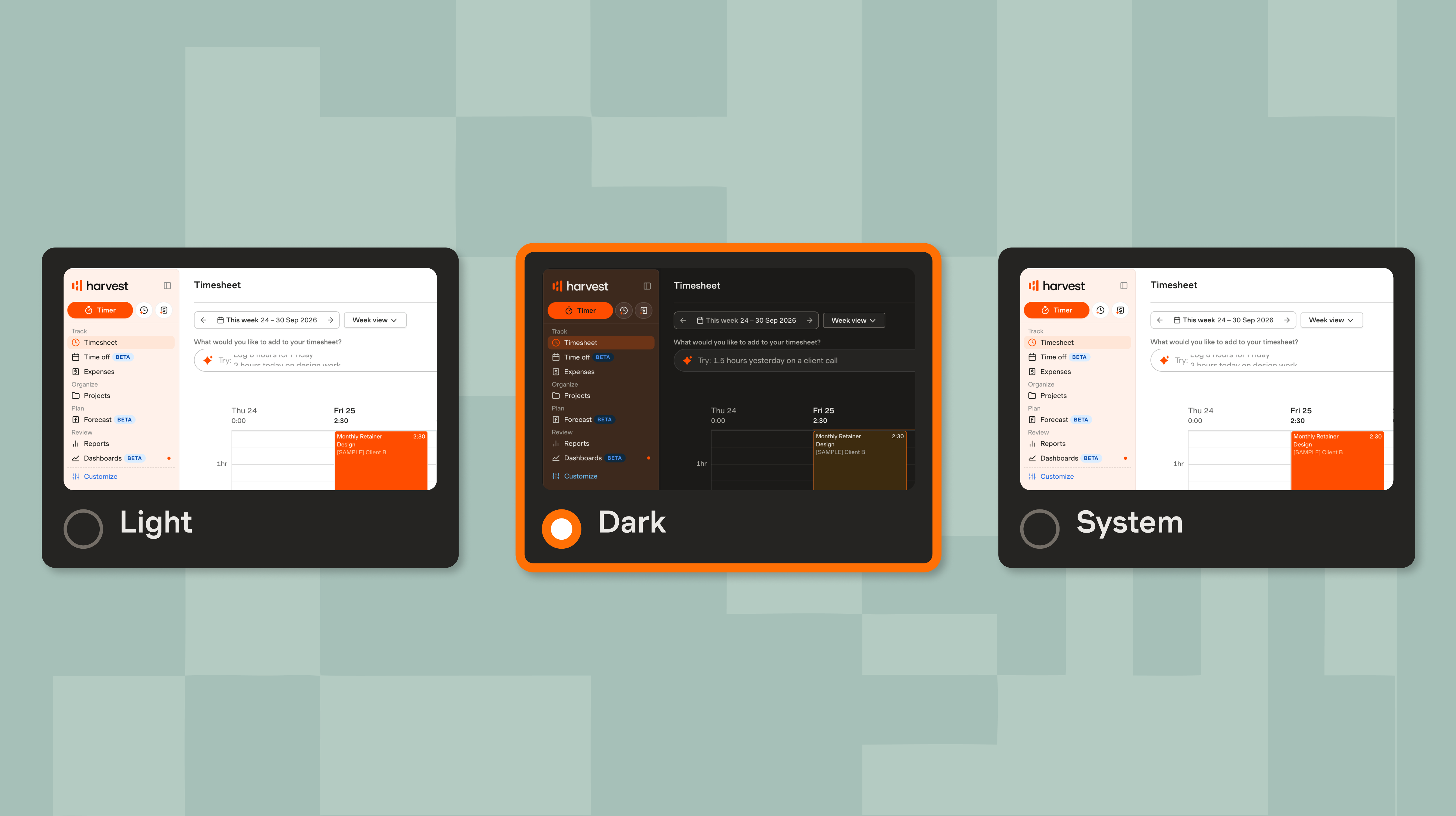 One of your most-requested features: Dark mode
Dark mode is here. Let Harvest follow your system settings automatically, or choose light or dark mode as your default and switch whenever you like. Learn more →
Connect Harvest and Gusto for easier payroll Move from tracked time to payroll with less manual work. Harvest’s Gusto integration lets you send approved timesheets and reimbursable expenses directly to Gusto, without exporting spreadsheets or re-entering data. Set your overtime rules in Gusto once, and they’re applied automatically when you run payroll.
Already use Gusto? Connect your account to Harvest to get started. New to Gusto? Sign up through Harvest to get three months free. Get 3 months of Gusto free → Learn more →
Reimburse expenses directly through Harvest
US contractors can now get their reimbursements paid out directly in Harvest. Contractors can submit out-of-pocket expenses for reimbursement, and administrators can review and pay approved requests using a company card or bank account, with payouts handled securely through Stripe. Learn more →
This first release is available for eligible US-based contractors and USD accounts, with more locales and currencies soon.
More flexible billing for Fixed Fee projects Fixed Fee projects can now reflect more of the ways you actually agree to bill clients, with recurring monthly fees and scheduled milestone payments for project-based work. Set the billing structure upfront, and Harvest keeps invoicing and reporting aligned with it, including revenue accrual in project graphs so you can see how margins develop over time. Learn about monthly fees → Learn about milestone payments →
Prepare Peppol-ready e-invoices in Harvest
Create e-invoices in Harvest with the UBL fields required for Peppol, then export and send them through your external Peppol gateway. That means less manual work preparing invoices for electronic delivery. Learn more →
Supported for Belgium, France, Germany, the Netherlands, and Denmark - with support for more countries on the way.
Personalize your navigation There have been plenty of smaller improvements alongside these releases. You can always find the latest in What’s New inside Harvest.
In Beta
Many of our most powerful new features are already in our customers’ hands. These features are still evolving, and what we learn during the beta period will help shape their final form.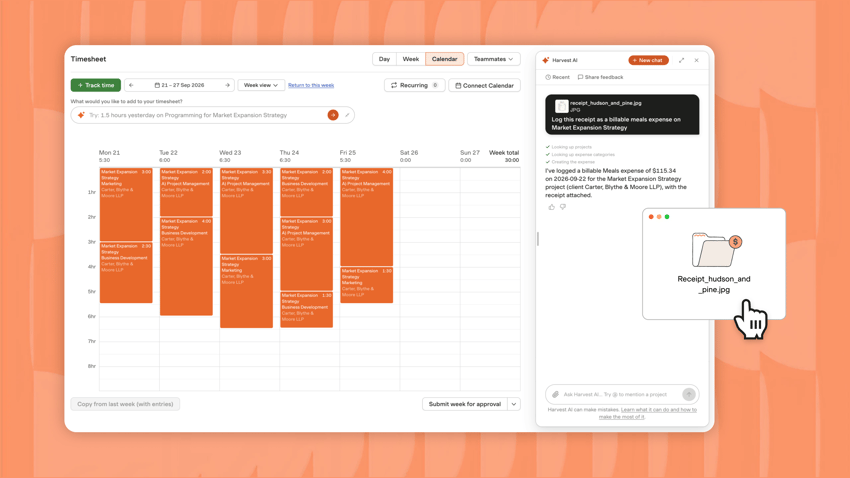
Harvest AI is learning how to do more of the work for you Whether you need a quick lookup or a deep analysis, Harvest AI lets you ask questions about the information already in your Harvest account, including projects, clients, people, time, budgets, invoices, and expenses. It can also help with everyday work: log or edit time, create expenses, prepare draft invoices, and set up larger bulk changes to your team and project management structure for you to review before anything is applied.
Since we first introduced Harvest AI in July, thousands of Harvesters have been testing and helping us to improve the agent, leading to more than 50 improvements and new features. You can now:
- Create an expense simply by uploading a receipt, with the key details filled in automatically.
- Use @ to refer to specific clients, projects, tasks, and more in the chat for quicker recall and to better define the context of the conversation.
- Rely on the agent to remember previous conversations, helping it retain context across sessions and become more useful over time.
We’re continuing to improve the beta, including making it easier to manage time for teammates and giving administrators more useful ways to ask questions about and understand their Harvest data. More improvements are on the way as we learn from how teams are using it.
Harvest AI always works within your existing role and permissions, and an administrator controls whether it’s available on your account. Learn more →
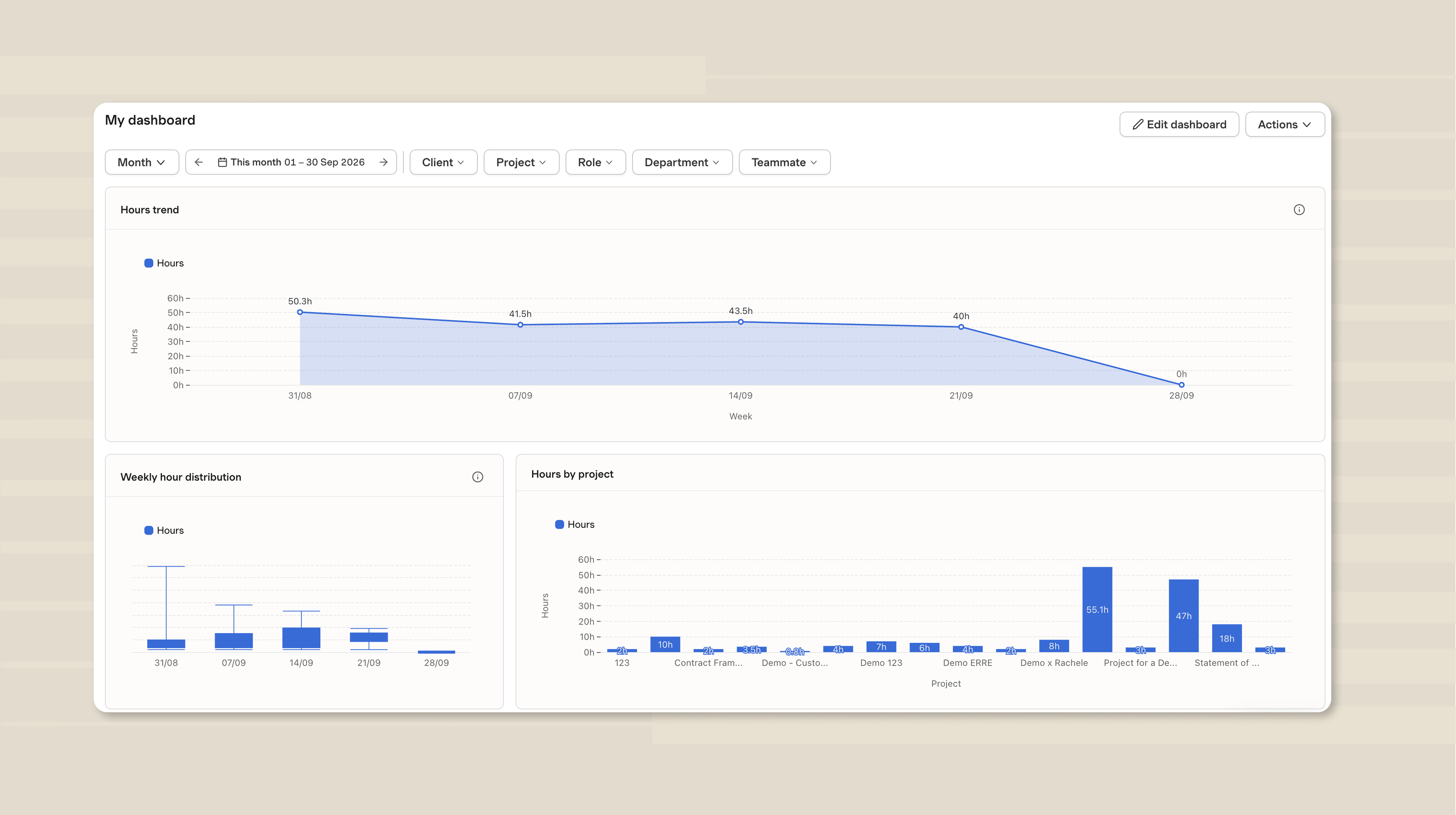 Turn your Harvest data into dashboards Harvest users told us they were tired of repeatedly exporting their data just to build and update dashboards elsewhere. So we built Dashboards inside Harvest to turn the time, budget, and billing data you already track in Harvest into clear, visual dashboards that stay current automatically.
- Spot trends at a glance: Configure charts to visualize the metrics that matter most.
- Drill into the details: Use filters and breakdowns to focus on specific clients, projects, roles, departments, teammates, and time periods.
- Share the right view: Share dashboards with others in Harvest or export them when you need to use the data elsewhere.
- Build once, keep it current: Dashboards update automatically as new data comes into Harvest, so the views you create stay up to date without extra work.
Dashboards are rolling out to all Harvest users over the coming weeks. Explore dashboards →
Keep all your notifications in one place The new notification center brings your Harvest updates together in one inbox. You can also choose which notifications you want to receive inside Harvest and which you’d rather get by email, giving you more control over what reaches you and where. Learn more →
Bring project planning closer to the rest of your work We’re working on a more connected planning experience across Harvest and Forecast, so project planning can sit more naturally alongside the time tracking, budgets, and other project information you already manage in Harvest.
Our goal is to bring the planning workflows you use in Forecast into Harvest, making it easier to move between planning work and seeing what actually happened. Forecast itself will continue to support the functionality you use today, while we work to make that planning experience even more integrated inside Harvest.
Help shape what comes next
Help shape the future of Harvest by sharing your feedback on the newest features we're exploring.
Track overtime for more accurate project costs
When overtime or different kinds of work change what it costs to deliver a project, one standard rate doesn’t always tell the full story. We’re exploring overtime tracking and more flexible cost rates, including assigning different rates to specific people or tasks, so you can get a more accurate view of project profitability. Tell us your thoughts →
Spend time on actual work, not on time tracking We’re exploring ways to make accurate time tracking require less manual work. That includes smarter suggestions for how to allocate your time across projects and tasks, as well as recurring time entries for work that happens on a predictable schedule.
Recurring entries are already being tested, and we're continuing to explore how smarter suggestions can make everyday time tracking faster without taking away control. Tell us your thoughts →
Manage projects end-to-end in Harvest. A project often starts long before anyone tracks their first hour in Harvest. We’re exploring how we can support your client relationships from the first conversation all the way through final delivery.
This includes areas like proposals and estimates, contracts and statements of work, retainers, client documents, and other information that currently lives outside Harvest. Our goal is to understand how bringing more of this work into Harvest can make it easier for you to move from a new opportunity to a full-fledged project you can plan, track, invoice, and report against.
If you manage these workflows today, we’d especially like to hear where they live and what you wish were more seamlessly connected with Harvest. Tell us your thoughts →
Your input continues to shape where Harvest goes next. Every survey response, beta test, and conversation with our team helps us understand which problems matter most and how the tools we build should work in practice.
We’ll be back with another edition of In Season soon. In the meantime, you can find out about new releases and improvements as they happen in What’s New inside Harvest.
The Harvest team.
Questions? Visit our Help Center to see FAQs and contact us.


