What Is the Best App for Tracking Time?
Finding the best time tracking app for 2026 depends on your specific needs and workflow. Some of the leading contenders include Harvest, Toggl Track, Clockify, and RescueTime. Each app brings something unique to the table. For instance, Harvest integrates with popular project management tools like Asana and Slack, making it ideal for teams who need seamless collaboration. Toggl Track is known for its simple interface and ease of use, while Clockify offers an attractive pricing model with a free tier that includes unlimited users. RescueTime focuses on productivity insights, tracking how you spend your time on digital tasks and providing detailed reports.
When comparing these apps, consider their user interfaces and the ease with which you can navigate and generate reports. For example, Harvest provides a clean and intuitive dashboard that allows you to manage projects, track time, and analyze data without a steep learning curve. On the other hand, Clockify’s interface is more straightforward, making it accessible for individuals or smaller teams who may not require extensive features.
Pricing is another critical factor. Harvest offers a 30-day free trial and charges a monthly fee per user after that, which is competitive given its robust features. Clockify, with its free tier, may appeal to budget-conscious users, although its paid plans unlock advanced features like timesheet approvals and project templates. According to factorialhr.com, businesses utilizing time tracking tools see a 30% increase in profitability, a testament to the value of investing in these apps.
Ultimately, the best app for tracking time will depend on your company's size, the complexity of your projects, and your budget. Consider trialing a few to see which fits best with your team’s workflow.
User Reviews and Ratings
Navigating through user reviews and ratings can be enlightening when choosing a time tracking app. Real-world experiences often highlight aspects of an app that aren't immediately apparent from marketing materials. For example, users frequently praise Harvest for its integrations with other tools and its user-friendly interface, which makes it easy for teams to track time without disrupting their workflow.
Toggl Track users often highlight the app’s simplicity and the effectiveness of its reporting features. It’s particularly favored by freelancers and small teams who appreciate the ability to quickly generate reports and analyze their productivity. Meanwhile, Clockify is often noted for its generous free plan, which appeals to startups and individual users looking to manage their time without upfront costs.
RescueTime garners positive feedback for its focus on productivity analytics. Users appreciate its ability to categorize apps and websites, helping them identify where time is being spent, and how to optimize it. According to ebillity.com, only 17% of individuals track their time accurately, indicating the importance of choosing a reliable app that encourages precise time tracking.
Learning from these real user experiences can guide you to a time tracking solution that not only meets your functional needs but also aligns with your team’s expectations and workflow habits. Always weigh the pros and cons shared in reviews to make an informed decision.
Pros and Cons of Using Mobile Time Tracking Apps
Mobile time tracking apps offer significant advantages, especially for teams on the go. They allow employees to log hours from anywhere, enhancing flexibility and ensuring that time is accurately recorded even outside the office. This immediacy can lead to increased accountability and productivity, as employees can track time in real-time rather than relying on memory at the end of the day.
However, there are potential downsides to consider. Mobile apps may pose distractions if notifications are not managed properly. Moreover, some users might find it challenging to adapt to mobile interfaces if they are more accustomed to desktop applications. Despite these challenges, the benefits often outweigh the drawbacks. For instance, companies that adopt mobile time tracking apps report a 35% increase in productivity due to enhanced accountability, as noted by avenueeco.com.
To maximize the benefits of mobile time tracking apps, it’s crucial to implement clear guidelines on their use. Encourage employees to set specific times to log their hours, and ensure they are aware of how to disable distracting notifications. This helps maintain focus and prevents the app from becoming a source of interruption. Overall, while mobile apps introduce some challenges, their ability to enhance productivity and accuracy in time tracking makes them a valuable tool for modern businesses.
What Are the Security Risks of Using a Time Tracking App?
Security concerns are paramount when using time tracking apps. The most common risks include data breaches, unauthorized access, and the potential for sensitive information to be leaked. These risks can stem from vulnerabilities in the app itself or the networks and devices used to access it. To mitigate these risks, it's essential to choose apps with robust security measures such as encryption, two-factor authentication, and regular security audits.
For instance, many apps now employ encryption to protect data both in transit and at rest, reducing the risk of interception by unauthorized parties. Two-factor authentication adds an extra layer of security by requiring users to verify their identity through a second means, such as a mobile device. These measures can significantly reduce the likelihood of unauthorized access.
It's also crucial to stay informed about the app's privacy policy and data handling practices. Some apps may share data with third parties, which could increase the risk of data exposure. Therefore, selecting an app with a strong privacy policy that commits to not selling or sharing user data without consent is vital. According to empmonitor.com, 69% of employees admit to not tracking their time precisely, emphasizing the need for secure and reliable tracking tools.
By choosing a secure time tracking app and adopting best practices, such as using secure networks and regularly updating passwords, you can significantly minimize the risks while reaping the benefits of accurate and efficient time management.
How to Choose the Right Time Tracking App for Your Needs
Choosing the right time tracking app for your needs involves a careful evaluation of several key factors. Start by considering the specific features that are most important to your organization. For instance, if your team frequently works off-site, look for apps with mobile capabilities. An app like Harvest, which offers both desktop and mobile functionality, could be ideal for such scenarios.
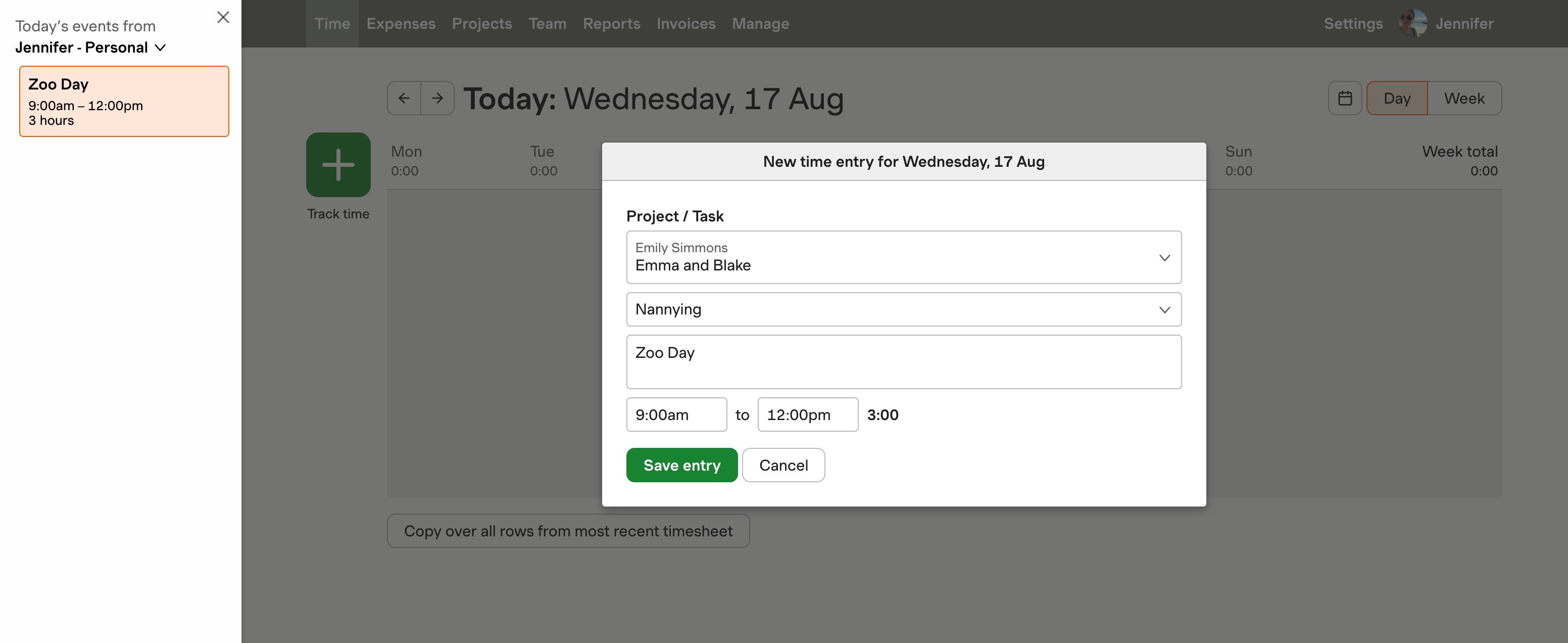
Compatibility is another critical factor. You want to ensure that the time tracking tool integrates seamlessly with the software your team already uses. For example, Harvest integrates with popular tools like Asana, Slack, and Google Calendar, making it easier to incorporate time tracking into existing workflows. This kind of integration is essential for reducing friction and increasing adoption across your team.
Support options should not be overlooked. Reliable customer support can be invaluable when you encounter issues or need assistance setting up or optimizing the app. Some apps offer extensive online resources, while others provide direct support channels like email or live chat. Evaluate these options based on your team's needs and preferences.
Finally, consider the app's pricing model and how it aligns with your budget. Some apps offer free basic versions with premium features available at a cost. Others may provide a flat rate for all features. According to functionfox.com, businesses that utilize time tracking tools see up to a 30% increase in profitability, so investing in a quality app can pay off significantly.
Best Practices for Effective Time Tracking
Maximizing the effectiveness of your time tracking efforts starts with setting clear goals. Determine what you aim to achieve with time tracking, whether it's improving productivity, streamlining invoicing, or enhancing project management. With a specific goal in mind, you can better tailor the features of your time tracking app to meet these needs.
One common misconception is that tracking time is just for accountability. While it's true that time tracking can increase accountability—70% of employees using mobile time tracking apps report improved accountability—it also provides valuable insights into how time is spent, helping identify inefficiencies and optimize workflows. According to arcoro.com, 35% of companies using such apps have seen a productivity boost.
Regularly analyzing the data collected is crucial. It's not enough to simply track hours; you need to review and analyze this data to make informed decisions. Look for patterns or areas where time wastage is occurring, and adjust your processes accordingly. This practice not only helps in resource allocation but also in setting realistic deadlines and workload balancing.
Another best practice is to encourage your team to track time in real-time. This reduces the errors associated with recalling activities at the end of the day or week. Using one-click timers, like those offered by Harvest, can make real-time tracking seamless and more accurate, ultimately leading to fewer billing disputes and better project timeline adherence.
Getting Started: How to Implement a Time Tracking System
Implementing a time tracking system in your organization can seem daunting, but breaking it down into manageable steps can streamline the process. Start by selecting a time tracking tool that fits your needs. Consider factors such as ease of use, integration capabilities, and the specific features you require.
Once you've chosen a tool, set clear guidelines for its use. This includes defining which activities need to be tracked and how to categorize them. Providing training to your team is crucial at this stage. Make sure they understand how to use the system and the benefits it brings. According to knowify.com, simplifying time tracking systems and encouraging daily real-time entries can help creative agencies track both billable and non-billable hours more effectively.
Next, integrate the system with other tools your team uses, such as project management or payroll software. This integration reduces manual data entry and minimizes the risk of errors. For instance, Harvest integrates with various platforms like QuickBooks and Xero, ensuring seamless data flow across systems.
Finally, monitor the system's implementation and gather feedback from your team. Use this feedback to make necessary adjustments and improve the system's effectiveness over time. By following these steps, you'll not only enhance time management but also boost productivity and accuracy in your organization.
Frequently Asked Questions
What is the best app for tracking time?
The best app for tracking time varies based on individual needs, but popular options include Toggl, Clockify, and Harvest. These apps offer user-friendly interfaces, robust reporting features, and integrations with other tools, making them ideal for both personal and professional use. Consider trying a few to see which one fits your workflow best.
What are the risks of using a time tracking app?
Using a time tracking app can involve risks like data breaches, inaccurate tracking, and dependency on technology. If the app is not secure, your sensitive information could be exposed to unauthorized access. Additionally, relying solely on technology can lead to issues if the app malfunctions or if there are connectivity problems.
How do I choose the right time tracking app for my needs?
To choose the right time tracking app, assess your specific requirements, such as ease of use, features, and budget. Look for apps that offer trial periods, allowing you to test functionality and user experience. Additionally, consider integration with other tools you use and check reviews to gauge reliability and customer support.
What are the pros and cons of mobile time tracking apps?
Mobile time tracking apps offer flexibility and convenience, allowing you to log hours from anywhere. They can enhance productivity and accountability, especially for remote workers. However, they may also pose risks like data security concerns and reliance on mobile devices, which can be limiting if the app is not user-friendly or reliable.


